Side-seat co-op players
If one player regularly sits well off-centre, their ability to see dark puzzle areas, coloured clues and menus matters more than a picture judged only from the middle seat.


Choose a gaming TV by checking whether the person in the side seat can read puzzle details and colour cues on the exact screen, rather than choosing by its refresh-rate figure alone. Then confirm that the HDMI input you plan to use supports the formats your console or PC needs; room lighting, screen placement and the connected device can all affect the final choice.
If one player regularly sits well off-centre, their ability to see dark puzzle areas, coloured clues and menus matters more than a picture judged only from the middle seat.
Shared gaming on a console calls for a check of the exact TV model, HDMI input, device and cable if features such as 4K/120, variable refresh rate (VRR) or automatic low-latency mode (ALLM) matter to you.
A 42-inch or 48-inch OLED may be worth considering where space is limited. Sony UK lists both sizes for its A90K range, but seating position and physical fit still need checking for the chosen model.
Start with the view from the side seat, then check the connection for your gaming device and whether the screen fits the room.
| Concern | What to check | Who this matters to |
|---|---|---|
| Side-seat picture | View the exact TV from the planned chair using dark scenes, coloured cues and fine text. Repeat with the room lighting you normally use. | If I sit to one side, I need to follow clues without relying on the centre player to read them for me. Around 50% of consumers put the side-seat picture first. |
| Gaming inputs | Match your console or PC output to the exact model and HDMI socket; check 4K/120, VRR and ALLM where needed. | When I use the same TV for other games, I want my device and chosen input to work with the formats I intend to use. For around 30% of consumers, gaming compatibility is the primary concern. |
| Room and setup | Measure the furniture or wall position and stand clearance; compare the named model's energy label and any installation or recycling services you need. | In a smaller room, I need a screen that fits while leaving both players a practical view. Room fit and setup come first for around 20% of consumers. |
Sony UK cautions that support for a feature on a TV does not mean it works on every HDMI input. Some 4K/120 or VRR setups also require a compatible device, cable and signal-format setting.
Use the exact model's input guide to identify the socket for your console or PC, including any connection you need for eARC audio.
LG UK describes wide-angle brightness and colour behaviour as relevant to local multiplayer on its OLED gaming range. That manufacturer claim cannot tell you how a particular screen will look from your chair under your room lighting.
Assess the exact TV from the planned side position where possible. If buying without seeing it, read the seller's change-of-mind return terms separately from your rights if the goods are faulty.
Installation and recycling are separate practical decisions: the TV may arrive without the help you need to place it or remove the old one.
Check what the retailer's delivery, installation and collection services actually cover before ordering.
If old-TV collection is not arranged, you will need another suitable recycling route.
Oxfordshire County Council advises that electrical equipment, including items with a plug, must not go in general waste.
Check your local authority's electrical-recycling arrangements or whether your retailer offers a suitable take-back service.
LG UK presents its OLED gaming range as relevant to local multiplayer where players watch from wide angles.
Samsung's OLED S90F line is a starting point if higher-refresh gaming specifications matter alongside shared viewing.
Sony's BRAVIA A90K OLED range offers 42-inch and 48-inch sizes for buyers considering a compact gaming screen, according to Sony UK.
These TVs offer different sizes and display types for shared gaming. Compare each one from the planned side seat and check its exact inputs against your console or PC.
 Image unavailable
Consider this 50-inch model if it fits the shared seating area, but check puzzle details from the side chair before choosing it.
The product name specifies a 120Hz Game Accelerator for FHD. Check the input details against the resolution and refresh format you intend to use.
 Image unavailable
This 55-inch OLED is an option for shared play if its picture remains clear from the planned side seat.
Check the exact model's HDMI ports and supported formats before connecting a console or PC; specifications for another S90F screen size should not stand in for this variant.
 Image unavailable
For a compact shared setup, check whether both players can read fine puzzle cues at their planned viewing positions.
Sony UK lists a 42-inch A90K version. Consult the exact model's HDMI guidance for the input, device and cable you intend to use.
 Image unavailable
Consider this 65-inch screen only if its placement gives both players a practical view, including from the side seat.
The product name specifies a 144Hz native refresh rate. Confirm that the intended source and HDMI input support the gaming formats you need.
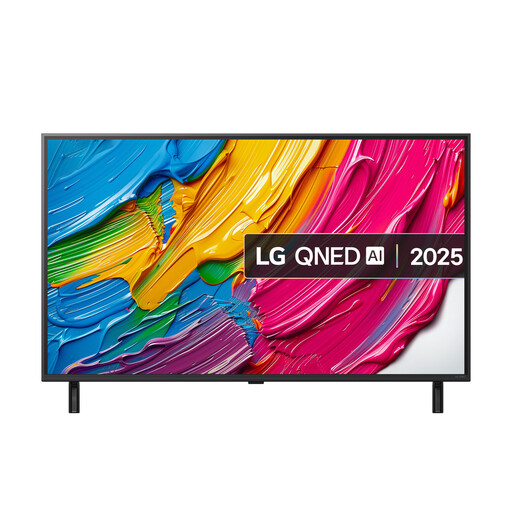 Image unavailable
For a smaller shared setup, check the view of puzzle text from both seats rather than applying claims about LG's OLED range to this QNED model.
The product name lists VRR, ALLM and eARC. Confirm the relevant HDMI inputs and supported refresh format for your setup.
Not every puzzle game needs those features, but they are useful compatibility checks if you also play other games on a capable console or PC. Sony UK advises checking the exact model and HDMI input, as well as the device, cable and settings required for 4K/120 or VRR.
Look at the exact screen from the chair you expect to use, not just from straight ahead. Try dark areas, coloured symbols, fine text and bright menus under your normal room lighting; LG UK identifies wide-angle brightness and colour behaviour as relevant to local multiplayer, but its range-level claim cannot replace this model-specific check.
Compare the label for the exact model, particularly its SDR efficiency class and on-mode energy consumption. GOV.UK specifies an A-to-G SDR class and consumption in kWh per 1,000 hours for television-label data.
Contact the seller about the fault and keep your order confirmation and a record of the problem. GOV.UK states that consumer law protects purchases of goods made online or in person; a retailer's change-of-mind policy is separate from remedies for faulty goods.
Use an appropriate electrical-recycling or take-back route rather than general waste. Oxfordshire County Council advises keeping electrical equipment out of general waste; check your own local authority and retailer for the arrangements available to you.