What matters when choosing a TV?
For consumers choosing a bedroom TV mainly for arcade sports, room fit and responsive controls come before deciding whether a particular panel type or higher refresh rate is worth pursuing.
| Concern |
Buying checks |
Who this matters to |
| Responsive play |
Check Game Mode or automatic low-latency mode (ALLM), then match the required refresh rate to your device, game and HDMI input. |
When quick button presses matter, I want the display set up to avoid unnecessary delay. Around 31% of consumers put responsiveness first. |
| Bedroom fit |
Measure the distance from your usual eye position and the space available for the screen and its stand or mounting. |
A screen must be easy to see from my bed or chair without overwhelming the room; bedroom fit is the main concern for around 31% of consumers. |
| Room lighting |
Compare the exact models’ picture specifications and consider when the room is brightest; do not use panel names as a substitute for gaming-input checks. |
If I also watch TV in this room, I want a picture that suits its lighting. For around 23% of consumers, that is the primary concern. |
| Energy information |
Once suitable models are identified, compare their labelled SDR consumption in kWh per 1,000 hours. |
For long gaming and viewing sessions, I want comparable electricity-use information; around 15% of consumers make that their first priority. |
Joybuy TVs for bedroom gaming
These models offer different screen sizes and panel types to consider for a bedroom arcade-sports setup. Measure your viewing position before comparing them, and check the exact gaming input modes against your device.
 No image available
Sony BRAVIA A90 XR42A90K 42-inch OLED 4K TV
Consider this 42-inch option if your measured viewing position and placement space suit a smaller screen. Its title specifies OLED, 4K and HDR; check the exact HDMI inputs and supported gaming modes against your console or PC.
View on Joybuy
 No image available
TCL 50Q6C-UK 50-inch QD-Mini LED 4K TV
This 50-inch option is worth considering if both your viewing distance and placement area allow for it. Its title specifies QD-Mini LED and 4K HDR; confirm the refresh modes and HDMI-port requirements for the games you play.
View on Joybuy
 No image available
TCL 43V6C 43-inch Direct LED 4K TV
Its 43-inch size may suit a bedroom with less screen space, subject to your measurements. The title marks its 120Hz Game Accelerator as FHD, so do not assume that feature provides 4K/120Hz input; check the supported modes for your device.
View on Joybuy
 No image available
TCL 55P8K-UK 55-inch QLED 4K TV
Check the bedroom layout carefully before choosing this 55-inch screen: Which? gives around 3.3m as a viewing-distance starting point for that size. Its title specifies QLED and 4K HDR PRO, but confirm the supported gaming refresh modes rather than relying on the Game Accelerator headline.
View on Joybuy
 No image available
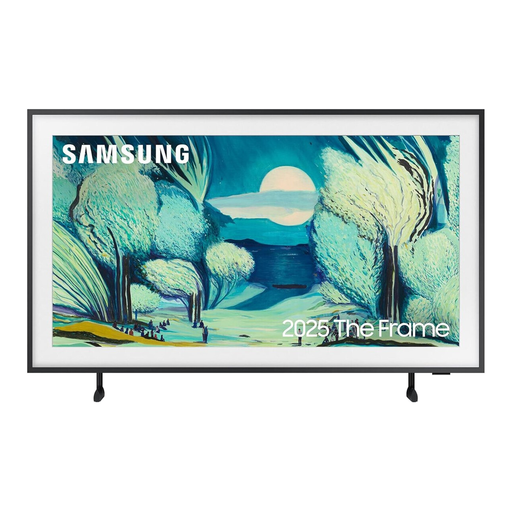
Samsung The Frame QE43LS03FAU 43-inch 4K TV
This 43-inch option may fit a closer bedroom setup once you have measured the viewing position. If high-frame-rate gaming matters to you, check its exact refresh and input specifications rather than assuming them from the 4K description.
View on Joybuy
Frequently asked questions
Do I need a 120Hz TV for bedroom arcade sports?
Not necessarily: a 120Hz input is useful for high-frame-rate play only when the device, game and TV connection support it. Check your main games and console or PC before making refresh rate the deciding feature; Nintendo’s advice for Nintendo Switch Sports focuses on playing in TV mode.
How do I choose a bedroom TV size?
Measure from your usual eye position to the proposed screen location, then check the space available for placement. Which? gives approximately 2.45m for 40 inches, 2.6m for 48–50 inches and 3.3m for 55 inches as starting points, not fixed requirements for every room.
What should I check after connecting a console?
Use the HDMI input and cable required for the output you want, then enable the relevant Game Mode and enhanced input setting where the TV requires them. Sony and Samsung provide model-specific guidance for 4K/120Hz and VRR, so follow the instructions for your particular TV and console.
Can I play Nintendo Switch Sports on a bedroom TV?
Yes: Nintendo recommends playing Nintendo Switch Sports in TV mode and says the game does not support handheld mode. Plan the bedroom layout around the space needed to use motion controls for your chosen sport.
Which energy figure should I compare between TVs?
Compare the labelled on-mode SDR consumption, expressed in kWh per 1,000 hours, for the exact models you are considering. GOV.UK’s television energy-label information uses that measure; check HDR information too where it is relevant to how you will use the TV.


