What matters when choosing?
Start with the space and seating positions, then check the connections your gaming equipment can actually use. Assess picture preferences in the lighting where you normally play.
| Concern | What to check | Who this matters to |
|---|
| Room fit and shared visibility |
Measure the available width and compare the exact TV and stand dimensions. Check whether players in the furthest seats can read puzzle text. |
If several of us share a small sofa area, I need a screen that fits without leaving anyone struggling to follow clues. Around 40% of consumers put room fit and shared visibility first. |
| Responsive connection |
Check Game Mode and which HDMI input supports the features you want, alongside the source device and cable. |
I want controller input to feel responsive and my console or PC to use its supported features. For roughly 30% of consumers, connection and responsiveness are the primary concern. |
| Picture and room lighting |
Assess reflections where the TV will sit and compare shortlisted displays in relevant lighting. Check each model’s energy label if running consumption matters to you. |
When I play in the evening, I care most about seeing dark-scene details and distinguishing colours in the room’s actual lighting. Picture and lighting come first for about 30% of consumers. |
Joybuy TVs for this setup
These 42–50-inch TV choices are relevant to a small-room co-op setup. Compare their actual dimensions with your furniture and seating layout; the gaming features differ by model.
 No image available
TCL 50Q6C 50-inch QD-Mini LED 4K TV
Consider this model if a 50-inch screen suits both the available space and the players’ viewing distance.
The product title specifies HDR, a Google TV interface, an ONKYO 2.1 system and a dimming series of up to 512 zones. Before choosing it for high-refresh gaming, confirm the exact refresh mode and HDMI-input capabilities for your equipment.
View on Joybuy
 No image available
Sony BRAVIA XR42A90K 42-inch OLED 4K TV
Consider its 42-inch size when furniture space is limited, while checking that puzzle text remains readable from the furthest seat.
The product title specifies HDR, Google TV, Dolby Vision and Dolby Atmos. Check the stand footprint and the exact HDMI inputs and settings needed for your console.
View on Joybuy
 No image available
TCL 43V6C 43-inch Direct LED 4K TV
Its 43-inch size is worth considering when a larger screen would be difficult to place, provided all players can read the display from their seats.
The product title specifies HDR, Google TV and a 120Hz Game Accelerator at FHD resolution. Do not treat that FHD mode as 4K/120; check the exact HDMI capabilities and stand dimensions.
View on Joybuy
 No image available
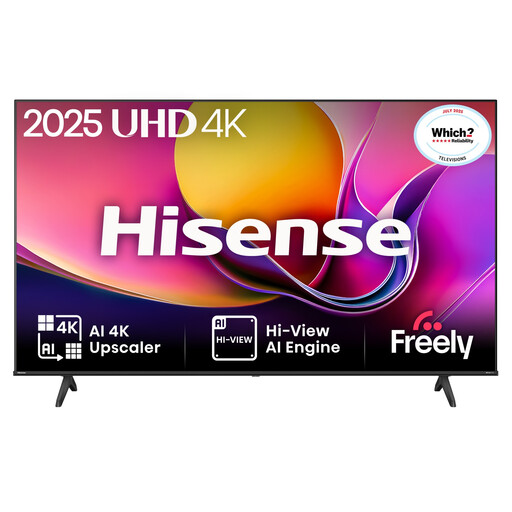
Hisense 43E6QTUK 43-inch Direct LED 4K TV
Consider this 43-inch option if it fits the intended furniture and remains legible for the whole group.
The product title specifies HDR, VIDAA OS and Game Mode PLUS. Check its exact HDMI specifications if VRR or 4K/120 is part of your setup, and compare the stand dimensions with the available space.
View on Joybuy
Common questions
Do co-op puzzle games need a 120Hz TV?
Not necessarily: a 120Hz mode matters only when the game and the console or PC can use it through a supported connection. For a game outputting at 60fps, check that everyone can read the screen and that the TV has a suitable Game Mode. Sony UK notes that 4K/120 may also require a compatible cable, HDMI input and signal-format setting.
Will every HDMI port support the same gaming features?
No; support can differ between inputs on the same TV. Sony UK advises checking the exact BRAVIA model’s HDMI inputs because a listed feature does not necessarily work on every port. Plan where the console and any soundbar will connect before ordering.
What should I compare on TV energy labels?
Compare the shortlisted TVs’ stated on-mode consumption using the same content category and measurement basis. GOV.UK’s television energy-label information expresses SDR and HDR consumption separately in kWh per 1,000 hours.
What can I do with the old TV when replacing it?
Arrange electrical recycling rather than putting the old TV in household rubbish. GOV.UK says that, when you buy a replacement electrical product, the retailer must accept the old one free of charge on a like-for-like basis, including for online purchases; check the practical handover arrangements before delivery.


