Side-seat split-screen racers
If one player regularly sits well off-centre, judge colour, brightness and contrast from that seat—not only from directly in front of the TV. RTINGS explains why viewing angle matters for wide seating arrangements.


Choose a gaming TV by checking how its picture looks from the side player’s seat before comparing maximum refresh-rate figures. Both players also need a usable view of the split screen, while the TV’s Game Mode and HDMI inputs must support the formats their console or PC will actually use. A 144Hz or higher headline matters less if the source and game cannot deliver it.
If one player regularly sits well off-centre, judge colour, brightness and contrast from that seat—not only from directly in front of the TV. RTINGS explains why viewing angle matters for wide seating arrangements.
Check input lag at the format you intend to use, along with Game Mode, variable refresh rate (VRR), auto low latency mode (ALLM) and the capabilities of the chosen HDMI input. RTINGS defines input lag as the delay between a source sending a signal and the TV displaying it.
Room lighting and long sessions with a fixed racing display both matter. LG describes wide-angle contrast as an OLED advantage, but also warns that extended static imagery can pose an image-retention risk.
Start with the view from both seats, then check gaming formats and connections against the devices you own. Screen size and room conditions should be judged in that same setup.
| Concern | What to check | Who this matters to |
|---|---|---|
| Picture from the side seat | View the exact model from the intended seat or consult independent viewing-angle measurements for that model. | When my racing partner sits to one side, I want their half of the screen to retain a convincing picture. Roughly 33% of consumers put side-seat image consistency first. |
| Steering response and motion | Compare Game Mode input lag at your intended format; confirm VRR, ALLM and the required refresh mode on the HDMI input you will use. | If steering feels delayed or motion breaks up, the race is harder to follow regardless of screen size. Around 27% of consumers prioritise responsive, smooth play. |
| Split-screen space and connections | Check screen and stand dimensions against the room, then map gaming devices and any eARC audio equipment to the model’s HDMI ports. | I need both players’ views to be usable without running out of suitable connections. About 20% of consumers make screen layout and port allocation their primary concern. |
| Room lighting and static displays | Assess reflections in the intended room; for OLED, review the model’s panel-care guidance for extended static content. | In a bright living room, I need to judge the picture under my usual lighting and consider long sessions with a fixed racing display. Roughly 20% of consumers put room conditions and panel care first. |
The side player may see a different picture even when the centrally seated player is satisfied. RTINGS identifies viewing angle as important for wide seating arrangements.
Check the exact TV from the side-seat position or look for independent measurements of that model.
Gaming features can be restricted to particular ports: Sony lists VRR on HDMI 3 and 4 for the cited BRAVIA 8 II model.
Plan where the console or PC and any eARC soundbar will connect. Check whether the selected input needs an enhanced-signal setting.
A headline figure does not establish what a console or game can output. Samsung says its stated 4K 144Hz, 165Hz and 240Hz gaming modes require compatible PC-connected games and graphics hardware.
Confirm the refresh mode, resolution and source conditions you will use before treating a higher figure as a deciding feature.
A large screen needs a clear delivery route and an arrangement for any TV it replaces. GOV.UK describes same-type electrical-equipment take-back obligations for relevant retailers, but the practical collection method still needs checking.
Confirm access, return arrangements and old-TV take-back with the retailer before ordering.
These model ranges offer useful features to compare, but a brand name does not establish how a particular TV performs from your side seat.
LG’s UK OLED evo AI C6 listing states up to 4K 165Hz, G-SYNC compatibility and FreeSync Premium.
Samsung’s UK S90F listing identifies the 65-inch QE65S90FATXXU and advertises 4K 144Hz gaming.
Sony’s UK BRAVIA 8 II 65-inch specification identifies an OLED TV with a 120Hz panel, VRR and ALLM.
These TCL TVs offer screen sizes and stated display or gaming features relevant to split-screen racing. Before choosing one, check its picture from your intended side seat and confirm the gaming signal modes you need; neither screen size nor a refresh-rate label answers both questions.
 No image available
Consider this 65-inch model if it fits the space you have for two players. Its title specifies a 120Hz Game Accelerator for FHD; check side-seat picture quality and the exact HDMI gaming modes before relying on it for your setup.
 No image available
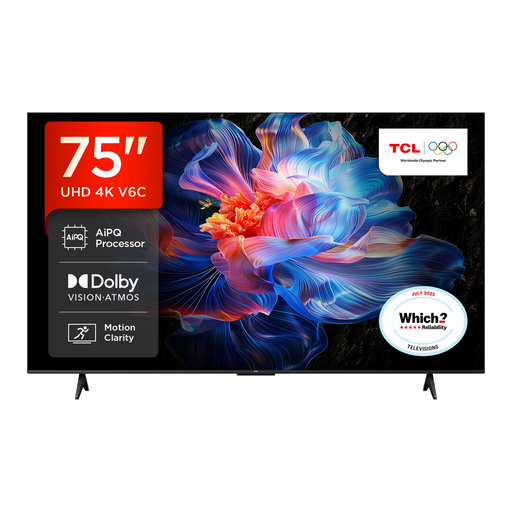
The 75-inch size is worth considering if both split-screen views need more physical space and the TV fits your room. The stated 120Hz Game Accelerator is for FHD; check viewing angle and the signal formats available on the ports you will use.
 No image available
Consider this model where a smaller TV better suits the seating layout. Its title names a 288Hz Game Accelerator, but check the usable refresh mode, resolution and source conditions; assess the exact model from the side seat as well.
 No image available
This 65-inch option may suit the space available for two racers. Its title states a 144Hz native refresh rate; confirm the gaming modes, HDMI features and input lag for your source, as well as the picture from the side seat.
Check the exact model from the seat you will use, or consult independent measurements of its viewing angle. RTINGS notes that wide viewing angles matter for wide seating arrangements; resolution and refresh rate alone do not establish the side-seat picture.
Check the source, cable, chosen HDMI input and TV settings together. Sony’s UK guidance says compatible BRAVIA sets may require Enhanced Format for 4K/120Hz, with VRR enabled separately where supported; consult the manual for your exact model.
Not solely because of that headline figure: the source and game must support the mode. Samsung says its stated higher 4K refresh modes require compatible PC-connected games and graphics hardware, so check the formats your own setup can deliver.
It calls for an ownership check rather than an automatic decision. LG warns that displaying static imagery for an extended period can pose an image-retention risk; if you choose OLED, follow the exact model’s panel-care guidance.
Confirm the seller’s cancellation arrangements and how an old TV would be collected. GOV.UK says customers generally have 14 days after receiving an online purchase to tell the seller they want to cancel, subject to applicable exceptions; remedies for faulty goods are separate. GOV.UK also describes same-type electrical-equipment take-back obligations for relevant retailers, so ask how the retailer will arrange it for your order.