Tournament-focused fighting-game players
Players choosing a TV for responsive controller-to-screen play, clear fast motion and a high-refresh Game Mode that works with their tournament platform.


For fighting-game tournaments, choose a TV whose Game Mode, HDMI inputs and supported signals match the console or PC you will use; check independent input-lag measurements for the exact model where available. In a bright lounge, assess reflections and image visibility from both player and spectator seats. Mini LED/LCD and reflection-controlled OLED are both routes to consider, but neither display type alone establishes how a particular TV will perform in your room.
Players choosing a TV for responsive controller-to-screen play, clear fast motion and a high-refresh Game Mode that works with their tournament platform.
Hosts whose screen will face daylight or room-light reflections, making visibility at the planned player seats a central part of the choice.
Organisers arranging seats for players and spectators who need usable sightlines without overlooking the main console or PC’s signal requirements.
Settle the screen’s position relative to windows, lights and seats, then check the exact TV model’s gaming inputs against the console or PC used for tournaments.
Consider when: Daylight visibility is the main obstacle and you want to assess brightness-oriented models for the planned screen position.
Allow for: Reflection handling, side-seat viewing and gaming inputs vary by exact model; a Mini LED label does not settle those questions.
Consider when: An OLED model’s stated reflection treatment suits a screen position away from direct sunlight and distracting lamps.
Allow for: Check visibility in your lighting and seating layout; refresh modes above 120Hz also need a compatible PC setup to be useful.
| Concern | What to check | Who this matters to |
|---|---|---|
| Responsive play | Check Game Mode and independent input-lag results for the exact model. Confirm that its HDMI input accepts the signal your platform uses, including 4K/120Hz, variable refresh rate (VRR) or auto low-latency mode (ALLM) where relevant. | When each controller input matters in bracket play, I want the display set up for the intended gaming signal rather than a heavily processed picture mode. Around 36% of consumers put responsiveness first. |
| Daylight visibility | Compare exact-model brightness and reflection handling at the screen’s intended angle to windows and lamps. | If daylight falls across my lounge, I need to see the game clearly from the player seats. Glare control is the first concern for roughly 29% of consumers. |
| Shared viewing | Measure the available space and check viewing-angle information against player and spectator seating positions. | With people watching from the sides, I need usable sightlines beyond the central seat. About 21% of consumers prioritise shared viewing. |
| Platform fit | Check whether the PC and game can output a stated 144Hz or 165Hz mode; for console play, check the supported 120Hz path first. | If my events use a console, I do not want to choose around a higher-refresh PC mode that the setup cannot use. Matching the TV to the platform comes first for around 14% of consumers. |
A refresh-rate figure above 120Hz is not automatically a benefit for console fighting games. Samsung says its 4K modes above 120Hz require supporting PC-connected games and graphics hardware.
Check the console’s supported game output and the TV’s 4K/120Hz, VRR, ALLM and Game Mode features before considering higher PC refresh modes.
Features can depend on the input and its settings. Sony lists VRR on HDMI 3 and 4 for its BRAVIA 9 specification and instructs users to enable Enhanced Format for 4K/120Hz on the port in use.
Check the exact model’s port map against every planned console, PC, soundbar or AV receiver, then confirm the required input setting after installation.
Players and spectators may sit at different angles, so a central view does not establish what everyone will see.
Mark out the intended seats and assess viewing-angle information for the shortlisted model before deciding on screen size and placement.
Poor side-seat visibility may call for a different stand or wall arrangement.
Windows, lamps and screen angle still affect what players see, even when a model has an anti-reflection feature.
Plan the screen position first, compare claims for the exact model and, if possible, assess a similar lighting arrangement before choosing.
Sony’s BRAVIA 9 provides a Mini LED model to examine for a bright lounge and a 120Hz gaming setup.
The OLED evo G6 is an OLED line to examine if reflection treatment and a PC-oriented refresh mode are both relevant.
The QN80H is a Neo QLED model to examine if you are considering a Mini LED/LCD TV with PC gaming features.
These TVs offer different screen sizes and display approaches for a shared gaming setup. Check each exact model’s Game Mode, input support, reflection handling and views from your intended seats before choosing for a bright lounge.
 No image available
Consider this model if a 75-inch screen fits the planned player and spectator seating. Its title states a 144Hz native refresh rate; check the supported input modes, measured responsiveness and reflection handling for the exact variant.
Confirm the dimming-zone specification for this variant before using it to compare TVs.
 No image available
The 75-inch size is worth considering for a group setup if it fits the room. Check this exact model’s gaming input modes, measured input lag, reflection handling and sightlines before relying on it for tournaments in daylight.
 No image available
A 55-inch screen may fit a different seating arrangement from the 75-inch options; check whether distant spectators can see it comfortably. Confirm the exact variant’s gaming inputs, measured input lag, brightness and reflection handling for your setup.
 No image available
Consider its 55-inch size if the tournament seats are close enough for a clear view. The title states 165Hz and Game Mode Ultra; confirm the supported source and input settings, alongside measured responsiveness and reflection handling, before choosing it for this room.
 No image available
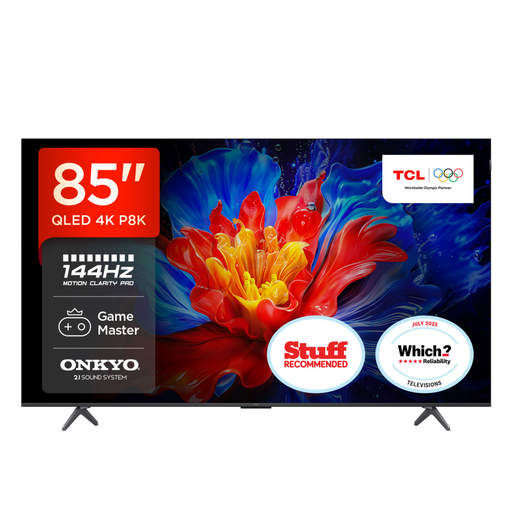
Its 85-inch size makes room dimensions, installation and off-centre spectator seats especially important to check. Confirm the exact model’s supported gaming signals, measured input lag and reflection handling rather than assuming screen size resolves bright-room visibility.
Enable Game Mode and confirm that the console or PC is connected to an HDMI input supporting its intended signal. Check the TV’s displayed signal and any required input-format setting; for Sony BRAVIA TVs using 4K/120Hz, Sony instructs users to enable Enhanced Format on the port in use.
No: start by checking the console and game’s supported output against the TV’s 4K/120Hz path and relevant gaming features. Samsung says its 4K refresh modes above 120Hz require a supporting PC-connected game and suitable graphics hardware.
Contact the retailer about a remedy and keep your order details and a record of the fault. GOV.UK explains that a faulty product may need to be repaired or replaced; the appropriate remedy depends on the circumstances, rather than on a change-of-mind returns policy alone.
Check electrical-equipment take-back or local collection options rather than putting the TV in ordinary household waste. GOV.UK says retailers offering like-for-like in-store take-back must provide that service free of charge, though transport for collection can carry a charge; check the arrangements available for your old TV.