For group arcade sports, choose around the seating plan and room light before comparing refresh-rate labels. LG describes OLED as offering wide viewing angles for people sitting to the side; larger Mini LED and QLED models are another route for a spacious or bright room, provided you check the picture from your likely seats. For PS5 or Xbox Series X play at 4K/120Hz, check the exact TV model, HDMI input, console settings and cable path rather than relying on the panel’s advertised refresh rate alone.
Who is this for?
Players and spectators in side seats
If people will watch or take turns from across the room, check how the picture looks away from the centre seat. LG describes its OLED technology as offering wide viewing angles, but the screen you buy still needs to suit your seating layout.
Hosts using a bright or spacious room
A 75-inch screen may be worth considering when several people need to follow the action, if it fits the room. TCL and Samsung list 75-inch gaming-oriented models; check each model under your room lighting and from the seats you intend to use.
PS5 and Xbox Series console organisers
If 4K/120Hz or variable refresh rate (VRR) matters to your group, check the selected HDMI input as well as the TV specification. Sony, PlayStation and Xbox support information shows why the connected device, settings and cable path also matter.
What matters when choosing?
For group arcade sports, work out where everyone will sit and how much daylight reaches the screen, then check the gaming modes available through the HDMI input your console will use.
| Concern |
What to check |
Who this matters to |
| Side-seat picture |
Check viewing-angle information for the exact model and, if possible, look at it from your planned side seats. |
If friends will watch or play away from the centre, I need a picture they can follow without everyone crowding one spot. Around 42% of consumers put side-seat viewing first. |
| Console modes |
Check 4K/120Hz and VRR support on the intended HDMI input, along with the console settings and cable path. |
When fast play on a PS5 or Xbox Series console is my priority, I want the connected setup to offer the modes I intend to use. Roughly 33% of consumers prioritise console-mode compatibility. |
| Room and screen fit |
Compare the screen’s dimensions with the room and seating plan; check it under your lighting and compare energy-label consumption figures. |
In a bright or spacious room, I want the whole group to see the action on a screen that fits the space. About 25% of consumers place room and screen fit first. |
Buying pitfalls
-
Assuming a 144Hz label covers every console mode
A panel refresh-rate label does not establish which HDMI inputs support 4K/120Hz or VRR. Sony notes that features can differ by input and that some modes require a changed HDMI signal format.
Check the exact model’s port information, use the intended gaming input and inspect your console’s connected-display information. If a soundbar or receiver sits between console and TV, check that connection path too.
-
Picking size without considering side seats
A larger picture does not settle how it will look to people seated off-centre.
Map the player and spectator positions before choosing a size. Where side seats dominate, assess the viewing-angle capability of the exact model rather than relying on its brand or display-technology name alone.
-
Using only the energy-class letter
The letter alone does not show how two differently sized TVs compare for electricity use. Energy Saving Trust advises considering size as well as the energy rating.
Compare the energy-label consumption figure, such as kWh per 1,000 hours, alongside screen size and expected use.
-
Assuming large-TV services are included
Wall mounting, recycling and protection can be separate choices at checkout; a large screen also needs a suitable place to stand or be mounted.
Check which services and accessories are included, and plan the installation before ordering.
Brands to consider for this setup
LG
An OLED route to investigate when several people will sit away from the centre of the screen.
- LG describes its OLED technology as offering wide viewing angles. Its OLED G6 page also lists gaming features including up to 4K/165Hz for that model.
- G6 features do not establish the specification of every LG OLED. Check the chosen size, HDMI inputs and console modes.
Samsung
A large-screen QLED and Neo QLED route to compare for shared play.
- Samsung lists Motion Xcelerator 144Hz on its 75-inch QN80H product page.
- Samsung’s wider gaming-TV feature descriptions apply to selected sets. Confirm the exact model’s HDMI inputs, gaming modes and side-seat picture.
Sony
A BRAVIA route for shoppers checking console features against a specific TV series.
- Sony’s support information distinguishes BRAVIA series by HDMI gaming-feature support.
- Sony warns that a supported feature may not work on every HDMI input; 4K120 or VRR can also require compatible equipment and an HDMI setting change.
TCL
A QLED and QD-Mini LED route with 75-inch gaming-oriented examples.
- TCL lists a 144Hz native refresh rate for its 75-inch P8L and advertises HDMI gaming features for its P8K-UK series.
- Check the exact series, size and input configuration; one model’s refresh-rate or HDMI claim does not establish another model’s capabilities.
Joybuy products for group play
These TCL choices include larger QD-Mini LED and QLED TVs, plus a 75-inch Direct LED option. Compare each one against your seating layout and the console modes you intend to use; the products do not represent every display route discussed above.
 Image unavailable
TCL 98Q6C-UK 98-inch QD-Mini LED 4K TV
Consider this 98-inch option if your room, seating distance and installation space can accommodate a very large screen.
The product title specifies 4K HDR and a 144Hz native refresh rate. Check viewing from your side seats and confirm the gaming modes available on the HDMI input you will use.
View on Joybuy
 Image unavailable
TCL 75Q6C 75-inch QD-Mini LED 4K TV
This 75-inch model is a large-screen option for a group whose seating arrangement suits that size.
The product title specifies 4K HDR and a 144Hz native refresh rate. Check its picture from side seats and verify 4K/120Hz and VRR support on the input intended for your console.
View on Joybuy
Image unavailable
TCL 75P8K-UK 75-inch QLED 4K TV
Consider this 75-inch QLED if console connection features are a priority alongside group viewing.
The product title names a 288Hz Game Accelerator; do not read that as a 288Hz native 4K refresh rate. Check the resolution and gaming modes available on the HDMI input you plan to use, as well as the picture from side seats.
View on Joybuy
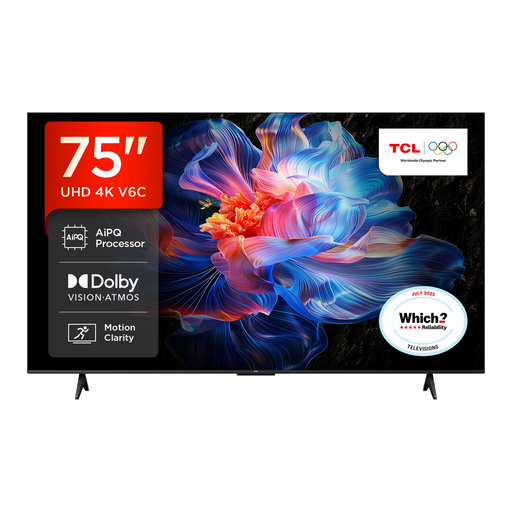 Image unavailable
TCL 75V6C 75-inch Direct LED 4K TV
This 75-inch screen is an option for shared viewing if its picture suits your room and side seats.
The product title specifies a 120Hz Game Accelerator at FHD resolution, not 4K/120Hz. If 4K/120Hz is important, confirm that mode and the relevant HDMI-input features for this exact model before choosing it.
View on Joybuy
 Image unavailable
TCL 75Q7C 75-inch QD-Mini LED 4K TV
Consider this 75-inch model where a large shared screen fits the seating plan.
The product title specifies 4K HDR and a 144Hz native refresh rate. Confirm ALLM, VRR and 4K/120Hz support for the exact model and HDMI input before relying on those modes; the title’s local-dimming figure is stated as an upper limit, not a fixed zone count for this variant.
View on Joybuy
Frequently asked questions
Do I need a 120Hz TV for every arcade-sports game?
No: choose a 120Hz-capable setup if the games and console modes you intend to use make it worthwhile. PlayStation supports 4K/120Hz output on PS5, while Xbox says Series X gaming at 4K/120Hz needs a compatible HDMI 2.1 TV; the selected input, settings and cable path must support the mode too.
How can I check my PS5 or Xbox connection?
Check what the console reports for the connected TV, then compare it with the features specified for the HDMI input in use. PlayStation directs PS5 owners to the Video Output settings for connected-device resolution, VRR and HDR information; for Xbox Series X, check the TV input and suitable cable, and connect directly to the TV where possible.
Should I check installation options before ordering a large TV?
Yes: decide where the TV will stand or be mounted and check what the order includes. Wall mounting and old-TV recycling can be separate services, so confirm the available options before checkout.
What matters for a safe TV placement?
Put the TV on a flat, stable surface away from moisture and heat, or use an installation suitable for the TV and its location. Electrical Safety First gives the same placement advice for TVs; follow the manufacturer’s installation instructions for the model you choose.


