For a large group sharing one screen, start with a size that keeps each player’s part of the game readable from their seat. Compare off-angle picture quality if seating spreads to the sides, or consider a large Mini-LED model if daylight and screen scale matter more; then check the exact size and HDMI inputs for the console modes you intend to use. A headline refresh rate above 120Hz is not, by itself, a benefit for console co-op.
Who is this TV for?
Wide-sofa split-screen groups
When three or four players look at different parts of one screen, side seats and the readability of smaller game elements matter alongside the diagonal. PlayStation and Xbox both give examples of local games supporting up to four players; check the player limit for each game you plan to play.
Bright-room game-night hosts
If sessions take place in daylight or a well-lit shared room, compare screen size, brightness claims and reflections in the room. TCL lists large QD-Mini LED options, but specifications need checking for the particular size under consideration.
Multi-console players
If several consoles, or a console and PC, will use the same TV, check which HDMI inputs provide the modes each device needs. Higher PC refresh-rate claims should not replace a check of 4K 120Hz, variable refresh rate (VRR) and auto low-latency mode (ALLM) for console play.
What matters for group co-op?
Map the seats and viewing distance before choosing a diagonal, then compare console input modes, room lighting and the connections needed for the group’s setup.
| Concern |
What to check |
Who this matters to |
| Shared-screen clarity |
Check whether split-screen text is readable from the planned seating distance, and compare the picture from side seats. Philips says its OLED760 retains its picture when viewed at an angle; assess that claim for the model and room you are considering. |
If players spread across a sofa, I need to follow my part of the game without moving to the centre. Around 40% of consumers put shared-screen clarity first. |
| Console response |
For the exact size and HDMI input, confirm 4K 120Hz, VRR and ALLM support; look for Game Mode input-lag measurements where available. |
When timing-sensitive games join our co-op sessions, I want to know which modes my console can actually use. Roughly 30% of consumers make console responsiveness their primary concern. |
| Daylight and screen scale |
Compare the intended diagonal with room fit, ambient light and reflections. Brightness figures can differ by model and size: TCL’s 115-inch C7K claim should not be applied to smaller versions. |
For games played in a bright communal room, I need a screen the group can see from its usual seats. About 20% of consumers prioritise bright-room scale. |
| Sound and connections |
Count the inputs needed for your devices, and check speaker details and HDMI eARC compatibility if you plan to add a soundbar. |
If setting up several devices takes over game night, I want straightforward connections and sound the group can hear. Around 10% of consumers put setup and audio simplicity first. |
Buying mistakes to avoid
-
Assuming a gaming label proves 4K 120Hz support
A high advertised refresh rate may apply only at a particular resolution or in a particular mode. The mode available to your console is the relevant question.
Check the exact size variant’s native refresh rate, 4K HDMI input modes and VRR support, rather than relying on a Game Accelerator label. Joybuy’s TV buying guidance also recommends checking the input modes behind headline refresh-rate figures.
-
Choosing PC refresh rates for console-only play
Samsung says its 4K 144Hz, 165Hz and 240Hz claims require compatible PC-connected games and graphics hardware. Those figures alone do not establish a benefit for a PS5 or Xbox group.
For a console-led setup, confirm the TV’s 4K 120Hz mode, VRR, ALLM and intended HDMI port instead.
-
Choosing by diagonal without checking side seats
A larger picture does not settle whether players sitting off-centre can comfortably follow their part of a split-screen game.
Map the seating positions, then compare viewing-angle claims with the brightness and size of the alternatives in the room where the TV will be used.
-
Relying on an audio-format logo to judge the speakers
Audio-format support does not tell you how the built-in speakers will serve a group in your room.
Check the speaker configuration and HDMI eARC connection, as well as compatibility between the TV, console and any planned soundbar.
Adding a soundbar also means planning its connection and placement.
Relevant gaming TV brands
Samsung
Samsung’s gaming-TV range is relevant to buyers comparing OLED models, multiple device connections and console gaming features.
- Samsung lists four HDMI 2.1 ports, VRR and ALLM in its gaming-TV range; confirm the configuration of the exact model and size.
- Samsung says its higher 4K refresh-rate modes depend on compatible PC games and graphics hardware, so they should not be treated as console features.
TCL
TCL’s QD-Mini LED lines offer sizes worth comparing when a group needs a large screen in a bright room.
- TCL lists the C7K range in sizes from 50 to 115 inches; its Q9BK specifications include HDMI 2.1, VRR and ALLM.
- Brightness, dimming and gaming specifications must be checked by model and size. A figure stated for the 115-inch C7K does not describe every C7K.
Philips
Philips OLED Ambilight models are worth comparing when seating extends to the sides and room lighting can be controlled.
- Philips says the OLED760 picture holds up at an angle. Its OLED range also lists HDMI 2.1 and a native 120Hz refresh rate.
- Ambilight is a presentation feature, not evidence of faster game response. Check the gaming modes of the particular TV rather than assuming a PC-oriented 144Hz claim applies to a console.
Joybuy TVs for group gaming
These choices span larger screens for shared viewing and a smaller gaming TV for rooms where a 55-inch display fits better. Compare each one against your seating plan, room lighting and console input requirements.
 No image available
TCL 75Q7C 75-inch QD-Mini LED 4K TV
Consider this 75-inch model if the group’s split-screen view needs a larger display and the room can accommodate it.
The product name specifies QD-Mini LED and a 144Hz native refresh rate. Check the exact HDMI input modes for your console, including whether 4K 120Hz and VRR work together, and confirm the TV’s dimensions before ordering.
View on Joybuy
 No image available
Hisense 55U7QTUK Pro 55-inch Mini LED 4K TV
This 55-inch option is worth assessing if a larger screen will not suit the room, provided each player can read their part of the game from their seat.
Its product name includes 165Hz Game Mode Ultra, which should not be taken as confirmation of a native 165Hz panel or a particular console mode. Check 4K 120Hz and VRR operation on the intended HDMI input.
View on Joybuy
 No image available
TCL 98Q6C-UK 98-inch QD-Mini LED 4K TV
The 98-inch diagonal merits consideration where the group sits farther from the screen and the room has space for a TV of this size.
Confirm delivery access and placement before choosing it. Refresh-rate descriptions for this variant conflict, so check the native rate and the exact 4K 120Hz and VRR modes on the HDMI input you will use.
View on Joybuy
 No image available
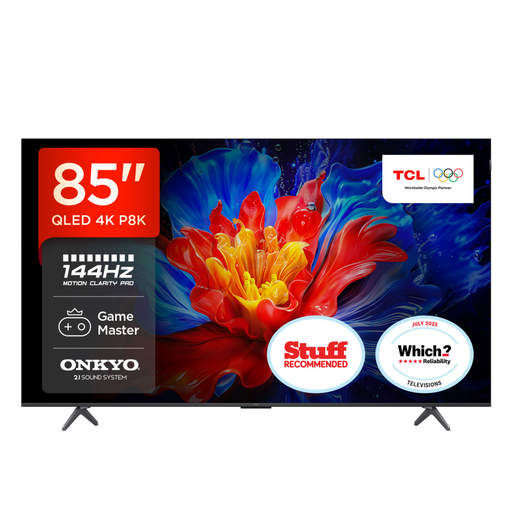
TCL 85P8K-UK 85-inch QLED 4K TV
This 85-inch screen is another size to assess for shared viewing if it fits the furniture, room and delivery route.
The product name identifies a QLED display. Check the native refresh specification and the exact 4K 120Hz and VRR modes for this size and your intended HDMI port.
View on Joybuy
 No image available
Samsung S85F QE83S85FAE 83-inch 4K TV
For a wide seating arrangement, assess this 83-inch model’s picture from the side seats as well as its fit in the room.
Confirm its dimensions, weight and delivery access. Check which HDMI input supports the 4K 120Hz and VRR combination required by your console setup.
View on Joybuy
Questions about group gaming TVs
Does buying a gaming TV mean I need a TV Licence?
No, buying a TV solely to play games does not itself require a UK TV Licence. GOV.UK says one is needed if you watch or record live TV on any channel or service, or use BBC iPlayer.
How can I check whether a TV supports 4K 120Hz console play?
Check the exact model and screen size for its native refresh rate and supported 4K modes through the HDMI input you intend to use. Confirm VRR at 4K separately rather than relying on a Game Accelerator label or headline refresh rate.
Does a 144Hz or higher figure make a TV better for PS5 or Xbox co-op?
Not on its own: the advertised mode may be intended for a compatible PC rather than a console. Samsung says its 4K 144Hz, 165Hz and 240Hz modes require supported PC-connected games and graphics hardware; for console use, check the TV’s 4K 120Hz, VRR and ALLM support.
Can I cancel an online TV order if the screen does not suit my room?
For a UK distance sale, GOV.UK says customers can tell the seller they want to cancel within 14 days of receiving the item. Check the seller’s collection arrangements for a large TV before ordering; cancellation for a change of mind is distinct from remedies for a faulty, damaged or misdescribed TV.


