Hosts with seats spread across the room
If players and spectators cannot all sit directly in front of the TV, check how the picture holds up from the side. A larger screen alone will not resolve an awkward seating angle.


Choose for the room before choosing the biggest screen: the LG C5 is worth considering when players and spectators will sit well off-centre, while the Samsung QN90F has stronger evidence for handling a bright, reflection-prone room. Whichever route fits, check the gaming modes your console or PC can use, count the game-capable HDMI inputs, and make sure the screen fits both the furniture and the seating layout.
If players and spectators cannot all sit directly in front of the TV, check how the picture holds up from the side. A larger screen alone will not resolve an awkward seating angle.
Windows, lamps and bright living rooms make reflection handling worth checking alongside the TV’s gaming features. Consider what each seat will see, not just where the screen will stand.
A group may play through one console, but an additional game device or eARC soundbar can complicate the port plan. Check which inputs support the modes you intend to use.
For local arena battles, start with the seating and light in the room. Then match the TV’s gaming modes and connections to the devices that will actually be plugged in.
| Concern | What to check | Who this matters to |
|---|---|---|
| Views from side seats | Map the seats, then check viewing-angle evidence for the selected model rather than judging by screen size or panel name alone. | When friends sit across a wide sofa, I want everyone to follow the action without relying on the central seat; around 27% of consumers put off-centre visibility first. |
| Responsive play | Check Game Mode, variable refresh rate (VRR) and the resolution and refresh rate supported on the input you will use. Refresh rate alone does not establish input lag or motion clarity. | For fast arena matches, I care most about how the TV handles the gaming mode my console or PC can output; roughly 33% of consumers prioritise responsiveness. |
| Daylight and reflections | Note where windows and lamps appear in the screen, and look for reflection-handling evidence for the exact model. | If we play while the room is bright, I need to see the picture from our usual seats despite the light; around 20% of consumers make bright-room visibility their primary concern. |
| Connections and setup | List the consoles, PC and audio equipment; check which HDMI inputs carry the required gaming modes and whether a soundbar needs eARC. | With more than one device sharing the TV, I want a connection plan that leaves the gaming inputs I need available; approximately 20% of consumers put setup needs first. |
Refresh rate does not tell you the TV’s input lag, pixel response or whether your chosen HDMI input supports the gaming mode you want. TVs with the same refresh rate can handle fast motion differently.
Check Game Mode, VRR and supported input modes for your console or PC. Use independent measurements of input lag and motion handling where available.
The number of sockets can exceed the number that support the highest-bandwidth gaming modes. RTINGS reports two HDMI 2.1-capable ports on the Sony BRAVIA 5, while its connection plan may also need to accommodate audio equipment.
Write down what you will connect and check the selected model’s manual for the ports that support your required resolution, refresh rate and VRR.
Trusted Reviews found wide viewing angles on the 48-inch LG C5, while RTINGS reports off-axis picture changes on the Sony BRAVIA 5. RTINGS found that the Samsung QN90F handles reflections well, but that does not make every seat or lighting arrangement equivalent.
Prioritise viewing-angle evidence if the group spreads out, or reflection evidence if light falls across the screen. Check both if the room presents both problems.
Screen sizes within one range should not be treated as interchangeable when comparing energy information. Replacing a TV also means deciding how the old electrical item will be handled.
Compare the energy label and product information sheet for the size you intend to buy. If you are replacing a TV, ask the retailer about its same-type electrical-waste take-back arrangements before ordering.
These model lines illustrate different room and connection trade-offs; a brand name alone does not establish how another model will perform.
The OLED C5 line is relevant when several viewers will sit to the side and multiple gaming devices need capable inputs.
The Neo QLED QN90F line is relevant when daytime light and reflections make the room difficult for shared play.
The Mini LED BRAVIA 5 line offers sizes up to 98 inches, according to Sony UK, for rooms where a large screen and relatively central seating are priorities.
These TVs offer 55- to 98-inch screen choices for shared play. Their listed gaming modes differ, so choose a size that fits the room and check side-seat visibility and the required HDMI mode for your own setup.
 No image available
Consider this 98-inch option if a very large screen is your priority and both the room and access route can accommodate it.
 No image available
This 75-inch option is worth considering when the group wants a large screen but the available space calls for a smaller size than 98 inches.
 No image available
Consider this 55-inch model if the room layout favours a smaller screen and the group can still see it comfortably from their seats.
 No image available
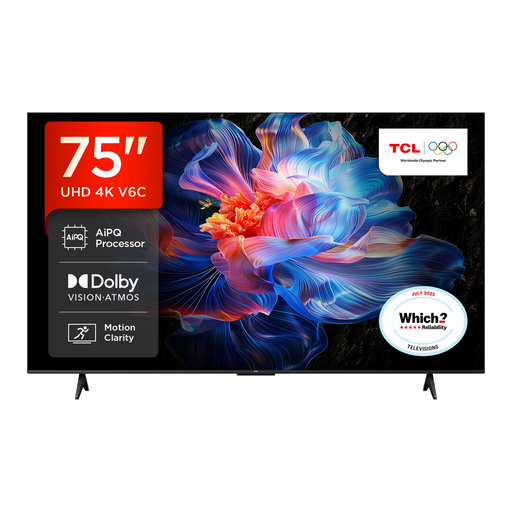
This 75-inch TV is an option when screen size matters more than obtaining a 4K 120Hz gaming mode.
No: a 120Hz mode is useful only when the connected device and game can output a compatible high-frame-rate signal. Check the TV’s supported resolution and refresh rate on the intended HDMI input, along with Game Mode and VRR; a higher advertised refresh rate alone does not establish responsiveness.
Not because of the number of players: local multiplayer can use one console output. Extra game-capable ports matter if you will also connect another console or PC, particularly when a soundbar affects your port plan. RTINGS reports four HDMI 2.1 ports on the tested LG C5 and Samsung QN90F, compared with two on the tested Sony BRAVIA 5.
Yes. Compare the energy label and product information sheet for the size you intend to buy rather than assuming that different sizes in a model range have identical figures. GOV.UK states that products within the scope of its energy-information rules must be supplied with an energy label and product information sheet.
Ask the retailer about same-type electrical-waste take-back when arranging the replacement, and clarify how the old TV would be collected or handed over. GOV.UK says retailers and distributors must offer to take back electrical waste of the same type as an item their customers buy.