PS5 players seeking smoother high-frame-rate play
Check whether your TV and the games you play support 120Hz, VRR, HDR and ALLM. PlayStation notes that these modes depend on compatible games and display hardware.


Start with your console, games and HDMI connection rather than panel type: for compatible 4K/120Hz play, check the exact HDMI input, HDMI 2.1 support, VRR, low-latency mode and the cable or AV-receiver path. OLED can suit viewers who value deep blacks and contrast, while a 120Hz LED or QLED route can suit a brighter multipurpose room; choose screen size from measured seating distance and installation space.
Check whether your TV and the games you play support 120Hz, VRR, HDR and ALLM. PlayStation notes that these modes depend on compatible games and display hardware.
Check the console model, cable and any AV receiver as well as the TV. Xbox Support distinguishes Series X 4K/120Hz requirements from the lower-resolution 120Hz options that may be available with Series S.
Choose a gaming-capable TV that also fits your seating distance, furniture and everyday TV or film viewing. Confirm console compatibility first, then decide which panel characteristics suit the room.
Consider it when: Deep blacks and high contrast matter for games and general viewing, and the exact model confirms the console features you need.
Check first: Panel type does not confirm HDMI-port capability, VRR or ALLM, so verify the UK model and connected input.
Consider it when: You want a bright-panel TV for a multipurpose room and the exact model provides the gaming modes your console can use.
Check first: A 120Hz panel alone does not show which ports support 4K/120Hz or which VRR modes are available.
| Priority | What to check | Your needs |
|---|---|---|
| Console and HDMI compatibility | Check the connected HDMI input, HDMI 2.1 support, VRR, ALLM or Game Mode, and any enhanced-input setting. For Xbox Series X 4K/120Hz, Xbox Support specifies the console, an Ultra High Speed HDMI cable and an HDMI 2.1-capable TV. | I want the modes advertised by the TV to work with my own console, games and connection path. |
| Fast-game features | Check whether your games support 120Hz output and whether the TV supports VRR and a low-latency mode on the selected input. PlayStation states that PS5 120Hz and VRR use depends on compatible TV and game support. | For fast-paced games, I want to know whether higher refresh rates and low-latency settings will be relevant to the games I actually play. |
| Room fit and screen size | Measure normal seating distance, TV width and depth including the stand, wall or furniture space, and access routes. Samsung UK suggests roughly 1 to 2.5 times screen size as a 4K viewing-distance starting range. | I want an immersive screen without making the seating area, furniture or delivery route impractical. |
| Panel route | Compare picture characteristics alongside the precise port and gaming-mode specification. Panasonic lists OLED contrast characteristics for its Z80 series and a bright 120Hz QLED panel for its W85B series; these specifications apply to those named models. | I want to choose OLED or LED/QLED for the room and viewing priorities that matter to me, not because one label is universally better. |
A TV may need a particular input and an enhanced-input setting for 4K/120Hz or VRR. An incompatible port or AV receiver can prevent the intended mode.
Read the exact model’s port map and setup guide, connect the console to a compatible input, and enable any required HDMI or Enhanced Format option.
120Hz output is conditional: PS5 requires compatible TV and game support, while Xbox Series X 4K/120Hz needs the specified console, cable and TV combination.
List your console model and the games you play most. Treat 4K/120Hz as essential only if those games and your intended signal path can use it.
Xbox says the supplied 2-metre Series X Ultra High Speed cable supports HDMI 2.1 features including 4K gaming at 120Hz, while a different cable may affect video quality.
Plan console placement before purchase. For a longer Series X 4K/120Hz run, use a certified Ultra High Speed HDMI cable and recheck the display modes reported by the console.
A replacement certified Ultra High Speed HDMI cable may be needed when the console is placed more than 2 metres from the TV.
A technically capable screen can still be unsuitable if it overwhelms the room, does not fit furniture or wall space, or cannot be brought in through access routes.
Measure viewing distance, wall or unit width and depth, stand footprint, packaging access and the preferred seating position before choosing a size.
LG’s UK gaming-TV guide covers OLED and other gaming-TV ranges, highlighting refresh rate, VRR, low input lag and 4K picture quality for console and PC use.
Sony’s UK support guidance for PS5 and current-console setups focuses on Game Mode or ALLM, 4K/120Hz and VRR settings.
Panasonic offers OLED and QLED or LED gaming routes, including named models with HDMI 2.1-related gaming features.
Samsung UK provides screen-size guidance for choosing a television around measured room dimensions rather than gaming marketing alone.
Joybuy TV options for console gaming where HDMI gaming features and room fit are central to the choice.
 Image unavailable
A 50-inch option for console players who need to check furniture fit and viewing distance alongside gaming features.
QD-Mini LED, 4K HDR, 144Hz native refresh rate and ONKYO 2.1 Hi-Fi System are stated in the product name.
Confirm which HDMI input supports your intended 4K/120Hz and VRR mode, and check the console, game and cable path.
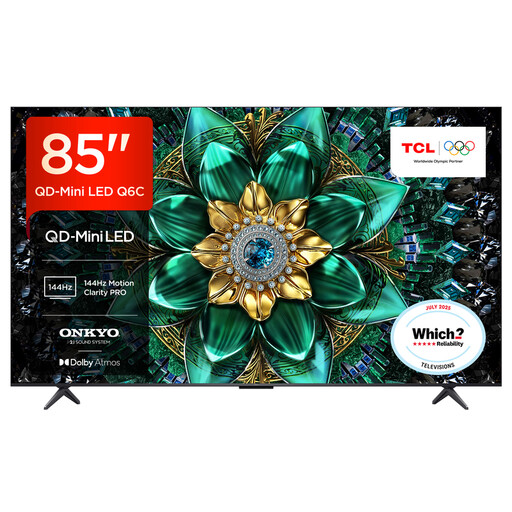 Image unavailable
An 85-inch route for large rooms where the wall or stand, viewing distance and delivery access have been measured first.
QD-Mini LED, 4K HDR, 144Hz native refresh rate and ONKYO 2.1 Hi-Fi System are stated in the product name.
Verify the setup required for your console’s 4K/120Hz or VRR mode, especially if an AV receiver is in the signal path.
 Image unavailable
This 98-inch option is for a dedicated large viewing space only after careful room, furniture and access-route measurements.
QD-Mini LED, 4K HDR, 144Hz native refresh rate and ONKYO 2.1 Hi-Fi System are stated in the product name.
Check that your selected HDMI input, cable and console game expose the 4K/120Hz or VRR mode you intend to use.
 Image unavailable
A 55-inch QLED option for a living-room setup that combines console gaming with general viewing.
QLED, 4K HDR PRO, 288Hz Game Accelerator and ONKYO 2.1 Sound System are stated in the product name.
Check the model’s HDMI port map, seating distance and available stand or wall space before purchase.
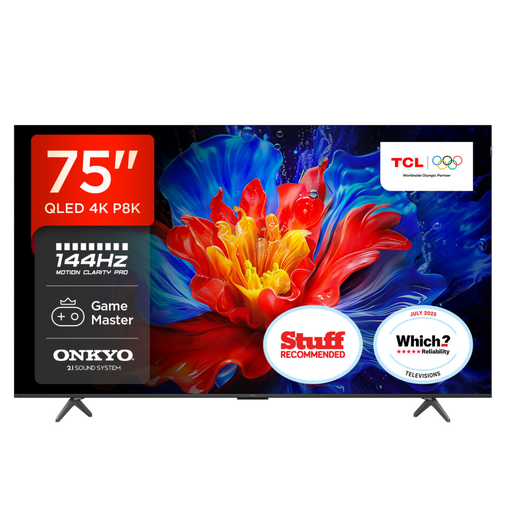 Image unavailable
A large-screen QLED route for gaming and everyday TV in a room with sufficient seating distance and installation space.
QLED, 4K HDR PRO, 288Hz Game Accelerator and ONKYO 2.1 Sound System are stated in the product name.
Confirm that the selected HDMI input and any AV receiver support the console mode you plan to use.
No. PlayStation states that PS5 uses 120Hz output with compatible TVs and games. Xbox Support states that Series X can use 4K/120Hz with the specified console, Ultra High Speed HDMI cable and HDMI 2.1-capable TV, while 120Hz can also be available at a lower resolution in some cases.
Check the full connection chain: Xbox Series X, an Ultra High Speed HDMI cable supporting HDMI 2.1, and an HDMI 2.1-capable television. If an AV receiver sits between the console and TV, check that it also supports the required path.
PS5 detects the display’s capabilities and normally selects the best available resolution, according to PlayStation. You can inspect the connected device’s reported resolution, VRR and HDR in Settings, but 120Hz, VRR and ALLM still depend on TV and game support.
Measure your normal seating position first, then compare it with the TV’s full dimensions and installation space. Samsung UK gives a 4K starting range of roughly 1 to 2.5 times screen size, with examples of around 1.7m for 55-inch and 2.0m for 65-inch, but room layout and comfort still matter.
No. Panel type and gaming connectivity are separate checks. Panasonic lists HDMI 2.1, 120Hz and VRR for its Z80 OLED series, while its W85B QLED listing includes a 120Hz panel and VRR up to 120Hz; other models can have different port and feature support.