Shared-room local players
Several people following a basketball game from seats around the kitchen diner need a screen position and size that work for the room, as well as gaming features suited to fast action.


Choose a TV that fits the shared viewing positions and lighting in your kitchen diner before weighing up gaming specifications. A compact OLED is an option when reflections are manageable; if daylight is the main obstacle, look for model-specific glare control, such as that listed for Samsung’s 43-inch QN90F. For high-frame-rate play, check that the game, console or PC, and intended HDMI input can use the TV’s stated 4K 120Hz, variable refresh rate (VRR) and auto low-latency mode (ALLM) features.
Several people following a basketball game from seats around the kitchen diner need a screen position and size that work for the room, as well as gaming features suited to fast action.
If windows or kitchen lights reflect on the proposed screen position, check glare-control features on the exact TV model rather than choosing by panel type alone.
Players seeking supported high-frame-rate modes need to check the game and source device alongside the TV’s 4K input modes, VRR, ALLM and HDMI ports.
Start with the space and likely reflections, then check which gaming modes your console or PC can actually use.
| Concern | What to check | Who this matters to |
|---|---|---|
| Shared viewing and fit | Measure the stand or wall space, check dimensions with and without the stand, and consider where players will sit. | When several of us play around the dining area, I need everyone to see the action without the TV crowding the room. Around 40% of consumers would put shared viewing and fit first. |
| Reflections | Inspect the screen position at playing times and check the exact model’s glare-control specification. | If windows or overhead lights reflect on the screen, I want to address that distraction before choosing a panel type. Roughly 30% of consumers would make reflection control their primary concern. |
| Gaming compatibility | Check 4K refresh modes, VRR and ALLM on the intended HDMI input against the console or PC and games you use. | For games that support high-frame-rate output, I want the connected equipment to use the mode I am buying the TV for. About 30% of consumers would prioritise gaming-mode compatibility. |
A 144Hz or 165Hz TV specification does not mean a particular basketball game will output at that rate. PlayStation UK documents PS5 support for 4K 120Hz output, but the game, settings, connection and TV must support the selected mode.
Check the exact model’s modes by HDMI port before buying, then inspect the console’s connected-display information during setup.
According to LG UK, its screen-protection features help reduce image-retention and burn-in risk; they are not a reason to leave a paused game or static menu displayed indefinitely.
Use the TV’s protection features and follow the exact model’s panel-care instructions.
Panel labels do not establish how a particular screen will handle reflections. Samsung UK lists a Glare Free feature for its 43-inch QN90F, but that specification should not be assumed for other Mini LED TVs.
Check the intended screen position when you usually play, then compare glare-control information for the specific models you are considering.
Mount compatibility and ventilation requirements depend on the TV. Samsung advises leaving at least 10 cm around the top, bottom and sides when mounting its TVs.
Check the chosen model’s bracket compatibility and installation instructions before ordering a mount.
A compatible wall bracket may need to be obtained separately.
Relevant compact options include the 42-inch S90F OLED and 43-inch QN90F Neo QLED Mini LED.
The 48-inch C4 is an OLED option where that screen size suits the available space.
The documented 55-inch BRAVIA 8 II offers a larger OLED route for a room with sufficient space.
These TVs offer different screen sizes and panel types for a kitchen-diner gaming setup. Compare each one against your available space, room reflections and required console or PC modes; a panel label or gaming term in a product name does not settle those checks.
 Image unavailable
Consider this 55-inch screen if your seating positions and available space suit a larger TV. Check the exact 4K gaming modes by HDMI port and assess reflections at the intended position; the Game Accelerator wording in the name does not establish a 4K 288Hz input mode.
 Image unavailable
This 48-inch OLED is worth considering where its size fits the shared room and reflections can be controlled. Before choosing it for a particular console, check VRR and high-frame-rate support on the HDMI input you plan to use, along with the model’s panel-care guidance.
Image unavailable
The 55-inch Mini LED format may suit a kitchen diner with room for a larger screen. Confirm its 4K high-refresh modes on the required HDMI port, and check reflections separately: Mini LED in the name does not establish glare-reduction performance.
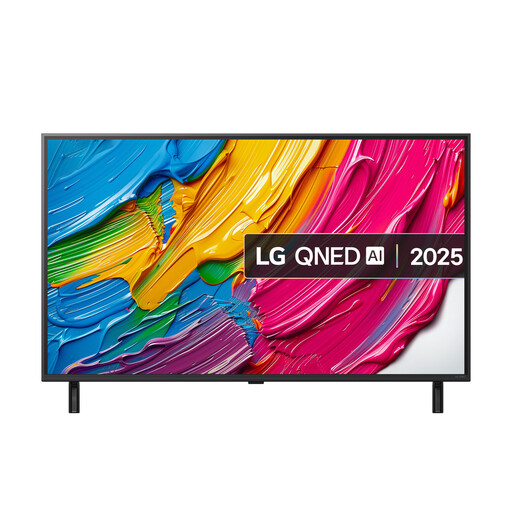 Image unavailable
The 43-inch size gives you a compact option to measure against the intended stand or wall space. Its name lists VRR and ALLM; check the exact supported refresh rate before choosing it for 4K high-frame-rate play, and assess reflections in your room.
 Image unavailable
Consider this 65-inch variant only if the room can accommodate its size without compromising dining space or players’ sightlines. Check the required 4K gaming modes by HDMI port and evaluate reflections at the proposed screen position.
No, not every game needs one. A documented 4K 120Hz input path matters if your game and console or PC support that output; PlayStation UK confirms PS5 support for 4K 120Hz, but the connected TV mode must support it too.
Yes, if the console and TV can use a compatible VRR mode. Check support on the intended HDMI input and in the games you play rather than assuming every gaming input offers the same features.
Start with reflections at the proposed screen position. Samsung UK lists Glare Free for its 43-inch QN90F Mini LED model, making it a specific option to examine where glare is troublesome; an OLED remains an option where lighting can be controlled and you prefer its contrast.
Check bracket compatibility and the installation instructions for the exact model. Samsung advises at least 10 cm of clearance around the top, bottom and sides when mounting its TVs.
Yes, check the label for the exact model when comparing energy information. GOV.UK guidance says television energy labels must be easy to see and clearly related to the product.