Choose a gaming TV for kitchen-diner co-op by finding a safe position that gives every player a usable view, then judging the screen in the light you normally play in. An OLED model may suit controlled-light sessions where black-level contrast matters; for a brighter position, compare the reflection treatment of specific models rather than relying on a panel label. Check 4K/120Hz, VRR and ALLM on the HDMI inputs your console will use, and follow the TV maker’s instructions for clearance and placement away from heat and moisture.
Who is this for?
Kitchen-diner co-op hosts
If players sit in different places, check their sightlines as well as the TV’s stand footprint or wall-mount fit. Samsung UK’s mounting guidance and Electrical Safety First’s kitchen advice also make the installation position an important part of the choice.
Daytime adventure players
If you play near windows or under kitchen lighting, judge reflections at the intended screen position. LG UK’s OLED contrast claim and Samsung UK’s QN90F glare-treatment description concern particular models and do not settle how either will look in your room.
Console players seeking responsive play
If you use a PS5, Xbox or compatible PC, check which HDMI input and settings provide the modes you want. Sony UK specifies port-dependent VRR on its 55-inch BRAVIA 5, illustrating why the exact model matters.
What matters when choosing?
For local co-op in a kitchen diner, choose a safe position with usable views from every seat before comparing screens under your usual lighting and checking console connections.
OLED
Consider it: For mainly evening or controlled-light play when black-level contrast is a priority; LG UK describes per-pixel black levels on its C5E.
Trade-off: That claim does not tell you how reflections will affect your chosen position, so check the exact screen in the room’s usual light.
Mini LED
Consider it: For a regularly bright dining area where reflection treatment is a priority; Samsung UK describes a Glare Free treatment on its QN90F Mini LED model.
Trade-off: Do not assume that treatment or a stated gaming mode applies to another model or size.
| Concern | Buying checks | Who this matters to |
|---|
| Shared viewing and fit |
Measure the available space and check views from each seat. For wall mounting, confirm the exact TV’s bracket compatibility and the suitability of the wall. |
When friends play from different seats, I want everyone to see their part of the game without crowding the dining area. Roughly 22% of consumers choosing for this setup would put shared viewing and fit first. |
| Light and reflections |
Assess the planned screen position during normal daytime and evening play. Compare reflection-treatment claims for the exact model. |
Dark game scenes are harder for us to follow when windows or kitchen lights reflect in the screen. Around 28% of consumers would make light and reflection control their primary concern. |
| Console connections |
Confirm 4K/120Hz, VRR and ALLM for the intended HDMI input, console, cable and game; check required TV settings. |
I want responsive play without assuming a headline refresh rate works with my console. Roughly 28% of consumers would prioritise the gaming connection and supported modes. |
| Safe installation |
Keep the TV and connections away from heat and water, and follow the exact model’s ventilation and placement instructions. |
In a room used for cooking, I need a position that avoids moisture, heat and crowded electrical connections. Around 22% of consumers would put safe installation ahead of the other concerns. |
Buying pitfalls
-
Assuming a 144Hz, 165Hz or 240Hz label guarantees a console benefit
Samsung UK says its cited 4K modes at those rates require compatible PC-connected games and graphics hardware. The mode available to a console also depends on the TV, input, cable and game.
Check the exact model’s 4K/120Hz, VRR and ALLM support for your console, including its HDMI port and required settings.
-
Choosing a convenient wall without checking kitchen hazards
Samsung UK advises against placing a TV near heat, water or high humidity and calls for ventilation space. Electrical Safety First also identifies water, hot surfaces, trailing cables and overloaded sockets as kitchen risks.
Plan the TV, console and cable positions before buying; keep them clear of the sink and cooking area, and follow the exact model’s clearance instructions.
-
Choosing by panel technology alone
OLED black-level claims and a particular Mini LED model’s glare-treatment claim address different aspects of the picture. Neither establishes what every player will see beside your windows and lights.
Assess the intended position in your usual daytime and evening conditions, then compare information for the exact models under consideration.
Brands to consider
LG
LG’s OLED C5E range is relevant to controlled-light co-op sessions where black-level contrast is a priority.
- LG UK describes per-pixel black levels on its C5E and says its Perfect Black claim was assessed under typical indoor lighting of 200–500 lux.
- That claim does not establish reflection control at every kitchen-diner position; check the exact variant’s gaming inputs and modes.
Samsung
Samsung’s gaming-TV range and QN90F Mini LED model offer features to examine for a bright room.
- Samsung UK describes Glare Free treatment on the QN90F and lists gaming connection features across its gaming-TV range.
- Features vary by model; Samsung says its cited 4K 144Hz, 165Hz and 240Hz modes require compatible PC games and graphics hardware.
Sony
Sony BRAVIA specifications provide a useful model-specific route for checking a PS5-led setup.
- Sony UK specifies 4K/120Hz features for the 55-inch BRAVIA 5, with VRR on HDMI 3 and 4 and ALLM on HDMI 1 through 4.
- Sony’s gaming setup guidance says 4K/120Hz requires Enhanced Format on the connected HDMI input; confirm the instructions for the model you choose.
Joybuy TVs for kitchen-diner co-op
These 42-, 55- and 65-inch TVs offer different screen sizes and display types to consider for shared play. Measure your space and check lighting, HDMI modes and installation requirements for the exact model before choosing.
 No image available
Hisense 55E8QTUK 55-inch Mini LED 4K TV
Consider this model if a 55-inch screen fits the shared viewing position and you want to assess a Mini LED option under your room’s lighting.
The product title names 144Hz Game Mode Pro; confirm the modes available to your console and check the HDMI connection and settings before relying on that figure.
View on Joybuy
 No image available
Hisense 55U7QTUK Pro 55-inch Mini LED 4K TV
This 55-inch Mini LED model is another option to assess if the screen position is often bright; judge reflections where it would sit.
Its title names 165Hz Game Mode Ultra. Check the refresh mode supported by your console, game and chosen HDMI input rather than treating that figure as a console mode.
View on Joybuy
 No image available
TCL 55P8K-UK 55-inch QLED 4K TV
Consider the 55-inch format if it gives each co-op player a comfortable view without obstructing the dining area.
The title’s 288Hz Game Accelerator claim differs from the detailed refresh description. Confirm the exact mode available to your console and game before choosing on that basis.
View on Joybuy
 No image available
Sony XR42A90K BRAVIA A90 42-inch OLED 4K TV
This 42-inch OLED is worth assessing where space is limited or evening viewing is the priority; check that every co-op seat has a usable view.
For a PS5 setup, confirm the HDMI input and settings required for the gaming modes you intend to use on this exact model.
View on Joybuy
 No image available
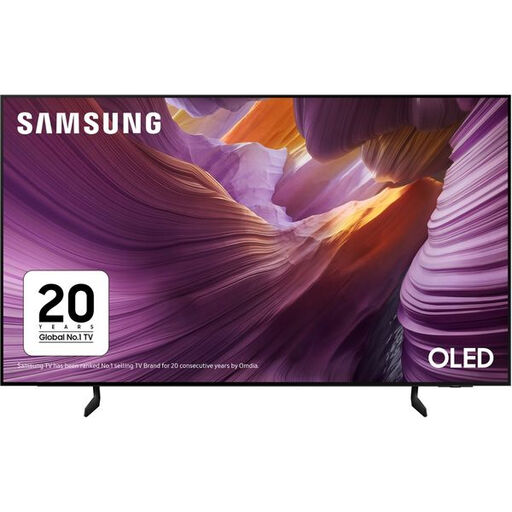
Samsung QE65S85FAE 65-inch 4K TV
Measure the wall or furniture and check views from every seat before choosing this 65-inch screen.
Confirm the exact model before buying: the product description also names QE65S85BAE. Check gaming modes, HDMI inputs and mounting details against the confirmed model.
View on Joybuy
Frequently asked questions
Do local co-op adventures need a 144Hz or 165Hz TV?
Not necessarily: choose around the modes your actual console and games can use. Samsung UK says its cited 4K 144Hz, 165Hz and 240Hz modes require compatible PC-connected games and graphics hardware; for console play, check 4K/120Hz, VRR and ALLM on the intended TV input.
Can I mount a gaming TV on the kitchen side of the room?
Only if the position meets the exact TV and bracket instructions and stays clear of heat, water and high humidity. Samsung UK’s general guidance calls for at least 10 cm of space above, below and beside the TV; Electrical Safety First advises placing sockets and switches at least 30 cm horizontally from a sink where possible.
What should I do about cooking moisture near the TV?
Place the TV away from cooking steam and follow its manufacturer’s location and clearance instructions. GOV.UK explains that cooking adds moisture to indoor air and that ineffective ventilation can lead to condensation, so keep the room’s ventilation working as intended.
Does owning a gaming TV mean I need a TV Licence?
Ownership and gaming alone do not determine that requirement; what you watch matters. TV Licensing says a licence is required for live TV through channels or streaming services and for any BBC iPlayer use, but not for on-demand programmes on other services such as those it lists in its guidance.


