Off-centre local co-op players
You share one screen, but someone regularly sits to the side. Check the picture from that seat, including whether maps and darker scenes remain clear, and consider reflections and screen placement.


Choose a gaming TV by checking the picture from the side seat and under your room lighting before treating a high refresh-rate figure as decisive. If Xbox Series X gaming at 4K and 120Hz matters, Xbox Support specifies a compatible HDMI 2.1 TV and Ultra High Speed HDMI cable; check the intended input and TV settings too. OLED and brightness-oriented QLED or Mini LED models are both worth considering, but the technology label alone cannot establish how an exact model looks off-centre.
You share one screen, but someone regularly sits to the side. Check the picture from that seat, including whether maps and darker scenes remain clear, and consider reflections and screen placement.
You want the TV to accept the video features your console can use. Check the exact HDMI input, cable and settings rather than relying on a headline refresh rate; Xbox Support sets out the signal-chain requirements for Series X gaming at 4K and 120Hz.
You often play in daylight or near visible reflections. Compare the exact models under similar lighting while also checking the view from the side seat; a display-technology name does not settle both questions.
Start with the least central seat, then check the console connection and how the screen will work in the room.
| Concern | What to check | Who this matters to |
|---|---|---|
| Picture from the side seat | Look for exact-model viewing-angle information and, if possible, view the screen from your intended side seat. Check reflections in the room too. | If I regularly play from the side, I need to read maps and see darker scenes without moving towards the centre. Around 42% of consumers would put a usable side-seat picture first. |
| Console signal path | For Xbox Series X at 4K and 120Hz, check the intended HDMI input, an Ultra High Speed HDMI cable and the required TV settings. Confirm VRR and ALLM on that input if you want those features. | I want the console connected through a port that accepts the features I plan to use, rather than discovering a limit after installation. Console capability would come first for around 33% of consumers. |
| Bright-room and installation fit | Assess reflections in daytime, measure the stand or mounting space, and compare the energy labels of the exact models under consideration. | When we play with the lights on, I need a screen we can position comfortably without distracting reflections. Room and installation practicality would be the primary concern for around 25% of consumers. |
Xbox Support says Series X gaming at 4K and 120Hz requires the console, a compatible HDMI 2.1 TV and an Ultra High Speed HDMI cable together. The selected input and settings matter as well.
Check the TV's port specifications before ordering, then use the console's video settings to confirm the available output after connection.
A longer cable run may require a suitable Ultra High Speed HDMI cable.
A centre-seat picture cannot tell you what a regular side-seat player will see. Off-centre appearance needs checking on the exact model.
Work out where both players will sit and look for an exact-model assessment or a demonstration from the furthest side seat.
Sony UK lists four HDMI inputs on the BRAVIA K-65XR70, but VRR on HDMI 3 and 4 only. That port allocation should not be assumed for other TVs.
Read the exact model's port-by-port specifications and plan which connection the console and any soundbar will use.
Screen size and gaming features are not substitutes for comparing the labelled electricity use of the TVs you are considering.
Check the energy label for the exact model and size. GOV.UK states that products within the scope of the UK energy-information rules must display a label at the point of sale, including on a website.
Electricity use continues after purchase and depends on the TV and how it is used.
A reference point if you are considering an OLED gaming TV for shared-screen play.
A reference point when comparing OLED with QLED and Neo QLED models for a room used in daylight.
A reference point for console households checking Game Mode, VRR and HDMI setup.
These TVs cover Mini LED and other LCD options alongside an OLED option for local co-op. Compare each exact model from the side seat and check its console inputs and physical fit before deciding.
 No image available
Consider this model for a 55-inch shared screen if its picture works from your side seat.
The title specifies 4K, Mini LED and a 165Hz Game Mode Ultra. Check the console output you want on the intended input; the Game Mode figure alone does not establish that output.
 No image available
Consider this larger shared screen if it fits your viewing space and furniture.
The title specifies 4K, a 144Hz native refresh rate and up to 2048 local dimming zones. Check the off-centre picture, reflections, stand footprint and gaming features on the input you intend to use.
No image available
Consider this very large screen only after checking the viewing distance, installation space and access route.
The title specifies 4K, a 144Hz native refresh rate and up to 512 dimming zones. Check the actual side-seat picture and confirm the console signal supported by the intended input.
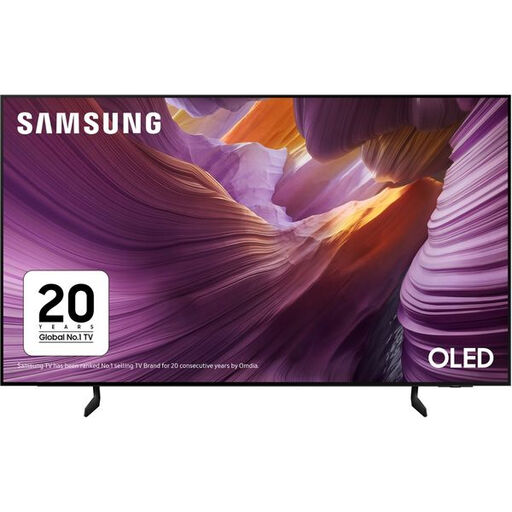 No image available
Consider this model if you want to compare a 65-inch option for shared gaming, but confirm the exact model supplied before relying on its gaming specifications.
The product title identifies a 65-inch 4K TV. For Xbox Series X gaming at 4K and 120Hz, check the supplied model's HDMI input capabilities rather than assuming them from its display refresh rate.
 No image available
Consider this 65-inch screen if you can check its picture from the actual side seat.
The title specifies 4K and a 120Hz Game Accelerator for FHD. That FHD mode does not establish 4K at 120Hz; check the intended console input, reflections and installation fit separately.
No. Xbox Support says that output requires an Xbox Series X, an Ultra High Speed HDMI cable and an HDMI 2.1-capable TV. Check the selected input and set the console to the intended resolution and refresh rate after connection.
No particular display label establishes how the exact TV will look from your side seat. Check off-centre picture quality and reflections on the model you want; OLED may appeal if you value deep blacks, while Samsung UK positions QLED as a bright-room option.
Gaming features may be assigned to particular inputs. Sony UK lists VRR on HDMI 3 and 4 of the K-65XR70, despite that model having four HDMI inputs. Check the port-by-port specification for the TV you intend to buy.
Yes, if the intermediary device preserves the video features you need. Xbox Support warns that equipment between a console and TV can affect video features and quality, so check the complete connection path or connect the console directly to the TV.
Check the energy label for the exact model and size when comparing TVs. GOV.UK states that products within the scope of the UK energy-information rules must display a label at the point of sale, including on a website.