What matters when choosing?
Start with room fit, then check the console connection and game setting. Treat higher-refresh features as a separate decision if the TV will also serve games that use them.
| Concern |
What to check |
Who this matters to |
| Screen fit and shared viewing |
Measure the available width and seated viewing distance; check the TV's width with its stand. |
With several people following one game, I need a clear view without a screen that crowds the room. Around 36% of consumers would put fit and shared visibility first. |
| Responsive console setup |
Check Game Mode or ALLM on the exact model and how it works with the intended HDMI input. |
If we pass controllers around for quick games, I want the TV to respond without a complicated setup; around 29% of consumers would make straightforward low-latency play their main concern. |
| Games beyond mini-games |
Confirm 4K/120Hz and VRR support for the model, HDMI port, cable and console. |
Our TV also needs to serve faster games that can use higher frame rates. For around 21% of consumers, those additional gaming capabilities would come first. |
| Everyday living-room use |
Compare picture type, built-in sound and smart-TV features alongside gaming settings. |
When the game is over, I still want the screen to work for films and streaming; around 14% of consumers would prioritise that all-round use. |
Joybuy TVs for this setup
These 42–48-inch TVs are choices to assess for a measured small-room layout. The 42–43-inch models keep the screen diagonal compact; consider the 48-inch model only if its dimensions and your viewing distance work for the room. Check console features on the exact model before choosing.
 Image unavailable
Sony BRAVIA A90 XR42A90K 42-inch OLED 4K TV
Consider this 42-inch option if the screen fits your shared seating layout and you also want an OLED TV for everyday viewing.
The product name specifies HDR and Google TV. Confirm its physical width, stand footprint and the HDMI input and settings needed for your console.
View on Joybuy
 Image unavailable
TCL 43V6C 43-inch Direct LED 4K Google TV
This 43-inch TV is worth assessing where both party games and streaming matter.
Its product name specifies a 120Hz Game Accelerator at FHD resolution, which should not be read as 4K/120Hz support. Check the TV's width and the console features available through its HDMI inputs.
View on Joybuy
 Image unavailable
Sony BRAVIA A90 XR48A90K 48-inch OLED 4K TV
Consider the 48-inch screen if your furniture and seating distance can accommodate it and you want OLED for gaming and films.
The product name specifies HDR and Google TV. Check its full dimensions and the exact HDMI input and console settings for any gaming features you intend to use.
View on Joybuy
 Image unavailable
Haier H43S80GUF 43-inch 4K QLED Fire TV with Freely
This 43-inch model is an option to assess for a room used for both casual games and everyday TV viewing.
The product name specifies HDR10+ and Dolby Audio. Measure the available space and check the exact model's Game Mode and HDMI behaviour if console responsiveness is important to you.
View on Joybuy
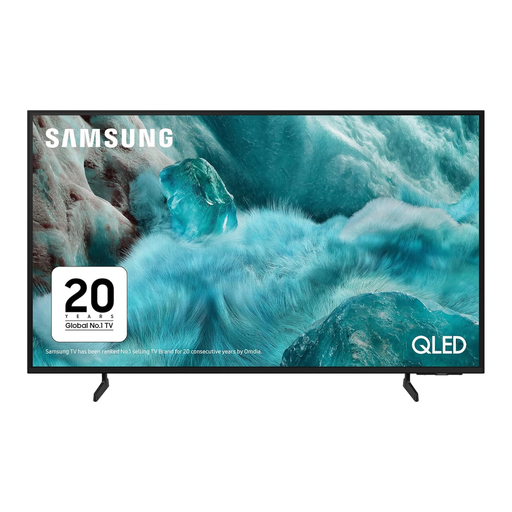 Image unavailable
Samsung Q7F QE43Q7FAAU 43-inch 4K Smart TV
Consider this 43-inch model if its placement works for the group and you want one screen for games and regular viewing.
The product name specifies Wi-Fi and a 1-year warranty. Check its dimensions and the exact HDMI and Game Mode requirements for your console; the model name alone does not establish 4K/120Hz support.
View on Joybuy
Common questions
Do party mini-games need a 120Hz TV?
No, 120Hz is not automatically necessary for party mini-games. Choose a size that works in the room and check Game Mode or ALLM first; consider 120Hz and VRR if your console and other games can use those outputs.
Why might 4K/120Hz or VRR not work through every HDMI socket?
Those features can be limited to particular inputs and require compatible console output, a suitable cable and the correct TV settings. Sony UK and Samsung UK advise checking support for the exact model rather than assuming every HDMI input behaves alike.
What should I arrange for an old TV when replacing it?
Check the retailer's take-back route before delivery and arrange any disconnection or unmounting separately if needed. GOV.UK says retailers of electrical equipment must provide a way for customers to dispose of old household electrical equipment; that obligation does not itself describe an in-home removal service.
Are wall mounting and old-TV collection included with a new TV?
Do not assume either service is included. Check what the retailer offers for your order, including wall suitability, installation work and whether collection covers an old TV that is still mounted.


