What should you check first?
Start with the platform and voice-chat service, then narrow the choice by microphone controls, listening setup and whether you want a cable.
| Priority | What to check | Your needs |
|---|
| Chat connection |
Confirm the console or computer connection and the game’s chat method. Xbox Support documents a 3.5 mm route through a compatible controller; Nintendo UK says Switch Bluetooth audio cannot use a Bluetooth microphone. |
I need my teammates to hear me, not just a headset that plays game sound. For Switch play, I would check the game’s chat route before choosing a connection. |
| Microphone controls |
Check how mute works in your chosen connection mode. Test speech and background sound in the actual game or chat app rather than treating a microphone feature name as a voice-clarity result. |
When someone else is in the room, I want to mute quickly and speak at a comfortable level without sending unnecessary room noise into the call. |
| Private listening |
Use headset listening instead of room speakers for game audio, as PCMag UK describes for playing near other people. Check fit and accessible volume controls for your own setup. |
I want to hear the game and voice chat without playing them aloud to everyone nearby. |
| Cable or wireless |
For wired use, check the connector and cable route. For wireless use, check charging, any required adapter and whether chat controls work on each device; Xbox Support says the Xbox Wireless Headset’s game/chat balance dial does not work over Bluetooth. |
A cable is fine if it reaches my controller comfortably. If I switch devices or move around, I would check what wireless use changes besides removing the cable. |
Relevant brand references
These model references help frame connection choices; a feature or platform supported by one model should not be assumed across its brand’s range.
SteelSeries
A reference for comparing over-ear and in-ear gaming designs rather than assuming one format will suit every shared-home setup.
- The Independent’s April 2026 editorial ranking includes the Arctis Nova 7 wireless gen 2, Arctis Nova Elite and Arctis GameBuds as distinct products.
- Check the exact model’s console connection and microphone-chat support; their places in that ranking do not establish compatibility with your devices.
Logitech G
Worth comparing by individual model and connection method if you play across more than one device.
- The Independent placed the Logitech G325 Lightspeed second in its April 2026 editorial headset ranking.
- That assessment of the G325 does not establish the connections or chat features of other Logitech G headsets.
Sony PlayStation
A PS5-focused reference when an adapter-based wireless connection also needs to serve a computer.
- PlayStation Direct UK specifies PULSE Elite compatibility with PS5, PS Portal, PC, Mac and mobile devices, and describes its retractable microphone.
- Its documented PlayStation Link route uses an included USB adapter for PS5 and computers. Do not assume the same connection works on other consoles.
Xbox
An Xbox-first reference for checking how a first-party wireless headset behaves on console, Windows and mobile.
- Xbox Support specifies Xbox Wireless Headset use with Xbox Series X|S and Xbox One, Windows through Bluetooth 4.2+ or compatible USB-C, and Bluetooth-capable mobile devices.
- The Xbox Wireless Headset has no 3.5 mm connection, and Xbox Support says its game/chat balance dial does not work over Bluetooth.
Joybuy headset options
These options include PS5-focused wireless headsets, a wired headset for compatible controller connections, and wireless over-ear and in-ear designs. Choose by your actual chat route rather than treating the group as interchangeable across consoles.
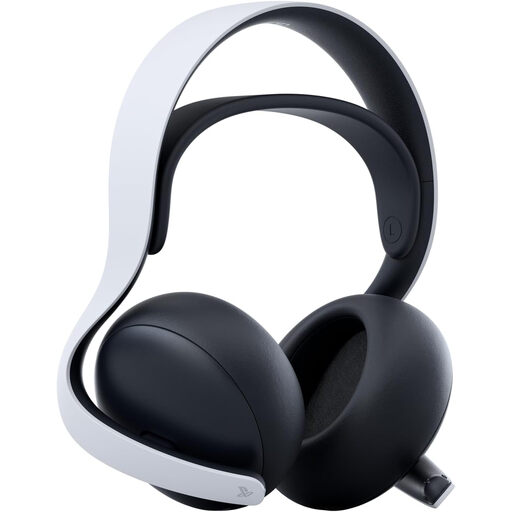 Image unavailable
Sony PULSE Elite Wireless Headset — White
For a PS5-first setup, Sony documents a PlayStation Link connection using the included USB adapter and specifies compatibility with PS5, PS Portal, PC, Mac and mobile devices. Check that your intended chat app recognises the microphone; do not assume equivalent support on Xbox or Switch.
View on Joybuy
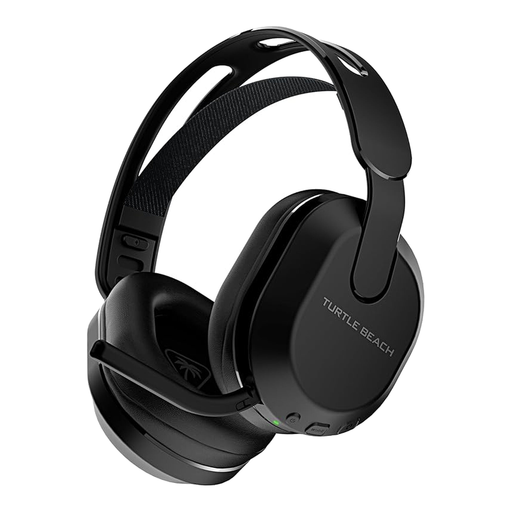 Image unavailable
Turtle Beach Stealth 500 Wireless Headset — PC, PS5, PS4, Black
A wireless option named for PC, PS5 and PS4 play. If quick muting matters in a shared room, check how its microphone controls work in your chosen connection mode, and test what teammates hear in your chat app. Confirm compatibility separately if you also use Xbox or Switch.
View on Joybuy
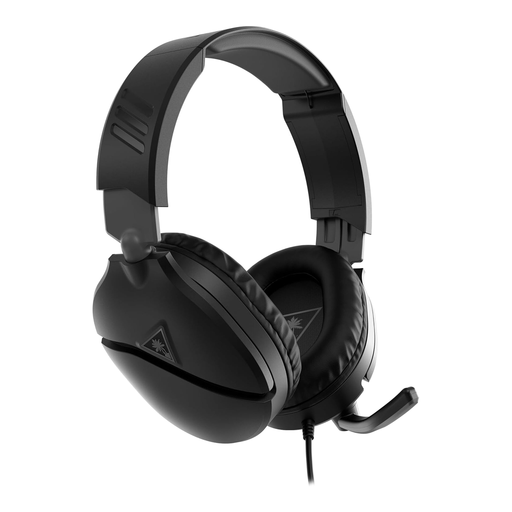 Image unavailable
Turtle Beach Recon 70 Wired Headset — PS5, PS4, Xbox Series X|S, Xbox One, Black
Its stated wired 3.5 mm connection makes it a candidate if your controller has a compatible headset port. The cable needs to suit where you sit, and microphone clarity in your room is worth testing in the game or chat app you use. For PC use, check the computer’s audio and microphone connection.
View on Joybuy
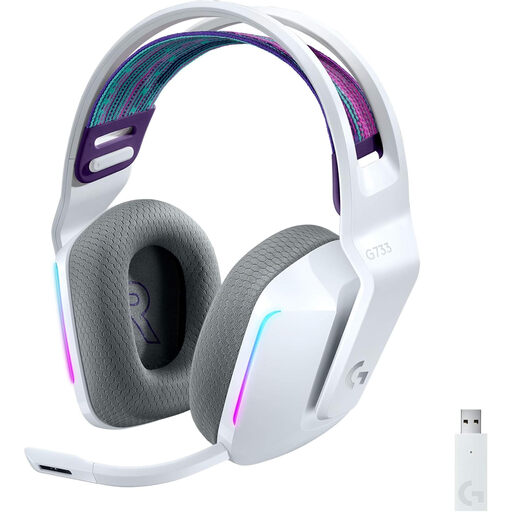 Image unavailable
Logitech G G733 Lightspeed Wireless Headset — White
Consider this wireless model for PC or PlayStation use after checking its USB receiver and microphone setup against your devices. If Switch is part of your plans, confirm the precise voice-chat route: stated dock-mode stereo sound does not establish microphone chat in that setup.
View on Joybuy
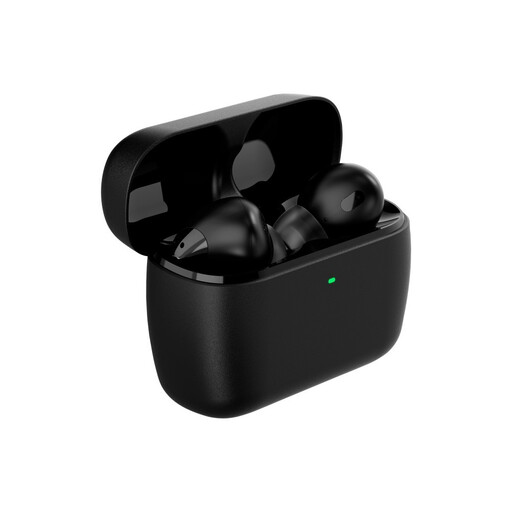 Image unavailable
HyperX Cloud MIX Buds 2 Gaming Earbuds with Mic
These in-ear gaming earbuds are an alternative to an over-ear headset if you prefer that fit for play and chat. Check microphone operation on each intended device and connection. Nintendo UK says a Switch Bluetooth-audio connection cannot use a Bluetooth microphone; confirm any other proposed Switch chat route before relying on it.
View on Joybuy
Frequently asked questions
Can a Switch Bluetooth headset handle game audio and microphone chat?
Not through the console’s Bluetooth-audio connection: Nintendo UK says Bluetooth microphones cannot be used on Switch or Switch 2. Check whether your game uses the Nintendo Switch App, Switch 2 GameChat or another supported chat route before choosing a headset.
What does Nintendo’s voice chat require?
For voice chat through the Nintendo Switch App, Nintendo UK specifies an active Nintendo Switch Online membership, a smart device and compatible multiplayer software using the same Nintendo Account. Switch 2 GameChat instead requires a Switch 2 and persistent internet; Nintendo also specifies parental or guardian setup for users under 16 and a phone number registered to the Nintendo Account.
Will a wireless headset work the same way on Xbox, PC and mobile?
Do not assume identical controls across connections. Xbox Support specifies console wireless use, Windows connection through Bluetooth 4.2+ or compatible USB-C, and Bluetooth-capable mobile use for the Xbox Wireless Headset, but says its game/chat balance dial is not supported over Bluetooth. Check the functions you need on each device.
Can a PS5-focused headset also handle PC and mobile chat?
Some models have those connection routes: PlayStation Direct UK specifies PULSE Elite compatibility with PS5, PS Portal, PC, Mac and mobile devices, with its included PlayStation Link USB adapter used for the documented computer connection. Check that the microphone works in your particular PC or mobile chat app before relying on it.
What should I check when I first set up a headset in a shared home?
Try the microphone in your actual game or chat app, check what background sound teammates receive, and confirm that mute and volume controls work with the connection you chose. Repeat the check on every platform you intend to use; audio playback alone does not confirm microphone chat.


