Players short of plug sockets
If you want game audio and a microphone without a separate headset-charging routine, consider a wired 3.5 mm model. Check that the device you play on has the right connection.


If you want to avoid charging a headset, choose a wired 3.5 mm model, provided your playing device has a compatible connection. Choose wireless if moving without a cable matters more and you can accommodate charging; either way, check microphone compatibility and fit before ordering.
If you want game audio and a microphone without a separate headset-charging routine, consider a wired 3.5 mm model. Check that the device you play on has the right connection.
If you spend extended periods reading and listening, headband pressure, ear-cup materials and weight may shape your choice. Logitech G lists the G335 at 240 g with a suspension headband; HyperX describes memory-foam padding on the wired Cloud III. Neither description can establish how a headset will fit you.
If you move between a computer, console, handheld or phone, check the audio port and microphone support on each one. The platform lists for 3.5 mm models from SteelSeries, Razer and Logitech G are model-specific, not a promise that every device will support every function.
The socket constraint makes the connection type the starting point: a conventional wired 3.5 mm headset avoids headset charging, while wireless play still calls for a charging plan.
Choose it when: You want to avoid charging the headset and your playing device has a compatible audio connection.
Trade-off: The cable tethers you to the device, and some computers need a splitter for separate headphone and microphone ports.
Choose it when: Moving without a headset cable matters more to you than avoiding charging.
Trade-off: You will still need to recharge its battery, even if the stated runtime is long.
| Concern | What to check | Who this matters to |
|---|---|---|
| Avoiding charging | Confirm that the headset is wired rather than wireless or dependent on a battery, and that its plug fits your device. | If my available sockets are already occupied, I want to play without planning when to charge another device. Around 50% of consumers in this socket-limited choice put avoiding headset charging first. |
| Comfort during long sessions | Compare stated weight, headband design and ear-cup materials; allow for differences in personal fit. | During a long stretch of reading and listening, I care most about whether the headset sits comfortably. For around 30% of consumers, long-session comfort takes priority. |
| Device and microphone fit | Inspect the device’s audio and microphone ports, and check whether a splitter or platform-specific software is required. | If I switch devices or use voice chat, I need the microphone and audio connection to work on the equipment I own. Connection and microphone fit come first for around 20% of consumers. |
A wireless headset removes the cable during play but introduces a battery-charging routine. A long stated runtime does not eliminate that requirement.
For a socket-limited setup, check whether the model is wired, wireless or dual-mode before deciding how it will fit into your routine.
A 3.5 mm connection alone does not confirm that the microphone will work with a particular computer, console, phone or handheld.
Check the device’s ports and microphone support, including whether its headphone and microphone connections are combined or separate.
Some setups may require a separate adapter or splitter.
The Joybuy-listed Razer BlackShark V2 X green variant states that its 7.1 surround feature is limited to Windows 10 64-bit and requires registration and activation. Do not assume that feature will operate on a console, phone or another operating system.
Check the stated platform conditions if software surround matters to you; make compatible audio and comfortable wear the starting points for interactive fiction.
Stated weight and padding describe the product, but how a headset feels also depends on your head shape, glasses and tolerance for pressure or warmth.
Use construction details to narrow your choices, then check the seller’s cancellation instructions and the terms relevant to a faulty or misdescribed item before ordering.
Corsair offers a clearly specified wired route for buyers who do not want to charge a headset.
The Arctis Nova 1 is a wired option to examine if you play across devices with compatible 3.5 mm connections.
The wired BlackShark V2 X is relevant when a 3.5 mm connection and a stated headset weight are useful comparison points.
The wired G335 offers stated construction details to compare when you expect long listening sessions.
HyperX provides examples for comparing a padded wired design with a wireless headset that still needs charging.
These Joybuy choices focus on wired gaming headsets for playing interactive fiction without a separate headset-charging routine. Compare their connections with your device before choosing, particularly if you need a working microphone.
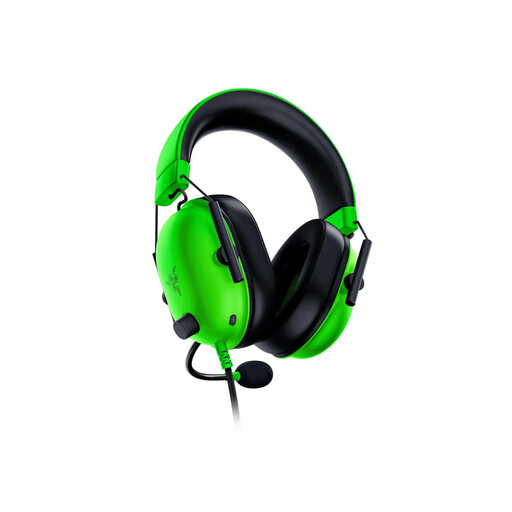 No image available
Consider this wired 3.5 mm model if avoiding headset charging is your priority and its connection suits your device.
The Joybuy-listed green variant states an approximate weight of 240 g and a 1.3 m cable. Check that the cable reaches your playing position; its stated 7.1 surround feature is limited to Windows 10 64-bit and requires registration and activation.
 No image available
This wired model suits players who prefer not to manage a headset battery during story sessions.
If you also use voice chat on a computer, check its headphone and microphone port arrangement and whether you need a splitter. Assess personal fit separately from the headset’s listed design.
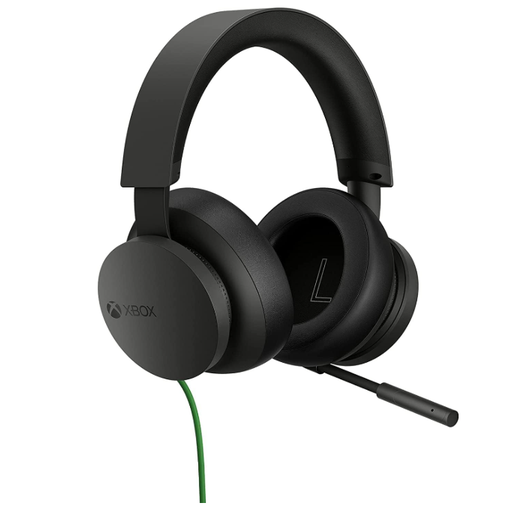 No image available
This wired headset is a choice to examine if you play interactive fiction on an Xbox setup and want to avoid charging the headset.
Check the connection on the controller or other intended device, including microphone support; do not assume the Xbox name establishes compatibility with every device you use.
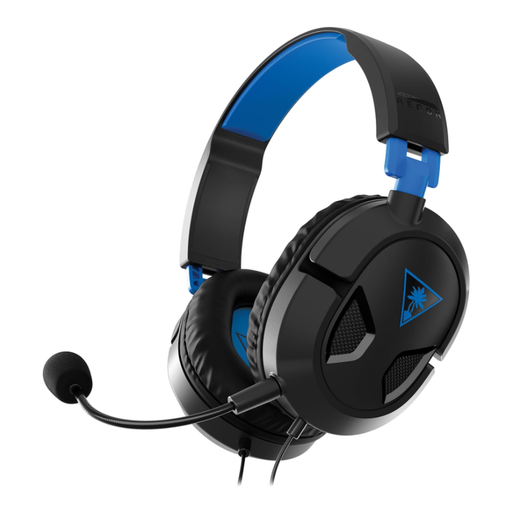 No image available
Consider this wired option if you play on PS5 or PS4 and want to avoid a headset-charging routine.
Check the connection and microphone support on the device you will use. For long reading or listening sessions, consider whether its fit suits you rather than relying on the headset’s category alone.
 No image available
This wired model may suit players who want a flexible microphone alongside game audio without charging the headset.
Check its audio and microphone connections against your device. If you want to use the RGB lighting, confirm how it is powered in your setup.
A conventional wired 3.5 mm headset does not normally need a socket for charging. Corsair describes its wired headsets as requiring no charging and lists battery life as not applicable for the HS35 v3; you still need a compatible audio connection on your playing device.
No: a matching-looking plug does not establish audio and microphone compatibility on every device. Check each device’s ports and headset-microphone support, and whether a computer with separate sockets needs a splitter. Platform lists from SteelSeries, Razer and Logitech G apply to their named models.
For most online goods purchases, GOV.UK says consumers can cancel up to 14 days after delivery. Check the seller’s cancellation instructions and whether an exception applies to your purchase; change-of-mind cancellation is separate from remedies for faulty goods.
Contact the seller and keep your order details and a record of the fault. Coventry City Council Trading Standards explains that, in most cases, a faulty item can be refunded within 30 days; faulty-goods remedies are distinct from changing your mind about an order.
Check your council’s or retailer’s electrical recycling arrangements for the headset. GOV.UK explains that UK rules for waste electrical and electronic equipment encourage recovery, reuse and recycling of products and components.