What to check when buying
Start with the requirements of your most demanding planned game. Then assess the screen and controls at the lighting level you use, and consider how often you will carry the complete setup.
| Concern |
What to check |
Who this matters to |
| Processor and memory |
Compare the exact laptop CPU and installed RAM with your planned games' requirements; check whether memory is upgradeable. Paradox Interactive recommends 32GB RAM for Europa Universalis V. |
If I want to play demanding new strategy titles, I need to assess the whole configuration rather than choose by GPU name alone. Around 36% of consumers would put simulation headroom first. |
| Low-light screen and controls |
Check screen size, display settings and keyboard backlighting on the exact model. Try game text and interface scaling at your usual evening brightness. |
When I spend hours reading a map in a dark room, legible text and keys I can find matter more to me than a refresh-rate figure alone. Comfortable low-light use comes first for around 36% of consumers. |
| Portability and configuration fit |
Compare the laptop and charger you would carry, and confirm memory upgrade options before choosing a smaller chassis. |
If I move between places, I want a setup I can carry without giving up the specifications my games require. Around 28% of consumers would prioritise that balance. |
Joybuy product choices
These 15.6-, 16- and 18-inch gaming laptops offer different memory capacities and screen sizes for the grand-strategy decisions above. Check the exact configuration and low-light usability rather than treating a larger display or GPU name as an answer on its own.
 No image available
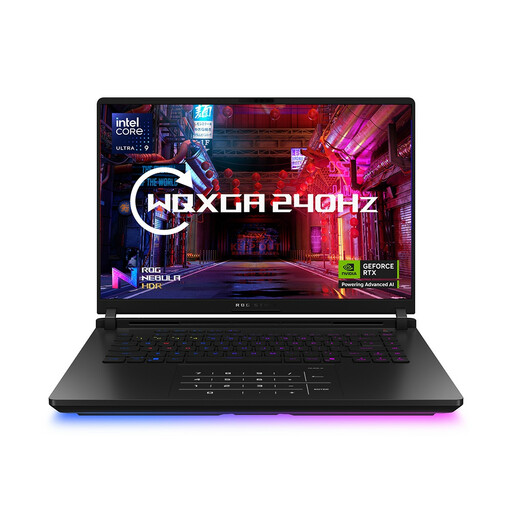
ASUS ROG Strix SCAR 16 G635LW — Core Ultra 9, 64GB RAM, 2TB SSD
Consider this configuration if you want substantial installed memory for demanding strategy games and a 16-inch screen for maps. The product name specifies a WQXGA display; confirm the exact graphics card and whether the screen dims comfortably in your room before buying.
View on Joybuy
 No image available
Lenovo Legion Pro 7 16IAX10H 83F5000UUK — 64GB RAM, 2TB SSD
The 16-inch configuration may suit players who want a larger physical screen and ample installed memory. Its product name lists an Intel Core Ultra 9 processor and GeForce RTX 5090; check keyboard lighting and the screen's comfortable evening setting on this exact model.
View on Joybuy
 No image available
Stormforce Exobook 16 QHD+ — Ultra 9, 32GB RAM, 4TB storage
This 16-inch configuration lists 32GB RAM, matching Paradox Interactive's recommended memory capacity for Europa Universalis V. Confirm the exact GPU, included adapter and keyboard lighting, and try the screen at your preferred evening brightness.
View on Joybuy
 No image available
MSI Stealth 18 AI Studio A1VGG-001UK — 18-inch, 32GB RAM
The 18-inch screen may appeal if physical space for maps and menus matters more than a compact setup. The product name lists a Core Ultra 9 processor, 2TB SSD and GeForce RTX 4070; do not assume its processor meets a particular game's desktop recommendation without checking the exact laptop CPU. Confirm keyboard lighting and comfortable screen settings for dark-room play.
View on Joybuy
 No image available
Lenovo LOQ Essential 15ARP11 — Ryzen 7 170, 16GB RAM, RTX 5050
Its 16GB RAM matches Paradox Interactive's recommended memory capacity for Crusader Kings III, but is below the 32GB it recommends for Europa Universalis V. The product name also specifies a 1TB SSD and 15.6-inch 144Hz Full HD screen; check whether the display dims comfortably for your room.
View on Joybuy
Frequently asked questions
Is 16GB RAM enough for grand-strategy games?
It meets the recommended memory capacity Paradox Interactive lists for Crusader Kings III, but not its 32GB recommendation for Europa Universalis V. Check the requirements for the specific games you intend to play rather than applying one game's specification to every title.
What should I try when playing in a dark room?
Set the screen to your usual evening brightness, check whether game text remains readable at a comfortable interface scale, and try the keyboard lighting at your normal room-light level. Moorfields Eye Hospital NHS Foundation Trust also advises regular breaks during prolonged screen use.
Can I upgrade the memory in a compact gaming laptop?
It depends on the exact model: ASUS specifies onboard memory with no expansion slot for the referenced ROG Zephyrus G14 GA403. Choose that configuration's memory capacity at purchase, and check the slot specification separately for any other laptop.
Can I return a laptop bought online in the UK if I change my mind?
GOV.UK says customers can notify the seller that they want to cancel within 14 days of receiving an online purchase, then have another 14 days to return it. That is a change-of-mind cancellation; a faulty or misdescribed laptop raises a different issue, so check the seller's return instructions without treating them as a replacement for statutory rights.


