What matters when choosing?
Start with the demands of your editor and projects, then decide how much desk space and portability you need. Unity notes that larger, more complex projects require additional RAM, so a minimum editor requirement should not settle the choice on its own.
| Concern |
What to check |
Who this matters to |
| Project headroom |
Check installed RAM, graphics memory and SSD capacity for the exact configuration against your editor and project size. |
If I build complex maps and keep asset tools open, I want room for that workload rather than a laptop that merely launches the editor; around 42% of consumers would put project headroom first. |
| Long-session desk use |
Check screen size, the supplied mains adapter and model-specific cooling information; seek sustained-load testing where available. |
When I spend hours editing and repeatedly testing at a desk, the workspace and power setup matter throughout the session. Around 33% of consumers would make sustained desk use their primary concern. |
| Portability |
Compare weight and charger size, then confirm RAM, graphics memory and storage on the portable model. |
If I regularly move between workspaces, I need a laptop I can carry without overlooking my map projects’ requirements; roughly 25% of consumers would prioritise portability. |
Joybuy laptops for map-making
These 15.6–18-inch laptops offer configurations to assess for custom-map work, from 16GB models for lighter projects to models listing more RAM. Match the exact graphics configuration and long-session setup to your own editor before choosing.
 Image unavailable
MSI Stealth 18 AI Studio A1VGG-001UK
Consider this 18-inch model if you mainly edit at a desk and want its listed 32GB RAM and 2TB SSD for active projects.
The named configuration includes Intel Core Ultra 9 and GeForce RTX 4070 graphics. Check GPU memory, adapter requirements and sustained-load behaviour for your workload.
View on Joybuy
 Image unavailable
HP 17-db1000na OMEN 17
The 17-inch Full HD display may suit desk-based editing on a larger internal screen, while its listed 16GB RAM calls for care with demanding projects.
The named configuration includes AMD Ryzen AI 7 350, a 1TB SSD and RTX 5060 graphics. Check RAM upgrade options and the exact GPU memory before committing to complex Unreal or Blender work.
View on Joybuy
 Image unavailable
MSI Pulse 16 AI, RTX 4060
Its listed 16GB RAM makes this a configuration to assess for lighter map projects rather than assume it meets demanding development recommendations.
The title specifies a 16-inch QHD+ 240Hz display, Intel Core Ultra 7 155H, RTX 4060 graphics and a 1TB SSD. Confirm the exact model designation and RAM upgrade options before ordering.
View on Joybuy
 Image unavailable
Lenovo LOQ Essential 15ARP11
Consider the listed configuration for lighter map-making work, while allowing for its 16GB RAM when assessing project growth.
Its title specifies AMD Ryzen 7 170, a 1TB SSD, GeForce RTX 5050 graphics and a 15.6-inch 144Hz FHD display. Check memory options and cooling information for the exact configuration.
View on Joybuy
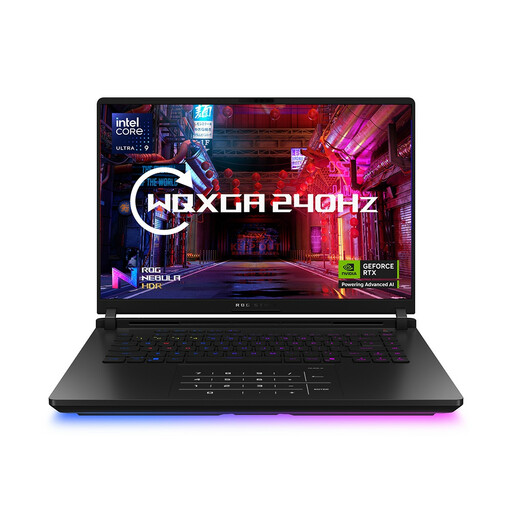 Image unavailable
ASUS ROG Strix SCAR 16 G635LW
The listed 64GB RAM and 2TB SSD may appeal if you keep substantial projects and several tools open during desk-based sessions.
The title also specifies an Intel Core Ultra 9 processor and WQXGA display. Confirm the exact graphics card and graphics-memory amount for this configuration before relying on it for GPU-intensive work.
View on Joybuy
Frequently asked questions
What configuration should I start with for custom maps?
For demanding Unreal Engine or Blender-assisted projects, start by looking for 32GB RAM and at least 8GB graphics memory: Epic Games recommends those figures for Unreal Engine, and the Blender Foundation lists them in its recommended Windows specification. For simpler Unity work, assess your actual project rather than assuming that the editor’s minimum RAM guidance will remain comfortable as it grows.
Is a 14-inch or a larger laptop more suitable for long map-making sessions?
Choose a 14-inch laptop if you carry it often and its exact RAM, graphics memory and storage meet your project needs. If you mainly work at a desk, a 16–18-inch model offers a larger internal workspace to consider; compare model-specific cooling and power information rather than assuming size alone determines sustained performance.
What should I check after setting up the laptop?
Install the editor version your game or modding tools require and test a representative project, including an edit-and-test cycle, while you can still assess whether the laptop suits your needs. Epic Games and the Blender Foundation advise using current graphics drivers for their software.
How do returns and warranties affect an online laptop purchase?
Check the rules that apply where you live and the seller’s terms before buying, especially for a customised configuration. Citizens Advice’s guidance for England says an online purchase from a business normally has a 14-day change-of-mind period starting the day after delivery, subject to exceptions; its warranty guidance explains that a warranty adds to legal rights rather than replacing remedies for faulty goods.


