Long-session strategy players
If you play campaign turns and battles for hours at a desk, check the cooling arrangement and where you will use the power adapter. A lighter chassis may matter less to you than a practical desk setup.


Choose the configuration around the games and sessions you actually play: for long battles, mods and background apps, check the processor, installed memory and cooling alongside the GPU. If you spend more time reading maps and managing units, give screen workspace and finish equal attention; a family's headline specification does not tell you what is fitted to the laptop you are buying.
If you play campaign turns and battles for hours at a desk, check the cooling arrangement and where you will use the power adapter. A lighter chassis may matter less to you than a practical desk setup.
If your plans include newer games, large battles, mods or other apps running alongside the game, compare the complete processor, memory, GPU and storage configuration rather than the gaming-laptop label alone.
If you spend much of a session reading campaign maps and unit information, screen dimensions, finish and keyboard layout deserve attention alongside graphics specifications.
Start with the demands of your games and normal session length, then decide how much screen workspace and portability you need. Compare the exact model configuration at each step.
| Concern | What to check | Who this matters to |
|---|---|---|
| Sustained performance and cooling | Check the selected model's cooling description and published graphics-power figure, where available; plan where the supplied adapter will plug in. | If I play long battles at a desk, I want to assess the laptop's cooling and mains setup rather than judge it by a peak specification. Around 42% of consumers put sustained performance first. |
| Capacity for demanding games | Compare the exact CPU, GPU and installed RAM with your games and settings; check SSD capacity and expansion options if you use mods or keep a large library. | With newer titles, large saves or other apps open, I need a configuration that fits those demands. For around 33% of consumers, game capacity is the primary concern. |
| Display and everyday use | Check screen size, resolution, aspect ratio and finish, then consider the keyboard layout and connections you need. | When I spend hours reading maps and menus, I care about usable screen space and a setup that fits my desk or travel routine. Display and practicality come first for around 25% of consumers. |
A GPU label does not describe the whole laptop configuration. Acer publishes up to 85 W graphics power with Dynamic Boost for its Nitro V 16 AMD line, while MSI lists up to 115 W with Dynamic Boost for specified Katana 15 HX RTX 5070 configurations; these different models and GPUs are not a like-for-like performance test.
Check the exact GPU, published graphics-power figure where available, processor, memory, screen resolution and cooling information for the model on sale.
ASUS and Acer describe options available within product families, while ASUS notes that memory speed and second-SSD-slot bandwidth can vary by configuration.
Match the retailer's full model code to its installed memory, storage, display and graphics specifications before ordering.
Maps and information panels remain on screen for much of a strategy session. The cited Lenovo Legion 5i Gen 10 configuration has a glossy display, so reflections may matter in a bright room; Acer describes the vertical workspace of a 16:10 Nitro V 16 display.
Check the actual panel's size, resolution and finish. If you plan to play at a desk with an external monitor, include that setup in your choice.
GOV.UK says retailers selling a new version of the same household electrical item must provide a way for customers to dispose of the old one.
If this purchase replaces a laptop, check the seller's take-back arrangements and choose a suitable reuse or electrical-recycling route.
These product lines illustrate different configurations worth comparing; check the specification of the particular model rather than assuming a feature applies across a brand.
Consider the Legion line when comparing configured displays, memory and power adapters for desk-based play.
The TUF Gaming A16 line is worth examining if accessible memory and SSD slots are part of your longer-term plans.
The Katana 15 HX line offers published specifications to compare when processor, panel and graphics-power details matter to your choice.
The Nitro V 16 families provide 16-inch options for comparing screen format, graphics configuration and cooling descriptions.
These laptops offer configurations to examine for demanding battles, desk-based sessions or map-focused play. Use the details of each model to narrow the choice, then check its exact specification against your games and setup.
 No image available
Consider this configuration if your long sessions include demanding battles or apps running alongside the game.
The product name specifies a 16-inch laptop with an Intel Core Ultra 9 processor and NVIDIA GeForce RTX 5090 graphics. Check its display finish, graphics-power specification and supplied adapter against your room and desk setup.
 No image available
The 18-inch format may appeal if you mainly play at a desk and want a larger laptop screen for maps and menus.
The product name lists an Intel Core Ultra 9 processor and NVIDIA GeForce RTX 4070 graphics. Consider whether an 18-inch laptop fits your carrying routine, and check the panel finish and supplied adapter for your usual setup.
 No image available
This configuration is worth comparing if you want installed memory and storage for games, saves and other apps.
The product name specifies a Ryzen 9 processor and RTX 5060 graphics. Confirm the exact processor model, display finish, graphics-power figure and adapter if those details affect your choice.
 No image available
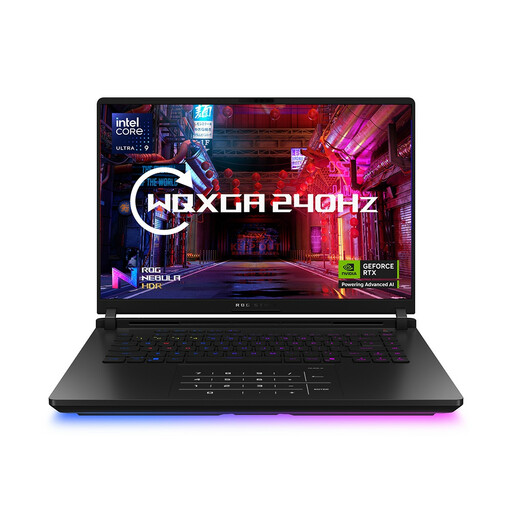
The 16-inch format and listed memory may suit a desk-based setup with a game and other apps open.
The product name also lists an Intel Core Ultra 9 processor. One specification entry describes the graphics component as future or unannounced, so confirm the exact GPU before buying; check the keyboard layout and panel finish as well.
 No image available
Consider this model if storage for a larger game library and a 16-inch screen are priorities.
The product name lists 32GB memory and a 4TB SSD. Check the cooling details and which supplied adapter applies to this configuration before relying on it for extended sessions.
Not necessarily: if you spend much of a session reading maps and menus, compare screen size, resolution, aspect ratio and finish as well as refresh rate. The cited Lenovo UK Legion 5i Gen 10 configuration has a glossy 2560 × 1600, 165 Hz display, while Acer describes the vertical workspace of its Nitro V 16's 16:10 format; check the panel fitted to the model you choose.
No. It describes an option within a product family, not necessarily the model on sale. ASUS, Acer and MSI publish configuration-dependent specifications, so match the retailer's exact model number to its processor, GPU, installed memory, storage and display before ordering.
Check the new laptop seller's electrical take-back arrangements before disposing of the old one. GOV.UK says a retailer selling a new version of the same household electrical item must provide customers with a way to dispose of the old item; reuse or an appropriate electrical-recycling route may also be relevant to your situation.