One-socket strategy player
If one outlet must serve the main gaming setup, a laptop’s built-in screen lets you avoid a separate monitor power connection. Powered accessories would still need to be counted.


If one wall socket must power both the computer and its main screen, start with a gaming laptop and use its built-in display. A compact desktop becomes practical when you can also power a monitor safely; consider a larger, higher-spec tower if extra memory and room for multitasking matter more than a small footprint. Check the requirements of your actual games and the rating of any extension device before choosing.
If one outlet must serve the main gaming setup, a laptop’s built-in screen lets you avoid a separate monitor power connection. Powered accessories would still need to be counted.
If you can power a monitor separately but have limited space for the computer, compare compact towers by their exact dimensions, memory and storage configuration.
If you keep browser tabs, voice chat or other applications open alongside your games, compare installed memory and storage before prioritising the smallest tower.
Choose when: The built-in screen can be your main display and only one wall connection is available for the computer and screen.
Trade-off: An external monitor or powered dock adds connections, while a Laptop GPU should not be assumed to perform like a desktop GPU with a similar name.
Choose when: You can power a separate monitor and want to keep the tower small.
Trade-off: A smaller case does not, by itself, establish lower electricity use, quieter operation or room for upgrades.
Choose when: More installed memory takes priority over minimising the tower’s footprint.
Trade-off: The tower still needs a separately powered display, and its listed components do not establish results in a particular game.
| Concern | What to check | Who this matters to |
|---|---|---|
| Powered devices | Count the devices that need mains power. If using an extension device, check its marked maximum current rating. | If I have one usable outlet, I need to play without powering a separate screen. Around 42% of consumers would put minimising powered devices first. |
| Compact desktop setup | Check the tower’s dimensions, installed RAM and SSD capacity, as well as the monitor connection. | I can accommodate a monitor’s power connection, but need the tower to take up less space while holding my games. Compact desktop capability would be the main concern for around 33% of consumers. |
| Multitasking headroom | Compare installed memory and storage with the needs of your games, mods and background applications. | When I keep other applications open during a campaign, I would prioritise memory capacity over the smallest case. Around 25% of consumers would make that their primary concern. |
A desktop tower needs a display, which may require its own mains connection; other powered peripherals add to the setup.
List everything you intend to plug in before choosing a form factor. If only one outlet is usable and you can play on a built-in screen, compare laptops first.
Storage and other components can differ even within a product family. An Acer Nitro N20-100 is listed with a 1TB SSD, while the Joybuy Acer Nitro N20 listing identifies a 512GB SSD.
Compare the complete model and variant, including CPU, RAM, SSD and GPU, rather than matching products by family name or graphics label alone.
Electrical Safety First warns that connected appliances must not exceed an extension device’s marked maximum current rating. Some leads and cable reels have lower ratings than others.
Check the rating on the device, do not connect extension leads in a chain, and fully unwind a cable reel when relying on its full current rating.
Requirements for one title do not establish how another game, a modded campaign or background applications will run.
Start with the published requirements for the exact games you play, then consider your mods, display resolution and other applications.
A reference point for compact prebuilt desktops: A listed Nitro N20-100 configuration has a 15-litre case, Core i5-13420H, 16GB RAM, 1TB SSD and RTX 5060 8GB.
HP Store UK lists OMEN 16L desktop configurations with 16GB RAM and a 1TB SSD, including RTX 5060 and RTX 5060 Ti variants.
A desktop specification reference for buyers considering more installed memory: the cited configuration lists a Ryzen 7 7700, 32GB DDR5 RAM, 1TB SSD and RTX 5060 Ti 16GB.
These laptops have built-in displays for a setup that does not rely on a separately powered monitor. Compare their screen sizes and listed configurations against your games; an external display or powered accessories change the socket plan.
 Image unavailable
Consider this if a built-in 15.6-inch screen fits your one-screen setup; using an external monitor adds a power connection.
Listed configuration: AMD Ryzen 7 170, 16GB RAM, 1TB SSD, GeForce RTX 5050 and a 144Hz FHD display. Check your games and settings against the exact configuration.
 Image unavailable
The built-in 17.3-inch screen is an option if you want a larger laptop display without powering a separate monitor.
Listed configuration: AMD Ryzen AI 7 350, 16GB RAM, 1TB SSD, RTX 5060, Full HD display and Windows 11 Home. Compare the exact GPU variant and your games’ requirements before choosing.
 Image unavailable
Its integrated 16-inch display lets you plan around the laptop screen rather than a separately powered monitor.
Listed configuration: QHD+ 240Hz display, AMD Ryzen 7 7745HX, 16GB DDR5 RAM, 1TB SSD and GeForce RTX 5060. Confirm the installed operating system and compatibility with your games.
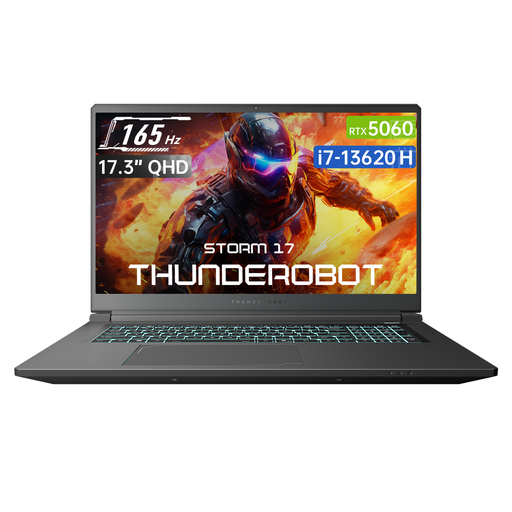 Image unavailable
Choose the built-in 17.3-inch screen if it meets your display needs and you want to avoid powering an external monitor.
Listed configuration: QHD 165Hz display, Core i7-13620H, GeForce RTX 5060, 16GB DDR5 RAM and 1TB SSD. Confirm the installed operating system and your games’ requirements.
 Image unavailable
The built-in 16-inch screen can serve as your main display where a separate monitor would complicate the socket setup.
The product title lists a QHD+ 240Hz display, Intel Core Ultra 7 155H, GeForce RTX 4060, 16GB DDR5 RAM and 1TB SSD. Confirm the exact variant and installed operating system before assessing game compatibility.
They can share a suitably rated extension device only if their combined connected load stays within its marked maximum current rating. Electrical Safety First advises against overloading sockets; check the device’s rating, do not chain extension leads, and fully unwind a cable reel when its full rating is needed.
Yes, if you use its built-in screen instead of a separately powered monitor. Adding an external display, dock or other powered accessories can take away that one-connection advantage.
Start with the published requirements for each game you intend to play. Valve’s Steam listing for Total War: PHARAOH DYNASTIES gives 8GB RAM and 80GB of available storage in its recommended specification; those figures are specific to that game and do not establish results for other titles, mods or display settings.