Command-heavy RTS players
If you want frequent commands within reach of your mouse hand, a dense side-button layout is worth considering. Be prepared to set up the bindings and practise using them without accidental presses.


Choose an RTS mouse by the commands you intend to put under your thumb, rather than by button count alone. A dense side-button layout makes sense if you will learn and use many bindings; if keyboard hotkeys remain your main controls, fewer mouse buttons may be easier to manage. Check thumb reach and grip before weighing up a lighter design for frequent, broad map movements.
If you want frequent commands within reach of your mouse hand, a dense side-button layout is worth considering. Be prepared to set up the bindings and practise using them without accidental presses.
If hotkeys do most of the work, use mouse buttons for a smaller set of actions, such as camera locations or utility commands. A moderate button layout gives you those options without requiring a full thumb grid.
If broad pointer movements matter more to you than a large set of mouse-side commands, compare the stated mass and control layout of exact models. Weight alone cannot tell you how a mouse will feel in your hand.
Plan the commands you would actually move from the keyboard, then assess button reach, hand fit and movement weight. Check connection and configuration requirements for the exact model you choose.
| Concern | What to check | Who this matters to |
|---|---|---|
| Reachable command buttons | List the RTS actions you would bind, then inspect button placement as well as the stated count. | If I regularly use mouse-side commands, I need to recognise and reach each one without looking down. Around 36% of consumers put command access first. |
| Comfort in long matches | Consider your grip and whether reaching the furthest side buttons would make you shift your hand. | During a long match, I want the controls within comfortable thumb reach rather than a layout I must stretch to use. For around 29% of consumers, hand fit is the primary concern. |
| Movement weight | Compare stated mass for exact wired or wireless variants, alongside the bindings you would give up or retain. | When I make repeated broad map movements, I care more about how much mouse I am moving than about having a dense thumb grid. Lower stated mass comes first for around 21% of consumers. |
| Connection and setup | Check the intended gaming connection, required software and whether your system can store or use the bindings you want. | I would rather keep setup straightforward than configure wireless features or buttons I will not use. Around 14% of consumers make connection and setup their main priority. |
Extra controls are useful only if you can reach them and remember what they do; a crowded layout may add complexity without replacing your keyboard hotkeys.
Write down the RTS actions you want on the mouse before choosing a layout, and check your game’s rules before configuring automated sequences.
Logitech G lists the wired G502 X at 89 g. That figure should not be assigned to the distinct G502 X LIGHTSPEED wireless model.
Match the full model name and connection type when comparing stated weights.
The Corsair SCIMITAR ELITE WIRELESS manual distinguishes its 2.4 GHz SLIPSTREAM setup from Bluetooth, which it describes as suited to everyday computing and office use.
Follow the connection and receiver guidance for the exact wireless mouse you buy.
Specifications cannot establish whether a mouse fits your grip. At end of life, GOV.UK advises that electrical products marked with a crossed-out wheelie bin should not go in household rubbish.
Read the seller’s return instructions before ordering, and take a marked old mouse to an appropriate electrical-waste collection point.
Razer documents three swappable side plates and up to 23 programmable buttons for the Naga V3 Pro, making its layout relevant to players considering many mouse-side commands.
Corsair documents 16 customisable buttons and an adjustable Key Slider for the SCIMITAR ELITE WIRELESS SE.
Logitech G documents 13 fully customisable controls for the G502 X LIGHTSPEED, an option to examine if you use keyboard hotkeys but want additional mouse commands.
SteelSeries lists the Aerox 5 Wireless at 74 g with nine programmable buttons, a combination to consider when movement weight matters alongside some extra bindings.
These mice cover different ways to allocate RTS commands: a lighter stated-weight model with programmable buttons, options for additional bindings, and a wired choice. Decide which commands belong on the mouse before comparing their layouts.
 No image available
Consider this model if you want several RTS bindings while prioritising a lower stated mouse weight.
 No image available
Consider this wireless model if you plan to assign multiple RTS commands to your mouse hand.
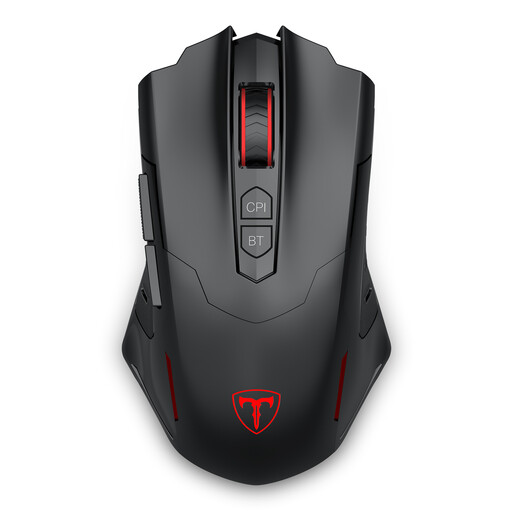 No image available
This is an option to examine if keyboard hotkeys remain your main RTS controls and you want some additional mouse bindings.
 No image available
Consider this wired model if you want to avoid wireless connection setup while keeping selected RTS actions on the mouse.
No: a dense grid is worth considering only if you have enough commands to assign and can reach its buttons reliably. If keyboard hotkeys remain your main controls, compare moderate layouts instead; Logitech G documents 13 customisable controls on the G502 X LIGHTSPEED, while SteelSeries lists nine programmable buttons on the Aerox 5 Wireless.
Follow the manual for your exact model and use its recommended gaming connection. For the SCIMITAR ELITE WIRELESS, Corsair describes a 2.4 GHz SLIPSTREAM receiver setup and characterises Bluetooth as suited to everyday computing and office tasks; its manual also documents three onboard profiles for button assignments.
For most UK online purchases, GOV.UK says you can cancel within 14 days of receiving the item. Check the seller’s cancellation and return instructions before ordering; if a mouse arrives faulty, damaged or misdescribed, ask about the applicable remedies separately rather than treating that as a change-of-mind return.
Take a mouse marked with the crossed-out wheelie-bin symbol to an appropriate electrical-waste collection point rather than putting it in household rubbish, as GOV.UK advises for marked electrical products. Check the collection arrangements for a wireless mouse that contains a battery.