For PC arena matches in a bright room, start by checking an exact monitor’s SDR brightness and reflection handling; a non-glare, high-refresh IPS model is a sensible route if your PC can drive its resolution. A compact, very-high-refresh TN model makes more sense when competitive motion is your priority and your frame rate can keep up. OLED is worth considering for its image characteristics, but its behaviour under strong room lighting needs particular care.
Who this choice affects
Bright-room ranked PC players
If daylight or room lights make enemies and interface details harder to see, assess reflections and usable SDR brightness before treating an HDR badge as an answer to glare. RTINGS.com notes that poor reflection handling can make ambient lighting a practical constraint.
Frame-rate-first arena competitors
If your main game runs at consistently high frame rates, a speed-focused monitor may matter more to you than QHD detail. ZOWIE’s XL2566X+ illustrates the 400Hz Fast TN route; whether you can use that refresh rate depends on your PC and connection.
Mixed PC and console players
If the same screen will serve two devices, check the resolution, refresh rate and variable refresh rate (VRR) mode available on each intended input. Dell’s AW2725DF, for example, has different stated QHD refresh limits for DisplayPort and HDMI.
What to check before buying
Choose the screen behaviour you need in your room, then match resolution and refresh rate to the frame rates and connections your devices can actually use.
High-refresh IPS
Consider it: You want QHD detail alongside competitive refresh rates and can find an exact model with suitable reflection handling.
Trade-off: Driving QHD at high frame rates asks more of your PC than FHD; a non-glare finish alone does not settle daytime visibility.
Fast TN esports
Consider it: Your PC sustains very high frame rates and fast competitive motion matters more to you than QHD detail.
Trade-off: ZOWIE’s 400Hz XL2566X+ follows a compact, FHD speed-first route; its refresh ceiling cannot add frames your PC does not render.
High-refresh OLED
Consider it: OLED image characteristics matter to you and you can keep direct window or lamp reflections off the screen.
Trade-off: RTINGS.com finds that WOLED and QD-OLED retain black levels differently in well-lit rooms, so assess the exact panel and coating in lighting like yours.
| Concern |
What to check |
Who this matters to |
| Daytime visibility |
Check exact-model SDR brightness and reflection results, and whether windows or lamps will reflect in the screen. |
When room light obscures darker game areas, I need to see the action without fighting reflections. Around 34% of consumers put glare resistance first. |
| Motion and refresh |
Compare your sustained game frame rate with the refresh mode available on your intended port; assess motion behaviour beyond a quoted minimum response time. |
In fast ranked matches, I care most about how moving targets appear at the settings I use. Competitive motion is the first concern for around 33% of consumers. |
| Detail and PC demand |
Choose resolution alongside screen size and the frame rates your PC can sustain at your game settings. |
I want QHD detail, but not at the expense of the frame rate I rely on in matches. Around 20% of consumers prioritise that balance. |
| Inputs and VRR |
Confirm the resolution and refresh limit of each chosen input, plus compatible VRR support on both the monitor and source device. |
If I switch between a PC and console, I need each connection to deliver the mode I intend to use. For around 13% of consumers, device compatibility comes first. |
Common buying mistakes
-
Taking an HDR badge as proof of daylight visibility
VESA DisplayHDR covers defined HDR performance criteria. It does not, by itself, tell you how distracting a window reflection will be or how the screen looks during ordinary SDR play.
Check the exact model’s SDR brightness and reflection handling separately, then consider where the screen will sit in your room.
-
Buying 360Hz or 400Hz without checking the usable mode
A headline refresh rate depends on the monitor input and a source capable of supplying the corresponding mode. Dell, for example, specifies different DisplayPort and HDMI refresh limits for the AW2725DF.
Check your game frame rates, graphics output and the monitor’s input specifications before deciding how much refresh rate you can use.
-
Assuming every OLED looks alike under room lights
RTINGS.com reports different well-lit-room black-level behaviour for WOLED and QD-OLED. Panel type and direct reflections can therefore affect this choice even when both monitors have high refresh rates.
Check the exact panel and coating, and view a candidate in similar lighting where possible.
-
Leaving the old monitor until the replacement arrives
Replacing a display also means arranging an appropriate electrical-waste route for the old one.
Check the retailer’s take-back arrangements and whether you need to bring the old monitor to a collection point.
Brands to consider
These model examples illustrate different approaches; the specifications of one model should not be assumed to apply across its brand’s range.
ZOWIE
A speed-focused esports example is the XL2566X+, which ZOWIE specifies with a Fast TN panel, 400Hz refresh rate and DyAc 2.
- Its stated configuration gives frame-rate-first players a specific model to assess.
- Check XL2566X+ brightness and reflections separately before choosing it for a bright room.
GIGABYTE
GIGABYTE specifies the M27QA ICE as a 27-inch QHD IPS monitor with a non-glare surface, 180Hz refresh rate and 350 cd/m² typical brightness.
- Its stated finish and brightness give bright-room shoppers concrete specifications to investigate.
- Those figures do not establish reflection performance for every GIGABYTE model or every room.
Alienware
Dell specifies the AW2725DF as a QHD QD-OLED monitor with a 360Hz DisplayPort mode and VRR support.
- The AW2725DF offers a distinct high-refresh OLED configuration for players considering that panel route.
- Dell lists QHD at 144Hz over HDMI for this model; assess its bright-room reflections and black levels as well as the intended input.
MSI
MSI’s MAG 274QF and MAG 274QF X24 illustrate QHD Rapid IPS choices with stated 180Hz and 240Hz refresh rates respectively.
- The two models offer different stated refresh ceilings within a similar resolution route.
- Brightness, surface treatment and input modes need checking for the exact model rather than inferred from the brand.
Joybuy product choices
These monitors span OLED, IPS and curved VA options for arena play. For a bright room, compare each exact model’s reflections and usable brightness before deciding whether its resolution and refresh rate suit your devices.
 No image available
Samsung 32-inch Odyssey OLED LS32FG810SUXXU
Consider this OLED option if a larger screen appeals to you; check its SDR brightness and reflection behaviour in lighting like yours before choosing it for daytime matches.
Confirm the refresh mode available through the port and source device you plan to use.
View on Joybuy
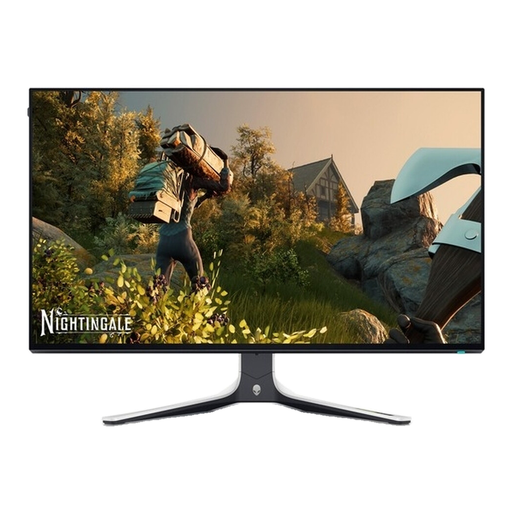 No image available
Alienware AW2724HF 27-inch FHD Fast IPS, 360Hz
This FHD option suits a player considering refresh rate ahead of QHD detail, provided the intended connection supports the advertised mode.
The title states 360Hz and 400 cd/m², while the detailed refresh information needs confirming. Check the exact model’s screen finish and reflections for your room.
View on Joybuy
 No image available
Dahua 32-inch QHD curved VA gaming monitor, 180Hz
Consider its larger curved QHD format if that fits your desk and preferred viewing distance; check reflections before relying on it in strong room light.
The title states 2560 × 1440, 180Hz and a 1ms MPRT figure. Confirm which input supports the refresh mode you want; MPRT is not interchangeable with every other response-time measure.
View on Joybuy
 No image available
LG UltraGear 27G810A-B 27-inch IPS 4K dual-mode
The dual-mode design is worth examining if you want to switch between a detailed image and a faster competitive mode; check that your device and chosen input support the mode you intend to use.
The title states 4K UHD and a maximum of 360Hz. Check SDR brightness and screen finish separately for bright-room use.
View on Joybuy
 No image available
Acer Predator X27U W3 26.5-inch QHD QD-OLED, 240Hz
Consider this QD-OLED option if QHD and high refresh matter to you, while allowing for the panel’s potential bright-room black-level trade-off noted by RTINGS.com.
The title lists FreeSync Premium Pro and G-SYNC Compatible. Check the exact model’s reflections, SDR brightness and supported mode on your intended input.
View on Joybuy
Frequently asked questions
Should I prioritise HDR or anti-glare treatment in a bright room?
Prioritise usable SDR brightness and reflection handling together. RTINGS.com notes the practical effect of poor reflection handling, while VESA DisplayHDR assesses defined HDR characteristics rather than serving as a complete test of visibility beside a window.
Do online arena matches require a 360Hz or 400Hz monitor?
No: those refresh rates are most relevant when motion clarity is your priority and your PC can sustain suitably high frame rates. If you also want QHD detail, compare the frame rates you achieve at that resolution with a lower-refresh QHD option; ZOWIE lists the XL2566X+ at 400Hz, while GIGABYTE lists the QHD M27QA ICE at 180Hz.
Will HDMI deliver a monitor’s headline refresh rate?
Not necessarily; check the resolution and refresh mode specified for the exact HDMI input and your source device. Dell lists the AW2725DF at QHD 360Hz over DisplayPort but QHD 144Hz over HDMI, so its headline figure does not apply equally to both connections.
What needs to match for variable refresh rate to work?
The monitor, graphics source and chosen connection need compatible VRR support, with the appropriate mode enabled. NVIDIA says G-SYNC requires a G-SYNC or G-SYNC Compatible display; check the exact monitor and device combination rather than relying on a VRR label alone.


