For fast competitive practice, consider a compact FHD high-refresh monitor if your PC can deliver high frame rates and keeping the whole screen in view matters most. A QHD high-refresh monitor gives you more image detail for mixed use; a dual-mode 4K/FHD display makes sense if you will use both its detail-focused and faster modes. Whichever route you take, compare measured input lag and motion handling, confirm the mode your PC can output, and decide where your headphones will connect.
Who this choice suits
Competitive movement-practice players
If tracking targets through quick camera pans and strafing is your priority, weigh refresh rate alongside measured input lag and motion handling rather than choosing by resolution alone. RTINGS identifies high refresh and low latency as relevant to fast, reaction-based play.
Mixed-use competitive gamers
If you also play detail-led games or use the screen for desktop tasks, consider whether a sharper resolution is worth the extra demand on your PC. RTINGS notes that competitive players may favour higher refresh rates and lower resolutions.
Headphone-first desk players
If you practise with headphones at a close desk, decide whether audio will come directly from your PC or console or pass through the monitor. Check the screen and stand dimensions against the space where you sit.
What matters when choosing
Start with the resolution and frame rate your PC can deliver in the games you practise, then assess motion performance and your headphone connection. These monitor routes serve different priorities rather than forming a single upgrade ladder.
Compact FHD high-refresh monitor
Choose it when: Fast competitive practice is your main use and you want a smaller screen that is easier to keep within view at a close desk. RTINGS notes that a 24-inch screen can suit this seating position.
Accept: FHD offers less image detail than QHD or 4K, and an extreme-refresh mode may have specific hardware requirements. ASUS, for example, requires an NVIDIA RTX 20-series-or-later GPU and current Windows for the PG248QP’s 540Hz overclocked mode.
QHD high-refresh monitor
Choose it when: You want more detail for other games or desktop use while retaining a high-refresh option for practice.
Accept: Running games at a higher resolution can leave less frame-rate headroom on the same PC. Check the graphics card, input and cable against the exact mode you intend to use.
Dual-mode 4K/FHD display
Choose it when: You will genuinely switch between detail-focused games and faster FHD practice. LG’s 32GS95UE-B illustrates the distinction with its specified 4K 240Hz and FHD 480Hz modes, although LG marks that model as discontinued.
Accept: The faster mode still needs sufficient game performance, and the ports, mode support and headphone connection must be checked on the exact model you choose.
| Concern |
What to check |
Who this matters to |
| Motion clarity and responsiveness |
Compare input-lag and motion measurements at your intended refresh rate; confirm the frame rate your PC can sustain. |
I want to follow quick strafes and target shifts without distracting blur or delay. Around 42% of consumers put motion clarity and responsiveness first. |
| Resolution and frame-rate balance |
Match the monitor’s resolution and refresh mode to your graphics card, games, input and cable. |
When I move between practice and other games, I want more detail without asking my PC to deliver a mode it cannot sustain. Roughly 33% of consumers make resolution and frame-rate balance their primary concern. |
| Headphones and desk setup |
Choose your audio route; check the exact connector if using monitor audio, plus screen and stand fit. |
With headphones on at a close desk, I need a workable connection and enough room to position the display. About 25% of consumers prioritise headphone routing and setup fit. |
Buying pitfalls
-
Choosing by a headline response-time figure
An advertised response time does not tell you how clearly moving targets appear at the refresh rate you will use; slow transitions or overshoot can still affect the image.
Look for independent input-lag and motion tests at your intended mode, including the recommended overdrive setting.
-
Assuming the highest refresh mode will work with your PC
The graphics card, operating system, input and cable can limit the available mode. ASUS specifies an NVIDIA RTX 20-series-or-later GPU and current Windows for the PG248QP’s 540Hz overclocked mode.
Check the requirements for the exact resolution and refresh rate before ordering, then compare them with your full signal path.
-
Assuming headphones can plug into the monitor
A monitor headphone output is model-specific. If you plan to carry audio over HDMI or DisplayPort and listen from the screen, the connector matters.
Decide whether your headphones will connect to the PC, console, controller, USB audio device or monitor, and check the chosen product’s connector accordingly.
-
Assuming variable refresh rate works with every blur-reduction mode
Those features do not necessarily operate together. ZOWIE says DyAc, DyAc+ and DyAc 2 are incompatible with variable refresh rate on the applicable models.
Check the exact model’s supported mode combinations and decide which feature you intend to use during practice.
Brands to consider
ZOWIE by BenQ
The XL2566X+ is a 400Hz Fast TN model aimed at competitive play, with DyAc 2 among its stated features.
- ZOWIE describes Fast TN with DyAc as helping rapid motion look clearer; that is the manufacturer’s claim for this technology, not an independent finding about every ZOWIE display.
- ZOWIE says DyAc, DyAc+ and DyAc 2 cannot be used with variable refresh rate on applicable models. Check the chosen model’s resolution, connections and intended mode.
ASUS ROG
The PG248QP is a 24.1-inch FHD Esports-TN model specified for 540Hz overclocked operation; other ROG models follow different display routes.
- ASUS describes the PG248QP stand as having a compact footprint, a consideration for a close desk setup.
- ASUS specifies an NVIDIA RTX 20-series-or-later GPU and current Windows for its 540Hz overclocked mode. Its FHD focus also warrants consideration if you want greater image detail for other uses.
LG UltraGear
LG’s UltraGear range includes high-refresh and dual-mode monitors. Its 32GS95UE-B is a documented 4K 240Hz and FHD 480Hz example, but LG marks that exact model as discontinued.
- LG specifies variable refresh rate support and a 4-pole headphone output for the 32GS95UE-B, showing how one model can combine display modes with monitor-based audio.
- Do not carry those mode or connector specifications over to another UltraGear model; check the exact current product and its availability.
Joybuy monitor choices
These monitors cover dual-mode 4K/FHD, FHD and QHD high-refresh choices, plus a larger WQHD screen. Choose the format that fits your practice desk and other uses, then check the exact display mode and headphone route you plan to use.
 No image available
LG UltraGear 27G810A-B 27-inch dual-mode monitor
Consider this if you expect to switch between detailed viewing and faster FHD practice. Its stated configuration is a 27-inch IPS display with 4K UHD and a dual mode advertised at up to 360Hz; confirm the refresh rate available in each mode with your PC and connection.
If you want sound from the monitor rather than directly from your source device, check the headphone connection on the exact listing.
View on Joybuy
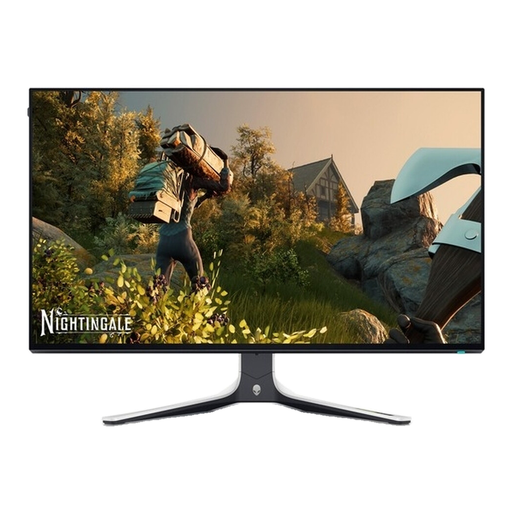 No image available
Alienware AW2724HF 27-inch FHD monitor
This is an FHD option for players prioritising high-frame-rate practice, though its 27-inch screen differs from a compact 24-inch-class setup. The product title advertises Fast IPS and 360Hz; confirm the exact supported mode and required input before relying on that figure.
Decide whether headphones will connect directly to your source device or require a monitor output, and check the latter on the exact product.
View on Joybuy
 No image available
Samsung Odyssey G6 S27DG612 27-inch QHD OLED monitor
Consider this QHD option if you want more image detail alongside competitive practice. The stated refresh rate is 240Hz; check whether your PC and connection can deliver QHD at the rate you intend to use.
Confirm the headphone route if you need audio to pass through the monitor, and use independent motion and input-lag measurements rather than the advertised response-time figure to assess fast movement.
View on Joybuy
 No image available
Acer Predator X27U W3 26.5-inch QHD QD-OLED monitor
This is another QHD route for combining practice with more detailed screen use. Its stated configuration is 2560 × 1440 at 240Hz, with FreeSync Premium Pro and G-SYNC compatibility; check the mode and variable-refresh-rate support against your own hardware.
Check independent motion measurements at your intended refresh rate and confirm the audio connection if your headphones will plug into the monitor.
View on Joybuy
 No image available
LG UltraGear 34GX900A-B 34-inch WQHD OLED monitor
Consider this 34-inch screen if you also want a larger display for other games, but measure your desk before choosing it for close-range practice. Its stated refresh rate is 240Hz; check whether your PC can drive the resolution and mode you intend to use.
Confirm your headphone connection plan and consult independent input-lag and motion testing when judging its suitability for rapid movement.
View on Joybuy
Common questions
Will a higher refresh rate automatically help with competitive practice?
No: a higher refresh rate can make movement look smoother, but it does not establish low input lag or clear pixel transitions. RTINGS advises considering response-time behaviour and input lag for fast, reaction-based games; compare measurements at the mode you will actually use.
Do I need a headphone socket on the monitor?
Only if you intend to take audio from the monitor. You can instead plan to connect headphones to your PC, console, controller or USB audio device; if audio will travel over HDMI or DisplayPort to the screen, confirm the exact monitor’s headphone connector. LG specifies a 4-pole output on its 32GS95UE-B, but that does not establish the connector on another model.
Can I use variable refresh rate and motion-blur reduction together?
Not on every monitor or in every mode. ZOWIE says DyAc, DyAc+ and DyAc 2 are incompatible with variable refresh rate on the applicable models. Check the manual for the exact monitor and the feature combination you intend to use.
What if a monitor bought online arrives faulty or not as described?
Contact the seller and describe the fault or discrepancy. GOV.UK guidance says a seller must offer a full refund if goods are faulty, not as described or do not do what they are supposed to; these remedies are distinct from a retailer’s voluntary change-of-mind policy. Keep your order details and a record of the problem.


