Laptop players with one spare socket
You want one connection to carry the game picture and charge a compatible USB-C laptop, leaving its separate charger unplugged.


If you play interactive fiction on a laptop, prioritise a monitor that can carry video and charge that laptop over USB-C: with compatible equipment, you can leave the separate laptop charger unplugged, though the monitor still needs a socket. A compact screen suits a text-first desk; consider an ultrawide if you regularly keep maps, notes or guides beside the story. A high refresh rate alone will not reduce plug use.
You want one connection to carry the game picture and charge a compatible USB-C laptop, leaving its separate charger unplugged.
You spend long sessions reading passages and choosing dialogue, and need a screen you can position comfortably without giving over the desk to fast-motion gaming features.
You want room for the story alongside maps, walkthroughs or browser tabs, and have enough desk width for an ultrawide screen.
Start with the laptop connection if saving a socket is the goal, then choose screen size around how you read and whether you keep other windows open.
| Concern | What to check | Who this matters to |
|---|---|---|
| One-cable laptop connection | Confirm USB-C video output and charging on the laptop, plus the monitor’s Power Delivery output and a suitable cable. | With only one socket free, I need the monitor connection to take the place of my laptop charger as well as my video lead. Around 42% of consumers put that single-cable need first. |
| Text and desk fit | Check screen size, resolution, stand adjustment and the space available for the display and its stand. | For long stretches of reading at a small desk, I care more about positioning the text comfortably than about fast-motion specifications. Roughly 33% of consumers make text and compact-desk fit their main concern. |
| Space for several windows | Measure the desk and check that the laptop supports the intended display resolution. | When the story, a map and my notes need to stay visible together, I want room to arrange them without constantly switching windows. Around 25% of consumers prioritise that wider workspace. |
A USB-C connector does not, by itself, establish that the laptop can send video to the monitor or accept power from it.
Check the laptop’s USB-C video and charging capabilities, the monitor’s Power Delivery output and the cable needed for both functions. Philips also specifies that a connected device must support USB-C Power Delivery for charging on its 24E1N5300HE.
If those functions are incompatible, you may still need to use the laptop charger or obtain another suitable connection.
The ASUS VA249QG lists 120Hz and Adaptive-Sync, but its stated inputs are HDMI, DisplayPort and VGA. Those motion features do not replace a laptop charger.
If freeing a socket matters most, check specifically for USB-C video and Power Delivery rather than relying on a gaming label.
A 34-inch screen can give story windows and reference material more room, but its physical fit is a separate decision from its resolution or charging output.
Measure the space available for the display and stand, then decide whether you regularly use enough simultaneous windows to justify it.
The London Fire Brigade identifies overloaded sockets as a common cause of electrical fires.
Use appropriately rated equipment, stay within the lead’s intended load and avoid daisy-chaining adaptors.
Dell’s Pro 24 Plus P2425HE is a compact USB-C hub monitor to consider for a compatible laptop desk.
LG’s 34WR55QK-B is an ultrawide option for keeping story and reference windows open together.
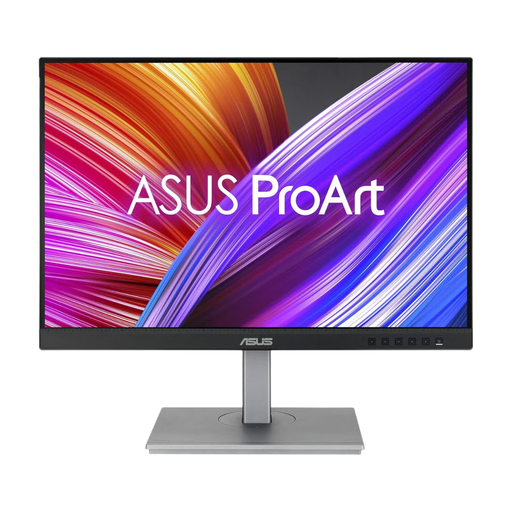
ASUS offers distinct connection-led and gaming-led models; their specifications are not interchangeable.
Philips describes the 24E1N5300HE as a one-cable USB-C connection for a compatible notebook.
These choices span compact text-first screens, a larger curved display and an ultrawide option. For a desk with limited sockets, check the exact USB-C video and charging path before treating any monitor as a replacement for the laptop’s separate charger.
 No image available
Consider this compact option for text-led play if its connections meet your laptop’s video and charging needs.
The product name identifies an IPS QHD display. Check which cable is included for your intended connection.
 No image available
This is another text-first choice to assess for a compatible laptop connection.
The product name identifies an IPS WUXGA display. Confirm that the laptop can send video and accept sufficient charging power over USB-C, and check the included cable.
 No image available
Consider its compact setup for reading-focused play, while checking how it will be powered at your desk.
The product name identifies an IPS screen and USB-C connection. Confirm the monitor’s power arrangement and whether its charging output meets your laptop’s needs.
 No image available
Consider this larger display only if you have the desk space and a reason to use its gaming-focused format.
Its product name states 4K, 165Hz and Type-C 65W. Confirm the exact USB-C video mode before relying on a one-cable laptop connection; the monitor still needs mains power.
 No image available
The ultrawide format is worth considering if you regularly keep a story, maps and notes visible together and have enough desk width.
Its product name states a 34-inch OLED WQHD display and 240Hz refresh rate. The listing warns that extended static images can cause OLED burn-in, an important consideration for text-heavy sessions. Check laptop charging compatibility before relying on one cable.
No. The monitor must provide suitable USB-C Power Delivery, and the laptop must accept charging and send video through the intended USB-C connection. Check both devices’ specifications and the cable before buying.
No. The monitor still needs power; the potential socket saving is the compatible laptop’s separate charger. A single USB-C cable may also take the place of a separate video lead.
Not necessarily if reading and dialogue choices are your main use. Prioritise the connection, text workspace and desk fit; consider high-refresh features if you also play faster-paced games. The ASUS VA249QG, for instance, lists 120Hz but not a USB-C laptop-charging input.
Do not overload a socket or extension lead. The London Fire Brigade identifies overloaded sockets as a common cause of electrical fires; use appropriately rated equipment and avoid daisy-chaining adaptors.
Use an appropriate electrical-equipment recycling or take-back route. GOV.UK identifies the Waste Electrical and Electronic Equipment Regulations 2013, as amended, as the UK legislation underpinning recovery, reuse and recycling of electrical products and components.