Map-navigation builders
If you spend much of a session scrolling through menus and moving around the game view, wheel behaviour may matter more to you than a large bank of buttons.


Choose a gaming mouse for the controls you repeatedly use to navigate the map and select commands, not for screen size alone. A configurable scroll wheel suits frequent scrolling and navigation; a dense button layout makes more sense if you have shortcuts to assign and learn. Wireless removes the cable but brings a battery or charging routine.
If you spend much of a session scrolling through menus and moving around the game view, wheel behaviour may matter more to you than a large bank of buttons.
If you repeatedly select the same tools or commands, you may want mouse buttons you can assign to a small set of memorable shortcuts.
If you prefer straightforward controls and fewer cables around your desk, weigh that preference against the power routine of a wireless mouse.
Start with the action you repeat most: navigating with the wheel, selecting commands or working without a cable. Then check whether the mouse’s shape and control layout make sense for your hand; a large monitor alone does not establish a required button count or DPI setting.
| Concern | What to check | Who this matters to |
|---|---|---|
| Navigation and scrolling | Check the exact variant for switchable wheel modes and left-right tilt if you intend to use them. | If I move through menus and the game view constantly, I want wheel controls that suit those repeated actions. Around 36% of consumers put navigation first. |
| Shortcuts and macros | Count the commands you would assign, then check remapping and software support for the exact mouse. | Repeatedly reaching for build or management commands makes accessible bindings valuable to me, provided I can remember them. Shortcut access comes first for around 29% of consumers. |
| Comfort and simplicity | Consider handedness, shape and thumb-button placement; specifications alone cannot establish personal fit. | During a long session, I would rather have a manageable layout than buttons I never use. Around 21% of consumers prioritise comfort and simplicity. |
| Cable-free use | Check the connection type, any receiver requirements and whether the model uses replaceable batteries or charging. | I want the cable out of my desk setup and am willing to manage the mouse’s power supply. For around 14% of consumers, cable-free use is the primary concern. |
A dense thumb grid is useful only if you have enough recurring commands to justify learning it. Otherwise, the extra controls may complicate a layout that could have stayed simple.
Write down the commands you would assign before comparing button-heavy mice with wheel-focused designs.
Logitech G specifies ratcheted and free-spinning modes for the G502 X, while Razer specifies tactile, free-spin and automatic modes for the Basilisk V3. Those are different control options, not a reason to assume either will suit every game.
Check the wheel modes and whether left-right tilt can perform the actions you want on the exact variant.
Logitech G specifies up to 250 hours for the G305 from one AA battery. That makes battery replacement part of using this particular wireless model.
Check how your chosen mouse is powered and what comes with it before deciding whether its cable-free setup suits you.
A model powered by replaceable AA batteries also requires replacement batteries over time.
Manufacturer warranty claims can depend on an acceptable purchase record. Razer’s UK warranty policy identifies a dated receipt from an authorised dealer or reseller as valid proof of purchase.
Keep the receipt or order confirmation alongside the product’s model details.
The wired G502 X and wireless G305 illustrate different choices within Logitech G’s range: more wheel controls or a simpler cable-free setup.
The Basilisk V3 is relevant if you want wheel options alongside a moderate set of programmable controls.
The wired Scimitar RGB Elite is a route for players who have enough repeated commands to make a thumb-button grid worthwhile.
These mice offer different starting points for shortcuts and desk setup while playing city-building games. If wheel-driven navigation is your priority, check the exact model’s scrolling and tilt controls before choosing; a gaming-mouse label alone does not answer that question.
 No image available
Consider this model if you want wireless use and have recurring commands to assign to mouse buttons.
The product name specifies 53 g and 10 programmable buttons. Its stated battery life of up to 750 hours applies at 1000 Hz after a driver update enables low-power mode.
If scrolling through maps or lists is central to your play, check the wheel modes and tilt controls before buying.
 No image available
Consider this model if you want a choice of wired and wireless connections while planning mouse-button shortcuts.
The product name lists Bluetooth, 2.4 GHz and USB-C modes. Confirm the exact weight and wheel behaviour if hand feel and frequent scrolling will guide your choice.
 No image available
Consider this wired model if you would rather avoid battery management and want to assess a straightforward set of controls.
If you intend to assign city-building commands to its buttons, check remapping support for the exact model. Check wheel behaviour separately if scrolling is a priority.
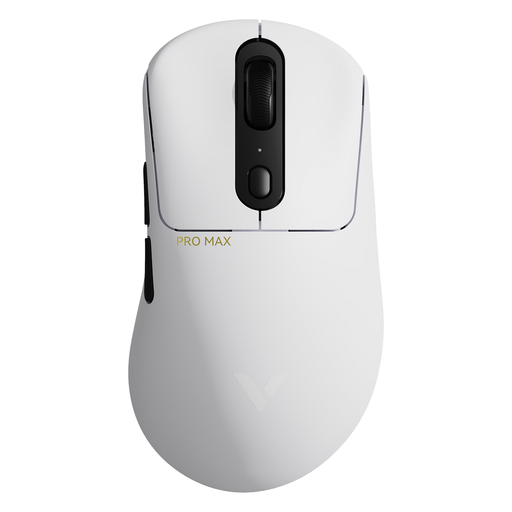 No image available
Consider this model if configurable controls interest you, but decide which commands you actually need before choosing it.
Confirm the exact variant’s button count, connection options and wheel behaviour, particularly if you need dependable shortcut access or frequent map scrolling.
No: screen size alone does not establish a DPI requirement for city-building games. Compare the wheel, button placement and sensitivity adjustments you will use, then choose settings that work for your own setup.
Yes, on models that support the assignments you need. Razer specifies programmable controls for the Basilisk V3, CORSAIR specifies macros and remapping through iCUE for the Scimitar RGB Elite, and Logitech G documents assignments through G HUB; check support for your exact mouse and operating system.
Keep your dated proof of purchase and the product details. For example, Razer’s UK warranty policy identifies a dated receipt from an authorised dealer or reseller that describes the product as valid proof of purchase.
Check an available electrical-equipment recycling route rather than putting it in general waste. GOV.UK describes the WEEE framework as encouraging recovery, reuse and recycling; the collection options available to you can be checked with your local authority or retailer.