Space-limited cockpit builders
You need a PC that fits beside or under a compact rig while leaving room to reach its power, video and USB connections.


Choose a PC for Euro Truck Simulator 2 or American Truck Simulator only after measuring the cockpit space and counting the wheel, USB and display connections you need. A compact desktop may fit beside the rig, a configurable small-form-factor PC lets you specify components, and a larger tower is an option when it can sit outside the confined space. SCS Software’s updated requirements target 1080p at 30 FPS on medium-to-low settings, not a particular result with multiple displays or higher settings.
You need a PC that fits beside or under a compact rig while leaving room to reach its power, video and USB connections.
You plan to connect a wheel and pedals, perhaps with a shifter or other USB equipment. The exact wheel variant’s PC support and driver requirements matter as well as the computer’s components.
You expect to add mods, use higher graphics settings, try optional multiplayer or connect a more demanding display arrangement. The published game requirements alone cannot settle which configuration meets those plans.
Decide where the PC will sit before choosing its components: a machine that fits the bay still needs space for cables and ventilation.
Consider it when: A fixed cockpit bay makes disclosed chassis measurements and ports particularly useful. Acer lists its Nitro N20-100-RPL desktop at 170 × 300 × 355 mm.
Allow for: Specifications vary by part number, so a different Nitro N20 listing may not match that configuration.
Consider it when: You need to choose the component balance yourself while keeping a compact case; Scan 3XS describes its small-form-factor systems as customisable.
Allow for: The final chassis and component selection determine its dimensions, clearance and cooling arrangement.
Consider it when: The PC can stand outside the tight cockpit area and a larger chassis suits your plans.
Allow for: A tower needs its own floor or desk space; ASUS describes its ROG G700 as a 58 L full-tower desktop.
| Concern | What to check | Who this matters to |
|---|---|---|
| Cockpit fit and connections | Measure chassis height, width and depth alongside cable and ventilation clearance. Count accessible USB ports and the video outputs needed for your displays. | If my cockpit bay is tight, I need to know the PC and its connected cables will fit, not just that its case is described as compact. Roughly 36% of consumers put fit and connections first. |
| Graphics and CPU headroom | Compare the exact CPU, graphics model and memory with your display and settings plans. SCS Software’s updated reference targets 1080p at 30 FPS on medium-to-low settings. | When I want higher settings, mods or a more demanding display arrangement, a baseline requirement does not answer my performance question. Around 29% of consumers prioritise that headroom. |
| Wheel and Windows compatibility | Confirm the exact wheel variant’s PC support and driver requirements, then plan its USB cable route. Thrustmaster lists Windows 10 and 11 for its cited T248 PlayStation-variant driver package. | With a wheel and pedals mounted to my rig, I want to establish that my chosen variant and PC setup can work together before I buy. Approximately 21% of consumers make peripheral compatibility their primary concern. |
| Single-screen baseline play | Check the selected game’s current requirements and any TruckersMP requirements if you plan to use it. Confirm the CPU, graphics, memory and storage of the exact PC configuration. | If I mainly use one screen at modest settings, I want a configuration matched to that plan rather than choosing components for demands I have not set. Roughly 14% of consumers put this baseline choice first. |
Product descriptions can conflict. A Joybuy Nitro N20-100 listing uses laptop wording, while Acer describes its N20-100-RPL specification as a desktop; the shared family name does not establish that they are identical products.
Match the manufacturer part number and check the form factor, components, chassis measurements and ports on the listing you intend to buy.
SCS Software says its updated recommendations target 1080p at 30 FPS on medium-to-low settings. That reference cannot establish performance with multiple displays, extensive mods or higher settings.
Set your display, settings and mod plans before comparing CPU, graphics and memory configurations. Check TruckersMP’s separate requirements if you intend to use it.
Logitech lists both the G29 and G920 as PC-compatible but distinguishes their console compatibility. Thrustmaster’s PC driver information is specific to the cited T248 variant.
Check your exact wheel variant’s PC and Windows driver support, then make sure its cable can reach the planned PC position.
Chassis dimensions do not include the room needed to connect rear cables or provide ventilation. Acer’s 170 × 300 × 355 mm Nitro desktop is a useful dimensional reference, not a promise that it fits every bay.
Compare the exact PC’s dimensions and port positions with the usable space, cable exit path and ventilation clearance in your cockpit.
Acer’s UK specification for the Nitro N20-100-RPL gives cockpit builders a specific compact-desktop reference: a 15 L case measuring 170 × 300 × 355 mm, with nine USB ports, three DisplayPort outputs and HDMI.
ASUS lists a UK ROG G22CH configuration with a Core i7-14700F, 32 GB DDR5, 2 TB NVMe storage and RTX 4070 Super graphics. Its ROG G700 is a separate 58 L full-tower route.
Scan describes its 3XS small-form-factor PCs as customisable. Its cited Nano Ridge configuration pairs a Ryzen 5 7500F with an RTX 5060 8 GB, 16 GB DDR5 and a 1 TB SSD.
Overclockers UK lists compact, configurable PCs, including a Gaming Hydrogen configuration with a Ryzen 7 9800X3D, RTX 5080, 32 GB DDR5 and 2 TB NVMe storage.
These choices cover a tower bundle, three gaming laptops and a mini PC. A laptop may offer a different placement option from a desktop, but every choice still needs a cockpit fit, display and wheel-connection check.
 No image available
Consider this tower if it can stand beside or away from the cockpit rather than inside a restricted bay.
The listed bundle has a Ryzen 5 7500F, RTX 5060 8 GB, 16 GB DDR5, 1 TB NVMe SSD and Windows 11 Home, plus a monitor, keyboard, mouse, headset and mousepad. Check its chassis fit, supplied monitor details and your wheel’s compatibility before ordering.
 No image available
This 16-inch laptop is a placement alternative if you do not want a desktop tower beside the rig.
Its title lists a QHD+ 240 Hz display, Ryzen 7 7745HX, RTX 5060, 16 GB DDR5 and 1 TB SSD. Check the installed operating system, external-display connections, wheel support and space for ventilation before choosing it for the cockpit.
 No image available
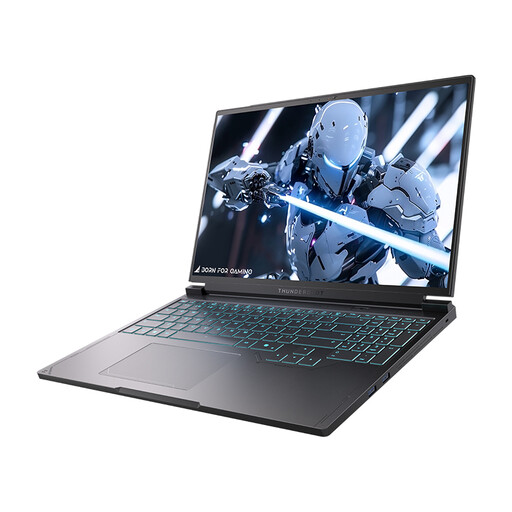
Consider this Radiant S16 variant if a laptop can be positioned and connected conveniently at your rig.
The title specifies a 16-inch QHD+ 240 Hz display, Core i7-13650HX, RTX 5060, 16 GB DDR5 and 1 TB SSD. Confirm the operating system, your wheel’s requirements and clearance around the laptop; do not assume it has the same processor as the other Radiant S16 listed here.
 No image available
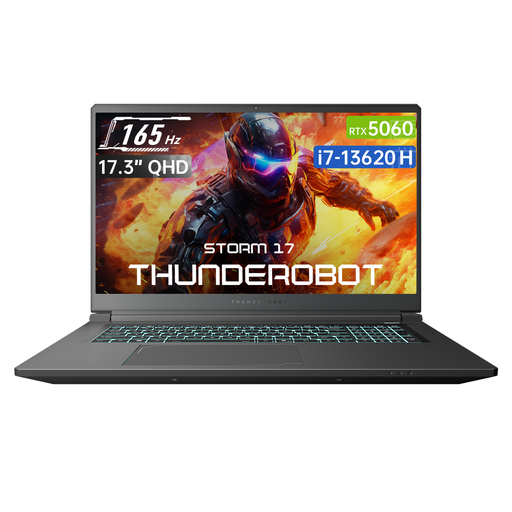
This laptop is worth considering only where its 17.3-inch format and cable arrangement suit the cockpit.
The title lists a QHD 165 Hz display, Core i7-13620H, RTX 5060, 16 GB DDR5, 1 TB SSD and HDMI. Check its exterior dimensions, ventilation space, wheel compatibility and performance against your intended game settings.
 No image available
A mini PC is an option to examine when the PC position is restricted, provided its exact dimensions and connections suit the rig.
The title lists 24 GB DDR5, a 1 TB PCIe 4.0 SSD, Radeon 880M graphics, USB4 and OCuLink. OCuLink is a connection, not an included external graphics card; confirm the installed operating system and graphics suitability for your intended truck-simulator settings.
Not necessarily if you are aiming for the reference described by SCS Software: its updated recommendations target 1080p at 30 FPS on medium-to-low settings. Higher settings, more demanding displays or extensive mods call for a separate check against your own target rather than an assumption based on that reference.
Check the exact wheel variant’s PC support, Windows driver requirements and cable route. Thrustmaster lists PC support and Windows 10/11 driver requirements for the cited T248 PlayStation variant; Logitech lists both G29 and G920 as PC-compatible while distinguishing their console support.
Consider an SSD for the game drive: SCS Software advocated moving from HDD to SSD in its requirements update. Choose capacity around the games, additional content, mods, recordings and other software you intend to keep installed.
No; match the complete part number and check the form factor, components, dimensions and ports of the product you are buying. For instance, a Joybuy Nitro N20-100 listing uses laptop wording, whereas Acer’s N20-100-RPL specification describes a desktop, so the family name alone does not resolve the difference.