What matters when buying?
Choose between a gaming-oriented and a mainstream phone by the kind and length of games you play. Treat cloud gaming as a separate compatibility and connection check, whichever handset route you prefer.
Gaming-oriented phone
Consider it when: Long local sessions and gaming controls take priority over your other phone preferences.
Keep in mind: Check the exact model’s size and any accessory requirements; gaming features alone do not establish performance in your games.
Mainstream phone
Consider it when: You want to balance gaming with storage, cameras, handling and other everyday uses.
Keep in mind: Check your games and intended controller individually rather than treating a high-refresh display as a performance result.
The table divides consumers by the need they would put first. Other needs can still matter to the same person; use each row’s checks for any concern that applies to you.
| Concern |
What to check |
Who this matters to |
| Multiplayer controls and sustained play |
Check the exact phone’s display refresh rate and control options, then look for comparable sustained-play evidence for your games. |
If fast-paced matches are my priority, I want comfortable controls and consistent play throughout a session, not just a prominent processor name. Around 25% of consumers would put sustained local play first. |
| Battery endurance and heat |
Compare battery capacity and charging arrangements, but use tests with a relevant gaming workload to judge runtime and heat. |
For longer sessions away from a charger, I need to know how playing affects battery life and handling comfort. Roughly 25% of consumers would make session endurance their primary concern. |
| Cloud connection and compatibility |
Confirm your service’s supported device, controller and network requirements, plus the terms of your mobile-data plan. |
If most of my games are streamed, a suitable controller and dependable connection matter more to me than extra on-device power. Approximately 25% of consumers would prioritise cloud readiness. |
| Storage and everyday use |
Check the storage variant you can buy, screen size and the phone features you use outside gaming. |
When one handset must hold my games, apps and media, I need enough storage without overlooking how it feels as my daily phone. Around 25% of consumers would place that balance first. |
A display specification is not a game frame-rate result: the game must support the relevant settings. Likewise, a battery-capacity figure does not predict hours of play across different games, brightness settings and connections.
Brands to consider
These brands illustrate different handset approaches; their inclusion does not establish that every model is available here or performs alike.
ASUS ROG
A gaming-oriented route for players weighing long local sessions and gaming-specific features against everyday-phone preferences.
- ASUS lists a 5,800 mAh battery for its ROG Phone 9 series.
- ASUS’s stated 4.5 hours of demanding gaming is its own runtime claim. It should not be treated as an independently tested result for your game, settings or connection.
Samsung
A mainstream-flagship reference for players balancing gaming with storage and other daily-phone features.
- Samsung lists a 120 Hz maximum refresh rate and 256 GB, 512 GB and 1 TB variants for the Galaxy S25 Ultra.
- Those Galaxy S25 Ultra specifications do not establish frame rates in a particular game or compatibility with a particular cloud service.
nubia
A performance-oriented Android reference for buyers comparing display and storage configurations.
- nubia lists a 120 Hz AMOLED display, a 5,100 mAh battery and storage options from 256 GB to 1 TB for the Z60S Pro.
- Check your games and accessories before deciding whether that particular model meets your needs for extended play.
Phones to compare on Joybuy
These phones cover a gaming-oriented handset and mainstream alternatives for mobile play. Compare their exact variants against your games, preferred controls and cloud service rather than assuming that a display or storage specification settles the choice.
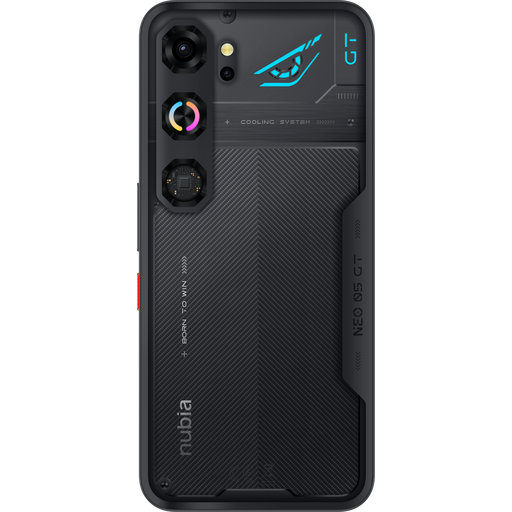 No image available
nubia NEO 5 GT Gaming Black
Consider this gaming-oriented phone if longer local sessions shape your choice; check its controls, cooling approach and results for your games before relying on them.
View on Joybuy
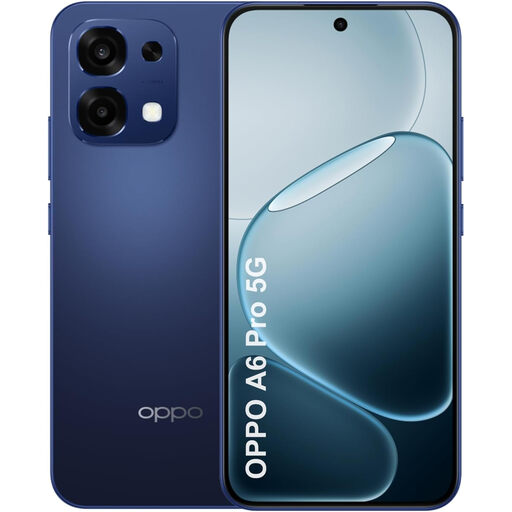 No image available
OPPO A6 Pro 5G CPH2781 Europe OEU, 8GB/256GB, Stellar Black
This mainstream-phone option suits a comparison centred on display, storage and charging specifications; check sustained gaming results separately.
The name specifies a 6.57-inch 120 Hz AMOLED display, 8 GB RAM, 256 GB storage and SuperVOOC 80 W charging. Confirm which charging accessories are included with the offered variant.
View on Joybuy
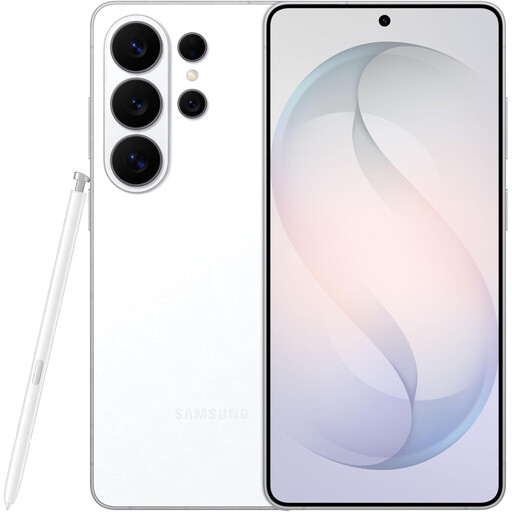 No image available
Samsung Galaxy S26 Ultra 5G 256GB White
Consider this mainstream handset if your phone must serve gaming and everyday tasks; check its size, controller fit and game-specific performance before deciding.
This is the 256 GB, 5G, White variant. Confirm the charging accessories supplied with the exact offer.
View on Joybuy
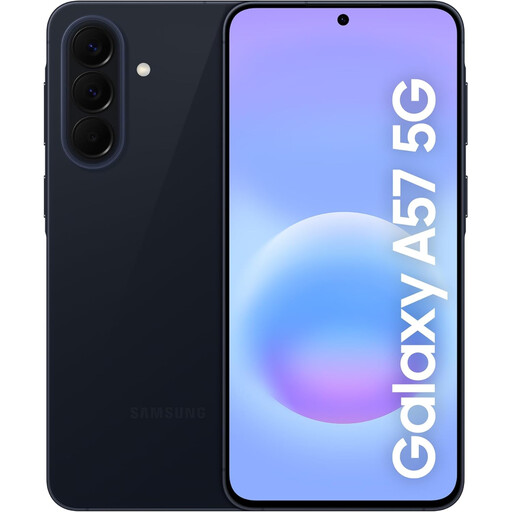 No image available
Samsung Galaxy A57 5G 256GB Awesome Navy
This mainstream option is worth comparing if you want a single phone for installed games and daily use; verify the requirements of demanding games before purchase.
This is the 256 GB, 5G, Awesome Navy variant. Check whether you have a suitable charger for the offered phone.
View on Joybuy
 No image available
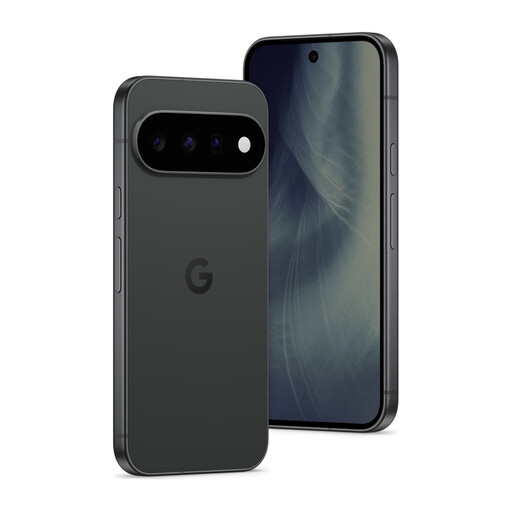
Google Pixel 11 5G, 12GB/512GB, Obsidian
Consider this mainstream handset if storage and a 6.3-inch phone are relevant to your choice; confirm controller fit and cloud-service compatibility separately.
The name specifies a 6.3-inch display, 12 GB RAM and 512 GB storage. Check the charging accessories and network compatibility you need for the exact offered variant.
View on Joybuy
Common questions
What should I check before buying an Android phone for Xbox Cloud Gaming?
Check the phone’s software, Bluetooth and connection against Microsoft’s Xbox Cloud Gaming requirements, then confirm your intended controller and account can use the service. Microsoft specifies Android 12.0 or later, Bluetooth 4.0 or later and at least 7 Mbps on 5 GHz Wi-Fi; it says 2.4 GHz may work but is not optimised.
Can I use an iPhone for Xbox Cloud Gaming?
Yes, Microsoft’s UK guidance describes an iPhone route through Safari, subject to its service requirements. It specifies iOS 14.4 or later, Bluetooth 4.0 or later and a connection of at least 10 Mbps on 5 GHz Wi-Fi for iPhone; check current account and controller requirements too.
Will a more powerful phone fix cloud-gaming lag?
Not if the connection is the cause. Microsoft identifies network problems as a common source of cloud audio and video issues, while NVIDIA sets bandwidth requirements according to stream quality. Assess your service’s connection guidance independently of the phone’s processor.
Can cloud gaming use up my mobile-data allowance?
Yes. Microsoft warns that cloud gaming can use substantial mobile data. Check your carrier plan and any gaming add-on’s current terms to see which services, if any, are covered, and monitor usage when streaming away from Wi-Fi.
Can two people play local multiplayer through Xbox Cloud Gaming on one phone?
No. Microsoft states that Xbox Cloud Gaming does not support local multiplayer and allows one player and one account at a time. Check the particular game and service separately if you want to play together online.


