Regular racing-game players
If you play demanding or multiplayer races for longer sessions, focus on responsiveness, how the tablet feels as it warms up and whether your preferred controls work with your games.


For racing games, choose a compact tablet if you mostly play while holding it; choose a larger screen if you play with a controller or stand and want more room to see the track. Check support for your actual games and controls before deciding: a high-refresh display does not guarantee the same in-game frame rate.
If you play demanding or multiplayer races for longer sessions, focus on responsiveness, how the tablet feels as it warms up and whether your preferred controls work with your games.
If you race away from a desk, a tablet you can carry and hold comfortably with both hands may matter more than the largest possible display.
If you want a broader view of the track and also use the tablet for streaming, study or everyday tasks, weigh the extra screen space against the effort of holding a larger device.
Start with the racing games and control method you intend to use, then decide whether handheld comfort or a larger track view matters more. Compare hardware specifications only in the context of those choices.
| Concern | What to check | Who this matters to |
|---|---|---|
| Responsiveness over longer sessions | Check the processor and cooling features, then look at the frame-rate settings available in your actual games. | If I play repeated or longer races, I want controls to remain responsive rather than choosing by screen specification alone. Around 33% of consumers put sustained responsiveness first. |
| Handheld comfort | Compare screen dimensions and the weight of the exact variant; consider how you grip it while charging or using a controller attachment. | For quick races away from a desk, I need something comfortable to carry and hold with both hands. Handheld comfort comes first for around 27% of consumers. |
| Track visibility | Compare display size with the tablet’s physical weight, particularly if you will play without a stand. | When I race at a desk and use the tablet for other tasks, I would rather have more space for the track and on-screen controls. Around 27% of consumers prioritise that larger view. |
| Games and controls | Check each game’s operating-system availability, account behaviour and support for your intended controller or touch controls. | If I already have games or a preferred controller, I need to know they will work before changing tablets or platforms. That fit is the primary concern for around 13% of consumers. |
A 165Hz display does not mean every racing game will run at 165 frames per second. Gameloft notes that Asphalt Legends’ in-game frame rate can vary by device and that device settings can cap it at 60fps.
Check the publisher’s current support information and the game’s graphics settings for the tablet you are considering.
A larger screen leaves more room to see the track and touch controls, but its size and weight may be less comfortable when held throughout a race. A compact tablet makes a different compromise.
Compare dimensions and weight for handheld touch play; if you normally use a controller and stand, consider whether a larger display better suits that setup.
Gameloft lists touchscreen, keyboard and controller controls for Asphalt Legends. That does not establish the same options, account behaviour or save-transfer support for another game.
Check the store listing and publisher information for each game you intend to keep playing before choosing an operating system or buying a controller.
Tablet batteries need appropriate electrical-waste handling rather than ordinary household disposal.
For a replacement in the UK, use an electrical-waste collection point or ask the retailer about like-for-like take-back. GOV.UK states that retailers must accept an old like-for-like electrical product when you buy a new one.
The Legion Tab Gen 3 offers a compact Android gaming-tablet route for players who expect to hold the device during races.
The iPad mini and 11-inch iPad Air offer different size choices for racing alongside general tablet use.
The Galaxy Tab S10 FE is a larger-screen Android option for racing alongside media, study or other everyday use.
These tablets offer compact and larger-screen options for racing and everyday use. Use the named configuration as a starting point, then check your games, preferred controls and the handling of the exact variant.
 No image available
Consider this compact iPad if you mostly hold the tablet while racing and value portability over a larger track view.
The named configuration has an A17 Pro chip and 256GB of storage. Apple lists an 8.3-inch display for the iPad mini; check the controls and frame-rate options in your chosen games.
 No image available
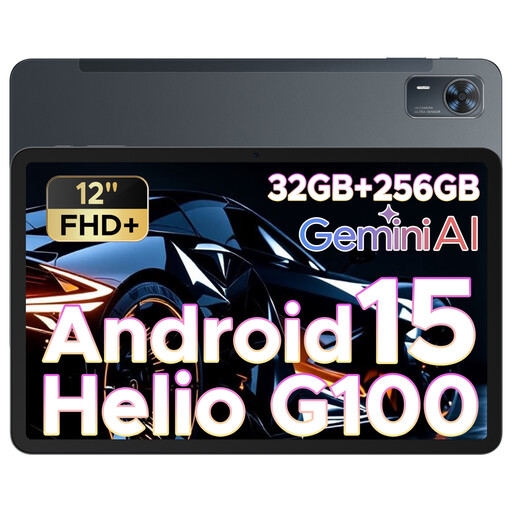
Consider the 12-inch screen if you want more room to view a race and will also use the tablet for everyday tasks; check its weight if you usually play handheld.
The product name specifies Android 15, a Helio G100 processor, a 90Hz display, 256GB of storage and a SIM slot. Check game compatibility and supported frame-rate settings separately.
 No image available
Consider this configuration if a named memory and storage capacity matter to your wider tablet use as well as racing.
The product name specifies 12GB of RAM and 512GB of storage. Check the tablet’s weight, your games’ compatibility and their supported frame-rate settings before choosing it for longer handheld sessions.
 No image available
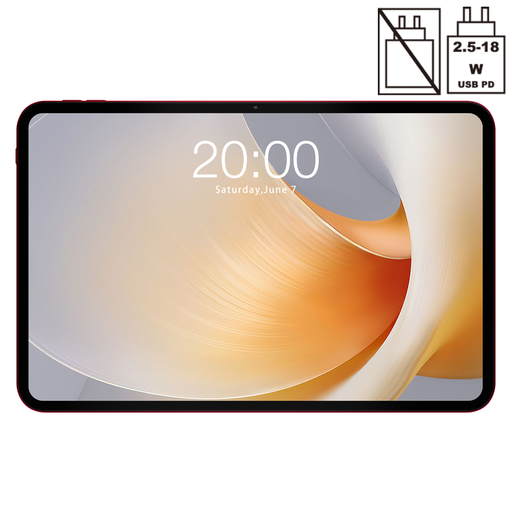
The large display may suit racing with a stand or controller; check the tablet’s weight if you intend to hold it through a session.
The product name specifies Android 15, a Helio G99 processor, a 120Hz display, 128GB of storage and dual-SIM 4G. Confirm the exact game’s controls and frame-rate support rather than treating 120Hz as an in-game result.
 No image available
Consider the 11-inch format if you want more viewing space than a compact tablet but do not need the E3+ model’s named 12-inch size.
The product name specifies Android 15, an FHD+ 90Hz display, a Helio G100 processor and dual-SIM slots. Confirm the storage configuration, weight and support for your racing games before buying.
No: a 165Hz display is not a requirement for every racing game, and it does not guarantee 165fps play. Gameloft notes that Asphalt Legends’ in-game frame rate varies by device and can be capped by device settings, so check the game’s available modes before prioritising refresh rate.
Asphalt Legends supports controller, keyboard and touchscreen controls, according to Gameloft. For another title, check support for the specific game, operating system and controller model before buying either accessory or tablet.
A compact tablet is worth considering when you hold it with both hands or travel frequently; a larger tablet gives the track and touch controls more screen space but may be less comfortable to hold for a long session. Apple lists its Wi-Fi iPad mini at 293g, while its Wi-Fi 11-inch iPad Air is 464g, so compare the weight and dimensions of the exact models you are considering.
Take an old tablet to an appropriate electrical-waste collection point rather than putting it in household rubbish. GOV.UK also describes a free like-for-like retailer take-back route when you buy a new electrical product; ask the retailer how to use it for your purchase.