Families playing in daylight
If windows or lamps reflect in the screen, everyone needs to be able to read the same questions and answer choices from their usual seats. Check reflection handling on the exact TV, not just its panel label.


For family quiz games in a bright lounge, choose for readable questions and answer choices before prioritising high refresh rates. A Mini LED/LCD TV with a documented glare-reduction feature is worth considering where reflections are the main obstacle; an OLED is another option if the exact model suits your room. Check the viewing positions, available space and HDMI connections, then consider 120Hz and VRR if you also play compatible games that use them.
If windows or lamps reflect in the screen, everyone needs to be able to read the same questions and answer choices from their usual seats. Check reflection handling on the exact TV, not just its panel label.
If quiz games share the TV with compatible console or PC games, check both the number of HDMI inputs and which ports provide the gaming features you intend to use. Sony's BRAVIA 5 K-55XR5 specification, for example, assigns VRR to HDMI 3 and 4 rather than every input.
If the TV will mainly display family games, focus on a screen the group can see and a straightforward connection for your device. Nintendo's guidance for standard Switch TV mode specifies a dock, HDMI cable and AC adapter.
Decide whether reflections, shared seating or gaming beyond quizzes is the main constraint, then check the exact model and size against your room and devices. Panel technology alone does not settle how a screen will look from your seats.
Consider it when: Daylight reflections make quiz text difficult for the group to read; Samsung describes a Glare Free treatment for its QN90F model context.
Bear in mind: Mini LED by itself does not establish glare reduction, and the QN90F claim does not apply to every Mini LED TV.
Consider it when: You also value contrast for evening viewing and can assess the exact screen against your lounge reflections. LG makes a bright- and dark-room black-level claim for its OLED B6E.
Bear in mind: LG's claim for the B6E does not establish reflection handling for other OLED models or for your seating positions.
Consider it when: Shared quiz games are the main use and your devices do not call for high-frame-rate display features.
Bear in mind: Confirm a usable Game Mode and enough HDMI inputs; check 120Hz and VRR separately if your other games need them.
| Concern | What to check | Who this matters to |
|---|---|---|
| Daylight readability | Look for a bright-room or glare-reduction statement for the exact model and size; compare it with window and lamp positions. | When reflections cover the answers, everyone has to work harder to follow the quiz. Around 50% of consumers choosing for this setting put daylight readability first. |
| Shared-play setup | Measure the available space and usual viewing positions; check HDMI access after installation. | If several people play together, I need a screen they can see without an awkward seating arrangement. Shared-play simplicity comes first for around 25% of consumers. |
| Other console games | Check the exact ports, console and game for 4K/120Hz, VRR and automatic low-latency mode (ALLM). | Quiz games are not my only use: I also want compatible console or PC games to use the TV's gaming features. Around 25% of consumers put that compatibility first. |
Mini LED, QLED and OLED names do not tell you whether a particular screen has glare treatment. Samsung's Glare Free description concerns its QN90F model context, while LG's bright-room claim concerns its OLED B6E.
Check the exact model and size for a relevant screen-treatment claim, then consider where windows and lamps will appear from each seat.
A listed gaming feature may depend on the selected HDMI port, connected device, game and settings. Sony's BRAVIA 5 K-55XR5 specification, for instance, lists VRR on HDMI 3 and 4.
List the devices that will stay connected and check the exact TV's port assignments alongside each console's output settings.
A shared screen needs to be visible from the usual seats and fit its stand or wall position. A diagonal size alone cannot establish either.
Measure the installation space and viewing positions, then check the chosen model's stand dimensions or wall-mount pattern and plan a secure installation.
In the UK, GOV.UK ties the licence requirement to uses including watching or recording live TV and using BBC iPlayer, rather than simply owning a television.
Check your household's planned viewing against current GOV.UK guidance, especially if the TV will be used for more than games.
A reference point for comparing a Mini LED gaming TV with a stated glare treatment.
A reference point for an OLED option with a model-specific bright-room claim.
A reference point for checking model-specific gaming connections on a Mini LED LCD TV.
A reference point for checking high-frame-rate support across selected OLED and LED series.
These 65- and 75-inch 4K TVs are options to assess for a shared quiz screen and connected gaming devices. Check each model's reflection handling in relation to your lounge; its screen technology or size alone cannot settle that choice.
 No image available
Consider this 65-inch screen if it fits the group's seating arrangement and the TV position. The product name lists 4K, 165Hz Game Mode Ultra and VIDAA OS. Check reflection handling on the exact set and confirm the HDMI features needed by your devices.
 No image available
This 75-inch screen is worth considering if the viewing positions and installation space accommodate it. The product name lists 4K, a 144Hz native refresh rate and Google TV. Confirm the exact size's HDMI gaming features and assess reflections before choosing it for a bright lounge.
 No image available
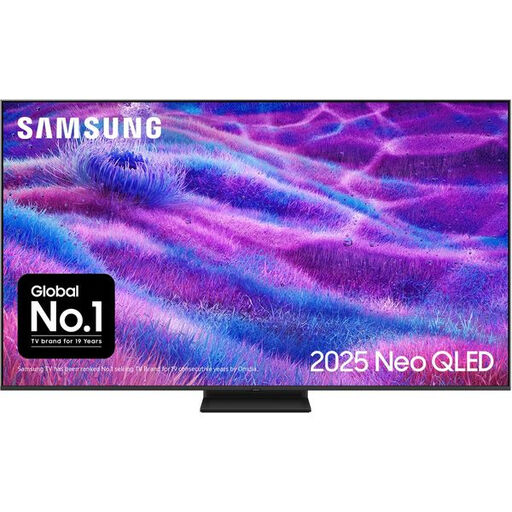
Consider this 65-inch model if its dimensions suit the shared viewing area. Its product name identifies a 4K smart TV; do not transfer Samsung's QN90F glare-treatment claim to this different model. Check its reflection handling and exact HDMI gaming support.
 No image available
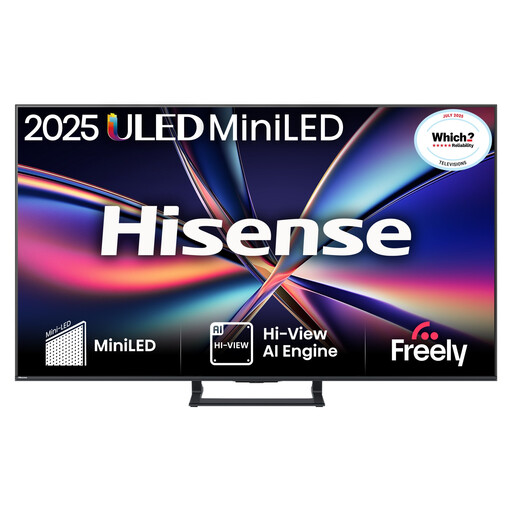
This 75-inch model needs enough viewing and installation space for group play. Its product name lists 4K, 144Hz Game Mode PRO and VIDAA OS; confirm the exact gaming connections and reflection handling. Check how the large set will be secured against tipping.
 No image available
Consider this 75-inch screen only after checking the group's viewing positions and available space. The product name lists 4K and a 144Hz native refresh rate. Check reflection handling and confirm whether its exact HDMI ports provide VRR or ALLM if you need those features.
No, 120Hz is not a requirement for choosing a screen primarily for family quizzes. Start with readability, seating and connections; PlayStation says PS5 120Hz output works with a supporting TV and games, so check it if compatible high-frame-rate play is also important to you.
For standard Nintendo Switch TV mode, Nintendo specifies a Switch dock, HDMI cable and AC adapter. Connect the dock and select its HDMI input on the TV; check which Switch model and accessories your household has before choosing a setup.
Check the exact TV's supported HDMI ports, then the connected console's output settings and the game's capabilities. Sony's gaming guidance calls for the appropriate HDMI format and port, while PlayStation says 120Hz output depends on support from both the TV and game.
No licence is required merely for owning either device. GOV.UK says a TV Licence is needed to watch or record live TV on any channel or service, or to use BBC iPlayer; check that guidance against everything your household plans to watch, not just its games.
No, a manufacturer's warranty is not your only possible route. Citizens Advice says consumers may be entitled to a refund, repair or replacement for faulty goods and can consider their legal rights separately from a warranty. Keep evidence of the fault and contact the retailer.