Small-room couch co-op households
If several people play together, check that orders, timers and character positions are visible from every usual seat. Measure the seating positions and planned screen location before settling on a size.


For cooperative cooking games in a small living room, choose a TV that fits the space and lets everyone see orders and timers from their usual seats before paying for a higher refresh rate. A 42-inch OLED is a compact option; consider a larger Mini LED or QLED screen if the room accommodates it and daytime viewing matters more. Check the exact model’s HDMI inputs and your console’s output before paying for 4K120 or VRR.
If several people play together, check that orders, timers and character positions are visible from every usual seat. Measure the seating positions and planned screen location before settling on a size.
If cooperative cooking is only part of what you play, check whether your console, cable and the TV’s intended HDMI input can use features such as 4K120, VRR and ALLM. Sony’s support guidance notes that input settings and compatible equipment can matter.
If you often play with lights on, assess reflections in your room as well as screen size. TCL markets its QD-Mini LED range around brightness, but check the exact model rather than assuming every size or panel has the same viewing characteristics.
Decide where the screen and players will sit, then compare the room’s available space with the size of TV you want. Treat gaming features as a separate decision based on the console and other games you use.
Consider it: when a narrow unit or short viewing distance makes a compact screen the practical choice. LG and Samsung list 42-inch OLED models in their ranges.
Trade-off: players farther along a wide sofa have less screen area to share; check visibility from those seats rather than judging size from the centre alone.
Consider it: when a 50-inch-class screen fits the room and daytime viewing is a priority. TCL positions its QD-Mini LED range around brightness and local dimming.
Trade-off: the larger footprint needs careful placement, and panel and gaming features must be checked for the exact size.
| Concern | What to check | Who this matters to |
|---|---|---|
| Shared visibility | Measure from each usual seat to the screen position; check whether orders and timers will be readable from side seats. | When several of us play at once, I need everyone to follow the same on-screen details without crowding the centre seat. Around 31% of consumers put shared visibility first. |
| Compact fit | Compare the TV’s full width and stand depth with the unit or wall, allowing room for cables. | If the TV unit is narrow, I need a screen that fits without making close-up play awkward; compact fit comes first for around 31% of consumers. |
| Console features | Check the exact HDMI input, cable, console and game support for the modes you intend to use. | I also play games beyond cooperative cooking titles, so I want to know which gaming modes my setup can actually use. Around 23% of consumers make console features their primary concern. |
| Daytime picture and sound | Assess reflections where the TV will sit and consider whether built-in sound suits the room. | We often play with the lights on and would prefer to start without separate speakers. For around 15% of consumers, daytime viewing and straightforward audio matter most. |
Gaming modes can differ by screen size and HDMI input. TCL’s 50-inch C6KS listing, for example, limits its stated 144Hz Game Accelerator feature to larger variants; Sony says 4K120 or VRR can require a compatible device, cable and setting.
Check the exact model and size, the input you will use and what your console and games can output.
Wall space alone does not tell you whether people sitting close to the TV or off-centre can follow a shared game comfortably.
Measure from the usual seating positions to the planned screen location, as TCL’s room-size guidance recommends, and check the unit and stand dimensions too.
LG, Samsung and TCL describe different panel technologies and features. Their descriptions alone cannot establish which exact TV handles reflections, side viewing or motion better in your room.
Use the specifications to narrow your choices, then compare exact models through an in-store viewing where possible or independent tests made under comparable conditions.
A replaced TV needs space and a way to be removed, which can be awkward in a small home.
Ask the retailer about equivalent-item take-back and any available collection arrangements before the new TV arrives.
If collection is not arranged, moving a bulky old set becomes a separate task.
LG’s 42-inch C-series OLED models offer a compact OLED route, while the QNED models shown below provide different size and panel choices.
Samsung lists a 42-inch S90F OLED for buyers considering a compact screen with gaming-oriented features.
Sony’s BRAVIA range includes documented console features, with screen sizes that need assessing separately for a small room.
TCL’s QD-Mini LED and QLED ranges are worth examining if the room can accommodate a larger shared screen.
These TVs offer compact 42–43-inch choices and larger 50–55-inch choices for rooms with more space. Match the screen and stand dimensions to your seating layout before deciding whether the additional gaming or audio features suit your setup.
 No image available
A 42-inch option when the available TV space is tight. The product title specifies 4K HDR and Google TV; check the stand dimensions and the exact HDMI modes needed for your console.
 No image available
Consider the larger shared screen if 50 inches fits the room. The title specifies 4K HDR, Google TV and an ONKYO 2.1 audio system; confirm supported refresh modes for your exact console setup before relying on the headline 144Hz claim.
 No image available
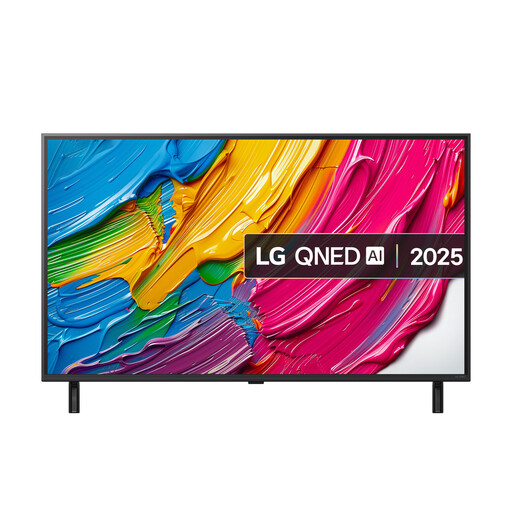
A compact-size choice when a 43-inch screen suits the seating arrangement. The title specifies 4K UHD, VRR, ALLM and eARC; check whether its supported refresh modes meet your needs for games beyond co-op cooking.
 No image available
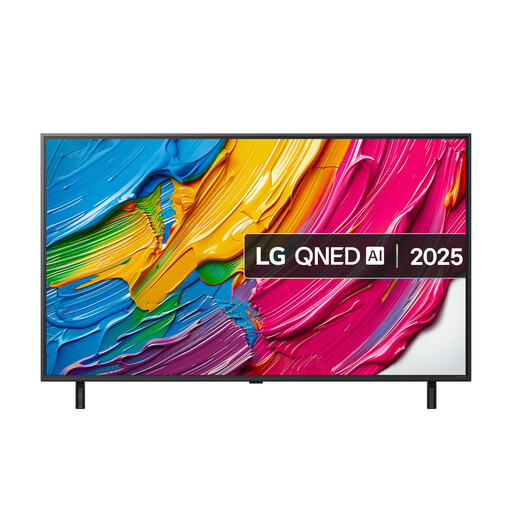
Choose the larger QNED80 size only if its footprint and viewing distance work for the group. The title specifies 4K UHD, VRR, ALLM and eARC; check the supported refresh modes if higher-refresh gaming also matters.
 No image available
A 55-inch choice for a room with enough width and viewing distance for every player. The title specifies 4K HDR and an ONKYO 2.1 sound system; confirm the exact gaming modes rather than relying on its headline Game Accelerator figure.
Not necessarily: choose higher-refresh features for other compatible games or broader console use, rather than assuming a cooking game will use them. Sony advises checking the TV, HDMI input, source device, cable and settings for features such as 4K120 and VRR.
Measure from each usual seat to the planned screen position, then check the TV’s full width and stand footprint against your space. TCL’s size guidance recommends measuring from normal seating to the screen; include side seats when judging whether everyone can follow orders and timers.
Console gameplay alone is not identified as an activity requiring a TV Licence in TV Licensing’s guidance. You do need to consider a licence if you also watch live TV or use BBC iPlayer on the TV or another device.
Ask the retailer about same-type electrical-equipment take-back and how the old set would be collected or dropped off. GOV.UK guidance says retailers must offer take-back of waste electrical equipment of the same type as an item bought from them; confirm the practical arrangement before delivery.
Not solely for that reason if delivery is in Great Britain: GOV.UK says CE marking continues to be recognised alongside or instead of UKCA marking where the relevant product requirements are met. Northern Ireland has different market-access processes, so check the seller’s information for that delivery territory.