
24/7 Customer Support

Free returns

Same-day & Next-day Delivery

Quality Guaranteed

Unlock Your Welcome Offers: FREE Delivery | Up to 80% OFF | Free 30-day JoyPlus trial
Download the APP
As our collection of devices grows, so does the tangle of cables and bulky plugs behind the sofa. The promise of a single, powerful GaN charger to replace them all is appealing, but the market is filled with confusing claims. Many UK consumers end up with a charger that underperforms, overheats or simply fails to charge their laptop as advertised.
Before you buy, be aware of these common purchasing traps:
To ensure you get a charger that is both effective and safe, focus on these key parameters.
The most important specification is not the total wattage, but the maximum power a single USB-C port can deliver. This is governed by the Power Delivery (PD) protocol.
Always check the manufacturer's power distribution chart. It will show you exactly how the wattage is allocated when multiple ports are in use (e.g., Port 1 + Port 2 = 65W + 30W). This tells you if it can still power your laptop while charging your phone.
The future is USB-C, but many of our accessories still use the older USB-A standard. A good multi-port USB C charger should offer a practical mix.
Consider where you will use the charger most.
For those venturing further afield, charging technology extends beyond wall sockets. A portable solar panel for camping now often includes high-wattage USB-C outputs, offering a truly off-grid power solution for your devices.
We have filtered through the options to find chargers that address the common pitfalls and match specific user needs.
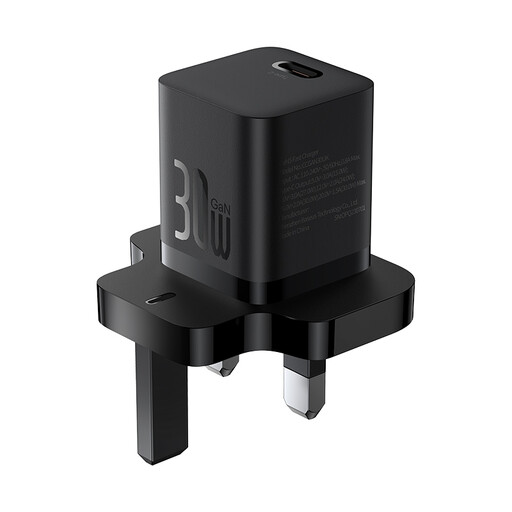
Why This Fits Their Persona: Perfect for students and professionals who need a lightweight, pocket-sized charger for their phone and tablet. Its minimal size won't weigh down a backpack or laptop bag during the daily commute.
Its single-port design eliminates any confusion about power splitting. You get a consistent and reliable 30W output every time, ideal for fast-charging a single device.
Advanced GaN5 technology allows for an exceptionally compact and portable design without compromising on safety or charging speed for compatible devices.
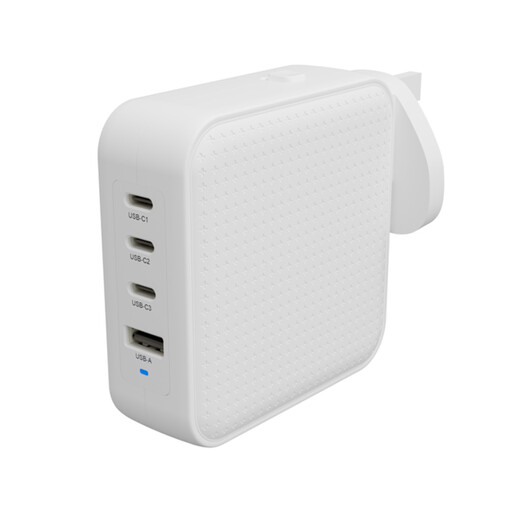
Why This Fits Their Persona: For the power user juggling a work laptop, personal phone, tablet and headphones. This single charger can power a high-performance laptop and three other devices, decluttering the desk and the travel bag.
It delivers a genuine 100W from a single USB-C port and uses intelligent power allocation to maintain high-wattage charging for a laptop even when other devices are connected.
Features three USB-C ports and one USB-A port for maximum compatibility. It also includes interchangeable international plugs, making it a versatile travel and home office solution.
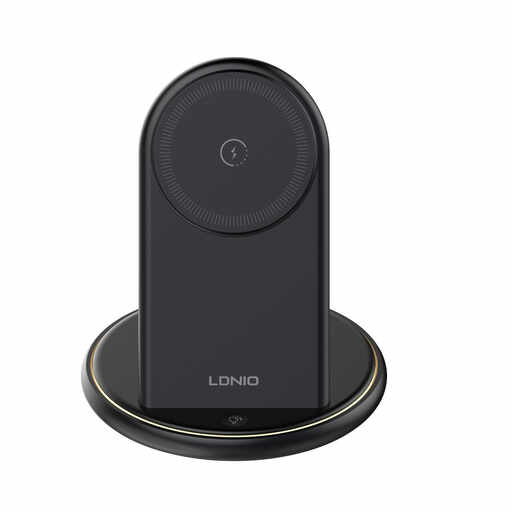
Why This Fits Their Persona: Ideal for anyone looking to eliminate cable clutter on their bedside table or home office desk. It provides a single, tidy station to charge a phone, earbuds and other accessories all at once.
This solves the related problem of cable chaos. Instead of multiple plugs, it consolidates charging into one organised unit, with dedicated spots for each device to ensure a clean setup.
Combines three wireless charging pads with two additional USB-A ports, powering up to five devices. The upright phone stand is perfect for video calls or use as a desk clock.
We have compiled a complete, real-time list of products that fully satisfy these strict selection criteria and UK safety regulations.
For many users, yes. Gallium Nitride (GaN) is a material that is more efficient at conducting electricity than traditional silicon. This means GaN chargers can be significantly smaller, lighter and run cooler than older chargers with the same power output. The convenience of carrying one compact plug instead of three bulky ones often justifies the cost.
Check your laptop's original charger for its wattage. As a general rule:
Yes, that is their primary advantage. Modern GaN chargers with multiple ports use smart technology to identify the connected device and deliver the appropriate amount of power. A high-wattage USB-C port can safely charge a low-power device like wireless headphones, as it will only provide the energy the device requests. This makes them a versatile and safe solution for everything from your laptop to your smartwatch.