Brands and models to know
These examples cover different networking routes; check the exact model, kit and installation conditions rather than treating a brand name as a guarantee of coverage.
TP-Link
Its Deco, RE and TL-WPA product lines illustrate mesh, range-extender and powerline options.
- TP-Link specifies an IP65-rated enclosure for the Deco X50-Outdoor and optional Ethernet backhaul for the Deco X50.
- The RE300’s OneMesh operation requires a compatible OneMesh router; model features do not establish coverage at a particular garage.
devolo
Magic 2 WiFi 6 next combines a powerline connection with Wi-Fi at the far end.
- The manufacturer specifies two Gigabit LAN ports on the starter kit’s Wi-Fi unit.
- Speed and seamless-coverage statements are manufacturer claims, not guaranteed results on a household’s wiring; check kit contents and compatibility.
MERCUSYS
The Halo H80X is a multi-unit mesh example for homes considering coverage at several positions.
- The UK manufacturer page specifies three Gigabit ports per Halo H80X unit.
- MERCUSYS says Halo H and S series cannot work together; advertised coverage does not establish performance across a particular exterior wall.
ASUS
ZenWiFi XD5 illustrates a mesh option where node arrangement and wired backhaul setup are worth checking.
- ASUS documents Ethernet-backhaul setup for AiMesh or ZenWiFi.
- Check the exact XD5 kit and configuration rather than assuming a feature applies across ASUS models.
Joybuy product choices
These Joybuy listings cover mesh systems and Wi-Fi extenders for reaching a garage or another weak-signal position. Placement and any wired connection between units still need to suit your home’s layout.
 No image available
NETGEAR Orbi 370 RBE373 WiFi 7 Mesh System, 3-Pack
The router and two satellites provide multiple units to place around the home; actual coverage depends on the installation environment.
Wi-Fi 7, Dual-Band BE3600. Each satellite has a 2.5Gbps Ethernet LAN port; this does not establish Ethernet backhaul support.
View on Joybuy
 No image available
TP-Link RE220BE BE3600 Wi-Fi 7 Range Extender
This extender is described for extending an existing network; place it within range of the router’s signal and plug it directly into a wall outlet.
Wi-Fi 7, BE3600, 1Gbps Ethernet port, access-point mode and EasyMesh compatibility.
View on Joybuy
 No image available
TP-Link Deco BE22 3-Pack BE3600 Whole Home Mesh Wi-Fi 7 System
The three-pack offers multiple units for placement around the home; the stated coverage is not a guarantee for a particular building.
Wi-Fi 7, BE3600, two 1Gbps Ethernet ports per unit, and wired and wireless combined backhaul. The product description says not to expose the units to rain, moisture or liquids.
View on Joybuy
 No image available
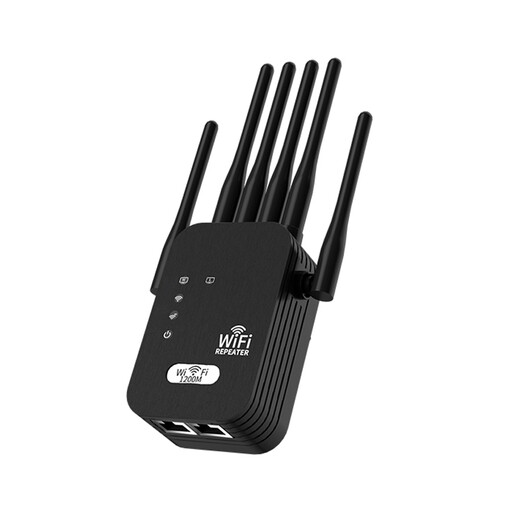
Signal Booster 5G Extension Wi-Fi 1200M, 6-wire, Black, UK Standard
For extending an existing Wi-Fi network, the booster needs an outlet within range of the current signal; it does not increase the internet speed provided by the ISP.
Dual-band operation with 2.4GHz and 5GHz support.
View on Joybuy
 No image available
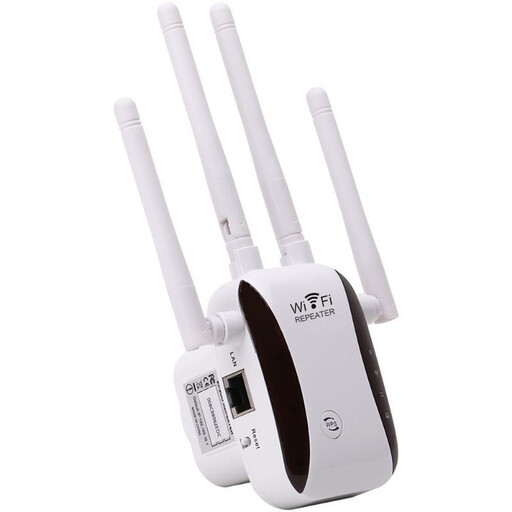
Wi-Fi Signal Extender and Repeater
This extender is described as a way to extend an existing Wi-Fi signal.
Listed modes: AP, relay, router and client. Setup is described as using WPS or a browser.
View on Joybuy
Garage Wi-Fi FAQs
What should I test before buying a Wi-Fi extender?
Compare the connection beside the router with the connection at the intended use position, and check whether an intermediate spot has a usable signal. If the connection also fails near the router, investigate the router or broadband service before assuming an extender will fix it.
Can I put any mesh unit or plug-in extender outside?
No; check the exact unit’s installation instructions and outdoor rating. TP-Link specifies an IP65-rated enclosure for the Deco X50-Outdoor, but that rating does not apply to every Deco model or an ordinary indoor extender.
Does a powerline kit provide Wi-Fi in the garage?
Only if the far-end equipment provides Wi-Fi or you connect a suitable access point. Powerline uses the home’s electrical wiring for the link, and results depend on the wiring and kit, so check the instructions and test at the intended sockets.
When should an installer assess networking work, and are the rules the same across the UK?
Ask a competent installer to assess proposed new electrical work, such as adding a garage supply or socket, and exposed or separate-building cable routes. Requirements depend on the work and location: GOV.UK publishes England’s Approved Document P, the Welsh Government publishes its own Part P document, the Scottish Government publishes building-standards handbooks, and nidirect provides Northern Ireland building-regulations information. Choosing a plug-in networking product alone does not establish that new electrical work is needed.
Who can help if a new networking device does not fix dropped calls?
Check whether the router or broadband connection also fails close to the router, then contact your broadband provider about the service. Ofcom notes that a separately bought router can be harder to set up and the provider may be unable to help with problems involving it, so check the equipment’s support and returns terms before buying.


