Workers with several wired devices
For two PCs and a network printer, count a port for each device as well as the incoming connection. A local switch serves those wired devices; it does not create the link from the house.


For a separate garden office with two PCs and a printer, choose a suitable Ethernet connection from the house and a local switch if a safe cable route is feasible. Add an access point when the office also needs Wi-Fi; consider a compatible mesh node only if its connection back to the house and port count suit the layout. Where a cable route is impractical, a planned pair of outdoor wireless bridge units is another option, with mounting, power and outdoor protection assessed separately.
For two PCs and a network printer, count a port for each device as well as the incoming connection. A local switch serves those wired devices; it does not create the link from the house.
An access point can add Wi-Fi to a suitable Ethernet connection. If you are considering mesh instead, check its connection back to the house and how many Ethernet ports remain for fixed devices.
A point-to-point wireless bridge is worth considering if both buildings can accommodate compatible, correctly positioned outdoor units. Plan for power and network connections at each end.
Choose the house-to-office link first, then count the wired ports and decide whether the office also needs Wi-Fi.
| Priority | What to check | Your needs |
|---|---|---|
| Wired ports | Count the incoming connection and each PC, printer and other wired device. Check that the switch ports support the speeds your devices require; NETGEAR specifies five 10/100/1000 Mbps ports for its GS305v3. | I need connections for two PCs and a network printer without relying on the limited ports of a Wi-Fi device. |
| Link between buildings | Measure the planned cable path, not just the distance across the garden. Cisco specifies up to 100 m for the copper 1000BASE-T cabling described in its documentation. If a suitable cable route is impractical, check whether two compatible directional outdoor bridge units can be positioned and powered. | The route from my house to the office determines whether a permanent Ethernet connection or a planned wireless bridge makes more sense. |
| Office Wi-Fi | Check how an access point or mesh node connects back to the house and how many ports remain for wired devices. TP-Link specifies two Gigabit WAN/LAN ports for the Deco X50-Outdoor and compatibility with other Deco models; a wireless backhaul still needs a suitable radio path. | I want Wi-Fi for mobile devices, while keeping Ethernet available for fixed work equipment. |
| Outdoor installation | Check the exact device’s enclosure rating separately from its power equipment, cable entries and connectors. Ubiquiti’s guidance for its outdoor equipment calls for suitable shielded cabling, grounding and surge protection; the arrangement needs a site-specific assessment. | If equipment or cabling is exposed between buildings, I need the whole installation planned for that location, not just an outdoor-rated device. |
An access point adds Wi-Fi, but it may not have enough separate ports for two PCs and a printer.
Count the incoming link and every wired endpoint, then choose a switch with sufficient ports. Check PoE capability separately if a connected device needs power over Ethernet.
A separate switch and patch leads may be needed.
A device enclosure rating does not cover its cable entries, connectors or separate power equipment. Ubiquiti’s outdoor-equipment guidance also addresses grounding and surge protection.
Check the enclosure, cable route, entries, power arrangement and protection as separate parts of the planned installation.
Suitable outdoor cabling and protection components can add to the installation work.
The actual cable path can be longer than the distance between buildings. Cisco specifies a limit of up to 100 m for the copper 1000BASE-T cabling described in its documentation.
Measure the intended endpoint-to-endpoint route. If it approaches or exceeds that limit, obtain a network design suited to the site rather than assuming a direct copper run will do.
Mesh compatibility does not establish that a wireless connection back to the house will suit the actual distance and building construction.
Check the proposed node’s link to the existing mesh and its available Ethernet ports. Consider a suitable wired connection or a planned paired bridge if that link cannot meet the office’s needs.
TP-Link lists different devices for adding outdoor Wi-Fi, forming a directional wireless link and extending a compatible Deco mesh.
NETGEAR’s GS305v3 is an unmanaged switch for connecting several local wired devices to an existing network link.
Ubiquiti’s installation documentation is a useful reference when planning protection for its outdoor networking equipment.
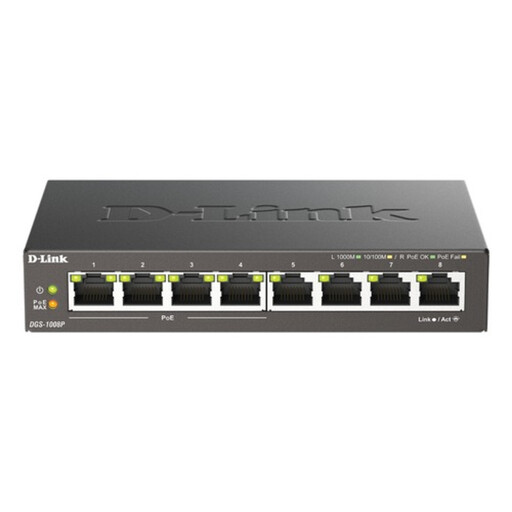
This switch is an option for connecting several wired devices inside a garden office once a suitable network link from the house is in place.
 No image available
For an office with several wired devices, this local switch provides eight Gigabit ports and PoE once a suitable incoming network connection is available. Check the power requirements of any PoE devices and plan a protected location if the switch would otherwise be exposed.
Use a switch when the office has more wired devices than the incoming connection or Wi-Fi equipment can accommodate. An incoming link, two PCs and a printer need four ports in total; NETGEAR specifies five Gigabit ports for its GS305v3, leaving one port for another connection.
Only if it has enough Ethernet connections for the devices you intend to wire. An access point can add Wi-Fi to a suitable network link, but two PCs and a printer may still need a separate switch; check the exact access point’s port count before buying.
Some can: TP-Link specifies two Gigabit WAN/LAN ports for the Deco X50-Outdoor. Check whether one port is needed for a wired connection back to the house, then count the remaining ports against the office devices. A wireless mesh connection also depends on the actual path to the house.
Consider a bridge when a suitable cable route is impractical and both buildings can take correctly positioned, compatible outdoor units. TP-Link lists the CPE710 as a directional outdoor CPE with passive PoE and one shielded Gigabit Ethernet port; a building-to-building link needs equipment, power and network connections at both ends.
Get competent help where the work affects an electrical installation or involves work beyond your competence. The UK Health and Safety Executive says electrical work should be thoroughly planned and carried out by people able to demonstrate competence. Outdoor cabling, grounding and surge protection also need an arrangement suited to the property and equipment.