People who need a dependable work connection
If you rely on work calls, cloud access or a wired desktop, plan the house-to-office link before choosing how to provide Wi-Fi within the workspace.


Choose the link between the house and detached office before buying equipment for Wi-Fi inside it. Consider an external cable if its protected route has been safely planned, or a paired point-to-point bridge if suitable positions let you aim units between the buildings; mesh is an option only where a usable wireless path already reaches the office. Add a switch or access point if you then need more wired connections or local Wi-Fi, and check outdoor exposure, power compatibility and applicable UK radio requirements before buying.
If you rely on work calls, cloud access or a wired desktop, plan the house-to-office link before choosing how to provide Wi-Fi within the workspace.
If you can position and aim outdoor units between the two buildings, a paired wireless bridge is a route to consider when a cable run is impractical.
If the office already has a building-to-building link or a usable wireless uplink, your remaining choice may be an access point for local coverage or a switch for more wired devices.
For a detached garden office using an existing home connection, establish how the signal will cross between buildings before choosing equipment for devices inside the office.
| Concern | What to check | Who this matters to |
|---|---|---|
| Dependable house-to-office link | Check whether a protected external cable route is feasible and whether exposed components suit the conditions along it. | I need the connection for regular work, so I want the route between buildings settled before adding office devices. Around 36% of consumers put that primary link first. |
| Avoiding an external cable run | Check positions for two compatible bridge endpoints, their power arrangements and the applicable UK radio requirements. | Running a cable across my property is impractical, but I can position equipment at both buildings. Around 29% of consumers primarily want to avoid that cable run. |
| Connecting several office devices | Count the wired connections needed after the uplink arrives; if a device needs Power over Ethernet (PoE), match its requirements to the power source. | My office link is planned, but I still need to connect a desktop and other devices locally. For around 21% of consumers, distributing the connection is the main concern. |
| Extending usable Wi-Fi | Check the wireless signal at the intended placement and whether a compatible mesh node or access point can use that uplink. | I already have a usable wireless path towards the office and mainly want coverage where I work. Roughly 14% of consumers put that simpler extension first. |
An access point can provide local Wi-Fi, but the detached office still needs a usable uplink. TP-Link describes a point-to-point CPE arrangement with separate access-point and client endpoints.
Decide whether you need to create the link between buildings or distribute an existing connection. For a dedicated bridge, check the compatibility and roles of both endpoints.
Power over Ethernet requirements vary by model. TP-Link specifies passive PoE for the CPE710, while its EAP650-Outdoor supports 802.3at PoE+ and 48 V passive PoE.
Match the exact device specification to its injector or PoE switch; a matching connector alone does not establish power compatibility.
Weather and physical damage matter along an external route. The Health and Safety Executive advises selecting cables for adverse conditions and routing them to minimise damage; Electrical Safety First advises outdoor-suitable cables and connectors.
Check the intended exposure, cable and connector protection before buying. Seek appropriately qualified advice where the route or associated electrical work is outside your scope.
Ofcom makes licence exemption for 57–71 GHz equipment conditional on technical criteria; a product's frequency label alone does not establish that its use qualifies.
Check the exact model, configuration and applicable UK interface requirements before buying or using a 60 GHz bridge.
These manufacturers illustrate different equipment routes; the suitability of any model depends on the link, mounting position and power arrangement you plan.
Its Pharos CPE range is relevant to paired outdoor links, while Omada outdoor access points are relevant to distributing Wi-Fi.
Its airMAX GigaBeam is an example of a dedicated point-to-point design rather than a general mesh node.
Its Wireless Wire nRAY illustrates a pre-paired 60 GHz bridge-kit approach.
These desktop switches can distribute a connection to wired devices after the house-to-office link reaches the workspace. Neither creates the link between buildings.
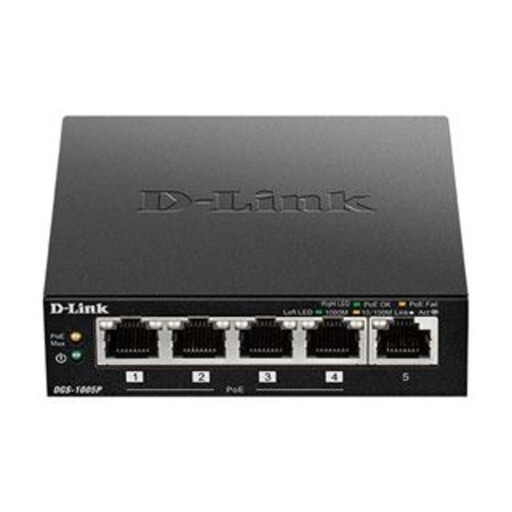 Image unavailable
For local wired connections once the office has an uplink. Its five-port Gigabit design includes PoE+; check the power needs of any intended device against the switch before buying.
Plan the inter-building link separately, and check the suitability of any equipment or connections that would be exposed outdoors.
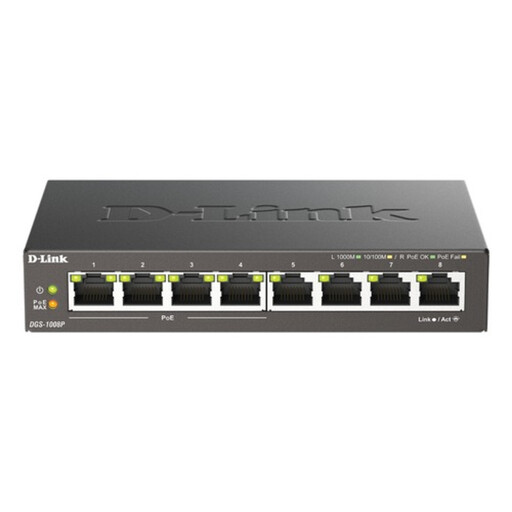 Image unavailable
For an office that needs more local wired ports after its uplink is in place. The eight-port Gigabit switch offers PoE; check which ports provide power and whether its output matches the devices you intend to connect.
It does not replace the house-to-office link. Check environmental suitability separately for any exposed part of the installation.
Not necessarily, but licence exemption depends on the equipment and how it is configured. Ofcom states that a 57–71 GHz system at or below 40 dBm EIRP may qualify only if the relevant criteria are met; check the exact model and applicable UK interface requirement before use.
One outdoor access point should not be assumed to create a dedicated link between two buildings. It can distribute Wi-Fi or participate in a compatible mesh arrangement where there is a usable uplink, whereas the point-to-point arrangement described by TP-Link uses access-point and client endpoints.
Check that accessible cable runs and connections remain protected and show no visible damage. Follow the equipment manufacturer's instructions for its intended environment and power supply; seek qualified help if you find damage or are unsure about powered outdoor equipment.