What to prioritise when choosing an outbuilding Wi-Fi route
Decide whether you need to carry the connection across the gap or only distribute Wi-Fi once a usable connection reaches the outbuilding.
Ethernet cable plus an access point
Choose when: You can arrange a safe, permitted cable route and want a wired connection feeding Wi-Fi inside the workspace.
Trade-off: Routing or excavation adds installation work; the Health and Safety Executive advises planning excavation, locating buried services and digging safely.
Point-to-point wireless bridge
Choose when: Trenching is impractical and you can position and power outdoor units with a suitable path between them.
Trade-off: Alignment, obstacles, power and radio settings need attention; TP-Link’s installation guidance says trees, buildings and large steel structures can weaken its outdoor links.
Mesh with wireless or wired backhaul
Choose when: You have, or plan to use, a compatible mesh system and can confirm that the proposed node position has a usable connection.
Trade-off: Compatibility does not guarantee a strong link across walls or between buildings; Ofcom notes that objects can weaken Wi-Fi signals.
Access point on an existing connection
Choose when: A usable wired or wireless connection already reaches the outbuilding, but devices there need local Wi-Fi.
Trade-off: An access point improves local coverage; it does not repair a weak connection feeding it. Check the exact model’s power and mounting requirements.
| Concern |
What to check when buying |
Who this matters to |
| Dependable connection for work |
Check the cable route, buried services, power arrangements and position for the indoor access point. |
If I work in the office regularly, I want a dependable connection between the buildings before choosing the Wi-Fi equipment. Consumers who put a reliable work connection first make up around 36%. |
| A link without trenching |
Check for a clear path between mounting positions, compatible power and a plan for Wi-Fi inside the destination building. |
If digging is not practical, I need to know whether a bridge can be mounted and powered at both ends. Consumers whose main concern is avoiding a data-cable trench make up around 29%. |
| Extending an existing mesh |
Confirm compatibility and test the proposed node position; check power and outdoor mounting conditions if relevant. |
I would consider another mesh node only if it can keep a usable connection at the planned position. Consumers who prioritise extending a viable existing mesh make up around 21%. |
| Wi-Fi inside a connected outbuilding |
Confirm that the building already has a usable connection, then match the access point’s power and mounting requirements to the location. |
If the connection already reaches the building, I need Wi-Fi where I use my devices. Consumers who put local coverage first once the building is connected make up around 14%. |
Joybuy products related to Wi-Fi extension
These Joybuy listings are Wi-Fi extenders for extending an existing network or providing local coverage; they do not replace establishing a usable connection between the house and a detached building.
 No image available
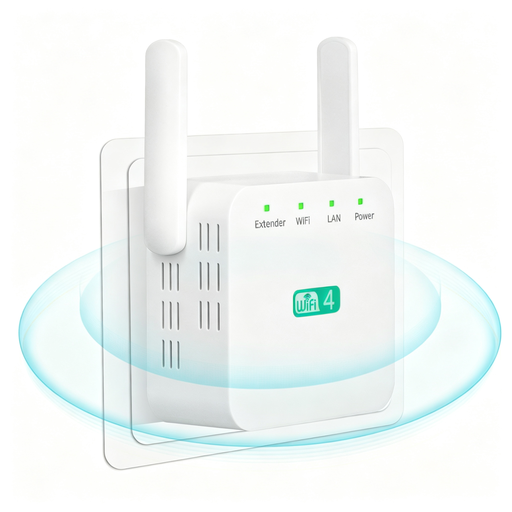
Compact White 2.4G WiFi Extender, British Plug
Consider it where an existing signal reaches the intended position, or where its Ethernet port can connect to a usable wired feed; the title lists repeater and access point modes.
2.4G; two external antennas; Ethernet port; repeater and access point modes.
View on Joybuy
 No image available
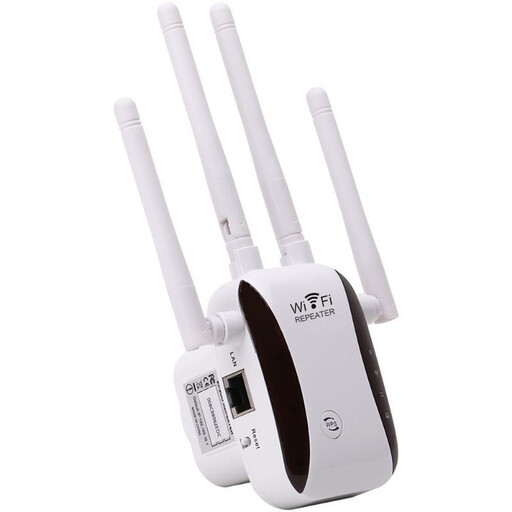
WiFi Signal Extender and Repeater
Consider it only after confirming that a usable signal reaches the intended location; do not assume a product identified as an extender or repeater replaces a dedicated link between buildings.
View on Joybuy
 No image available
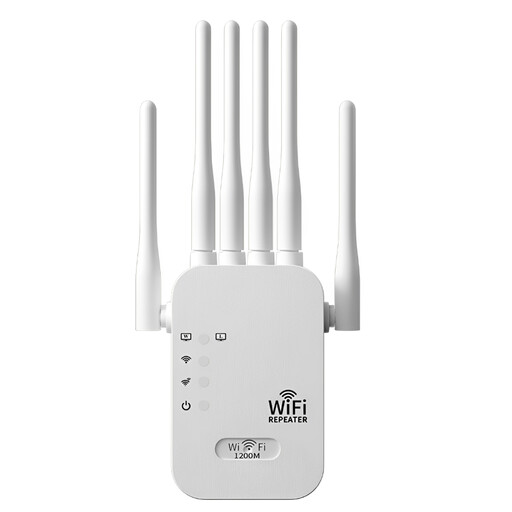
Dual-Band WiFi Extender, 6 Antennas, US Plug
The title specifies indoor use, so it is not presented for exposed outdoor mounting. Check the plug and intended power supply before choosing it for a UK installation.
Dual-band; six external antennas; 1200M; indoor use; US plug.
View on Joybuy
 No image available
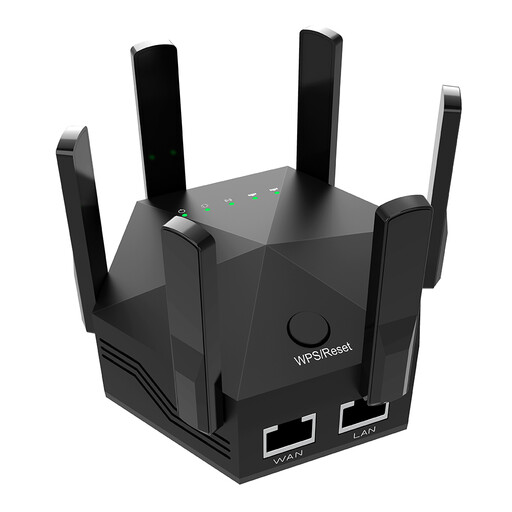
Black Dual-Band WiFi Extender, 1200Mbps, UK Plug
Consider it for indoor extension where a usable connection already reaches the room; the product title specifies indoor use, so do not plan exposed outdoor mounting.
Dual-band; 1200Mbps; six adjustable antennas; two Ethernet ports; indoor use; UK plug.
View on Joybuy
FAQs
Will an access point in the office fix a weak signal from the house?
No, not by itself. Establish a usable connection into the outbuilding first; the access point then provides local Wi-Fi. If you are considering wireless backhaul, test it at the planned position rather than relying on a general coverage claim.
Will an outdoor mesh node ensure Wi-Fi inside a detached shed?
No. A weather rating describes the node’s suitability for stated exposure conditions, not the strength of its backhaul or the signal through the shed walls. Test both the proposed node position and reception inside before choosing that route.
What should I check before digging or powering outdoor networking equipment?
The Health and Safety Executive advises planning excavation, locating buried services and digging safely. Electrical Safety First advises using an RCD with outdoor electrical equipment. Check the exact device’s PoE requirements rather than assuming different PoE sources are interchangeable, and confirm the electrical requirements for the work and location.
Do I need a UK radio licence for a 5.8 GHz bridge?
Not necessarily. Ofcom states that qualifying fixed-wireless-access operation in 5725–5850 MHz became licence-exempt on 29 April 2026, provided it meets the technical conditions in IR 2007. This is not blanket approval for every bridge, radio band or configuration; check the exact equipment and settings against Ofcom’s conditions.
Are mounting permissions and electrical rules the same throughout the UK?
No single answer applies to every property and installation. Requirements depend on the location, the property and the work involved; England and Wales, Scotland and Northern Ireland have distinct building requirements. Check with the property owner and relevant authority, and confirm the rules that apply before installation.


