What matters when choosing
Decide the largest garden photograph you will regularly print, then weigh office functions and printing frequency against the space and consumables each format requires.
| Concern |
What to check |
Who this matters to |
| Larger display prints |
Check the maximum borderless size and the feed and margin rules for your chosen photo paper. |
If I want to frame a wide garden scene or show fine foliage at a larger size, postcard output will not meet that aim. Roughly 31% of consumers put larger display prints first. |
| Frequent photo printing |
Compare the ink system and replacement consumables; read any stated photo yield alongside its print-size and test conditions. |
When I print garden images repeatedly through the seasons, replacing ink and paper becomes part of the decision. Around 31% of consumers prioritise recurring photo output. |
| Photos and office work |
Confirm scanning and copying, document duplexing and the photo sizes the printer accepts. |
I need the same desk device for garden pictures and everyday paperwork, so office functions cannot be an afterthought. About 23% of consumers put this combined use first. |
| Compact snapshots |
Check the exact print dimensions, phone connection and compatible paper-and-cartridge system. |
For a plant journal or a small print to share, I would rather have a convenient compact format than a larger display print. Roughly 15% of consumers make small snapshots their primary need. |
Joybuy product choices
These choices span an A3+ Epson photo printer, a Canon PIXMA model to assess for shared desk use, and two smaller Polaroid print formats. Choose by the print size you need, then check photo-paper and office-function requirements on the exact model.
 No image available
Epson EcoTank ET-18100
Consider this model if larger garden photographs and repeated photo printing are priorities. Epson United Kingdom identifies the ET-18100 as an A3+ Wi-Fi ink-tank photo printer; check its supported feed for the paper you intend to use.
View on Joybuy
 No image available
Canon PIXMA TS6550i
For a desk shared between garden photos and office work, check that the TS6550i has the document functions you need. Confirm its supported photo-paper sizes and borderless modes before choosing it for a particular print format.
View on Joybuy
 No image available
Polaroid Hi-Print Bluetooth 4x6 Photo Printer, White
The named 4 × 6 inch format is worth considering for small garden photographs rather than A4 or A3+ displays. Check compatible paper cartridges and the phone workflow you intend to use.
View on Joybuy
 No image available
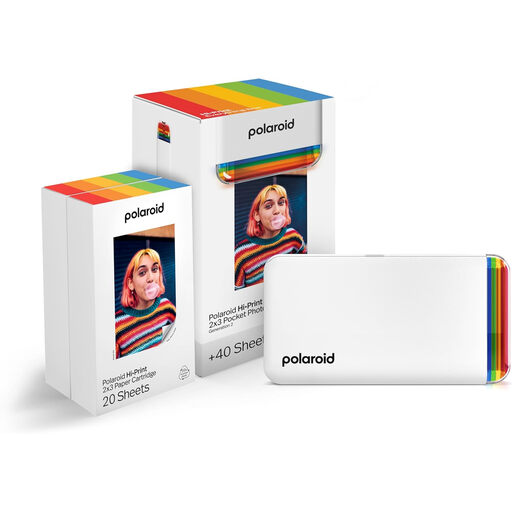
Polaroid Hi-Print 2x3 Gen 2 Bundle, White, 40-sheet cartridge
Consider the smaller 2x3 format for garden-photo journals or keepsakes, not larger display prints. The named bundle includes a 40-sheet paper cartridge; check replacement-cartridge compatibility for continued use.
View on Joybuy
Questions about garden photo printing
Do I need an A3+ printer for garden photographs?
Only if you plan larger display or framed prints. For smaller photos, check whether an A4 printer or a compact format meets your intended size; Canon UK lists the SELPHY CP1500's postcard media at 100 × 148 mm. Confirm the maximum borderless size on whichever printer you choose.
Can I use ordinary office paper for garden photos?
You can print on supported office paper, but choose compatible photo paper if its finish matters to the result you want. Canon UK describes photo papers in finishes including glossy, matte and lustre; check the chosen printer's paper weight, size and feed limits before buying a pack.
How can I make printed colours closer to what I see on screen?
Start with the print setting for your actual paper. If your printer and workflow support ICC colour profiles, use the profile that matches the paper; Canon UK explains that matching the media setting and profile helps with screen-to-paper colour matching.
Does a 100-year photo-life claim apply to every compact print?
No. Canon UK states up to 100 years for SELPHY CP1500 prints stored in an album, based on accelerated testing at 23°C and 50% humidity. Treat those conditions as part of the claim rather than a promise for prints displayed or stored differently.
What should I do with an old printer in the UK?
Check your local authority's or retailer's current electrical-equipment collection arrangements. GOV.UK explains that the UK Waste Electrical and Electronic Equipment Regulations 2013, as amended, encourage recovery, reuse and recycling of electrical products and components.


