What to consider before buying
For a camera beyond dependable router range, compare where a working connection can be created, how many positions need coverage and what the camera itself supports.
Mesh Wi-Fi
Consider it when: several indoor weak areas need coverage and nodes can be placed where they retain a usable connection.
Trade-off: it adds equipment and setup; a wireless node still needs a working link, and an indoor unit is not automatically suitable for outdoor mounting.
Wi-Fi access point
Consider it when: a cable can reach a fixed point nearer the garden or shed where cameras need Wi-Fi.
Trade-off: plan the cable, power or PoE supply and mounting; check the exact unit’s weather rating and installation conditions if it will be outdoors.
Range extender
Consider it when: one weak area needs attention and a suitable intermediate socket still receives the existing Wi-Fi.
Trade-off: it cannot repair a missing upstream signal; advertised mesh features may also require a compatible router.
Ethernet or powerline backhaul
Consider it when: a cable run is practical, or suitable sockets and a compatible powerline kit can provide a route to the camera area.
Trade-off: Ethernet needs cable routing and compatible power; powerline depends on the electrical installation and whether the kit provides Wi-Fi at the far end.
Camera recording options
Consider them when: storage method and how recordings will be accessed matter alongside network reach.
Trade-off: local storage does not extend Wi-Fi or, by itself, establish that remote viewing will work during an outage.
| Concern |
What to check when buying |
Who this matters to |
| A dependable link through walls or to an outbuilding |
Map walls, possible node positions, cable routes and camera power; check connectivity at both an intermediate point and the planned camera location. |
If I need a fixed camera to connect through walls or at the end of the garden, I would compare a cable-fed option with wireless placement. Around 33% of consumers put a dependable link past obstructions first. |
| Coverage across several camera positions |
Mark each planned camera and node position; check whether nodes can connect wirelessly or use supported Ethernet backhaul. |
When several distant camera positions need coverage, I would check the whole layout rather than focus on one weak spot. Around 25% of consumers prioritise coverage across multiple positions. |
| A proportionate fix for one weak spot |
Find a powered midpoint with usable router Wi-Fi; check the extender’s operating mode and any router requirements for mesh features. |
If only one camera area is affected, I would look for a workable midpoint before choosing a repeater. Around 25% of consumers put a targeted single-spot fix first. |
| Camera connection, recording and outdoor suitability |
Check the exact model and version’s Wi-Fi bands or Ethernet/PoE support, power source, storage requirements and weather rating. |
For a camera that must suit a particular connection, recording plan and outdoor position, I would check its exact model specifications rather than assume the network equipment covers those needs. Around 17% of consumers prioritise camera compatibility and recording. |
Joybuy products
These Joybuy options focus on extending an existing Wi-Fi network for a weak camera area, with a wired outdoor camera for locations that can be reached by Ethernet.
 No image available
TP-Link RE220BE BE3600 Wi-Fi 7 Range Extender
For a single weak camera area, it offers range-extender mode; access-point mode is an alternative when a wired connection can reach the device.
Dual-band Wi-Fi; Gigabit Ethernet port. In range-extender mode, it needs a location that still receives the router’s Wi-Fi.
View on Joybuy
 No image available
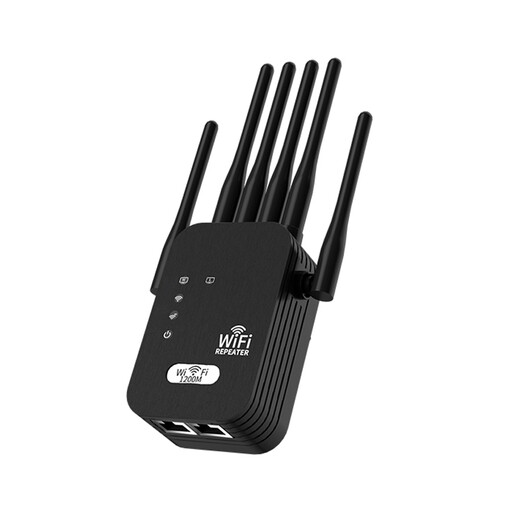
Signal Booster, 5G Extension, Wi-Fi, 1200M, 6-wire, Black, UK Standard
This booster is described for extending an existing Wi-Fi network, provided a powered position still receives the current signal.
Dual-band support; six external antennas. The described setup requires an outlet within range of existing Wi-Fi.
View on Joybuy
 No image available
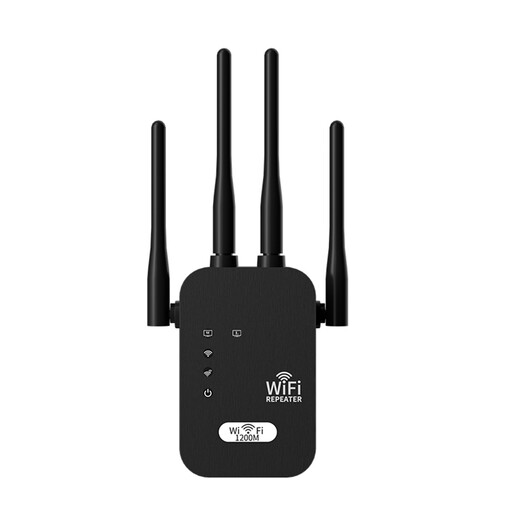
Signal Booster, 5G Extension, Wi-Fi, 1200M, 4-Prong, Black, UK Standard
It is described as a way to extend existing Wi-Fi for a weak area, with placement dependent on receiving the router’s signal.
Dual-band support; four external antennas. A power outlet within range of existing Wi-Fi is required for the described setup.
View on Joybuy
 No image available
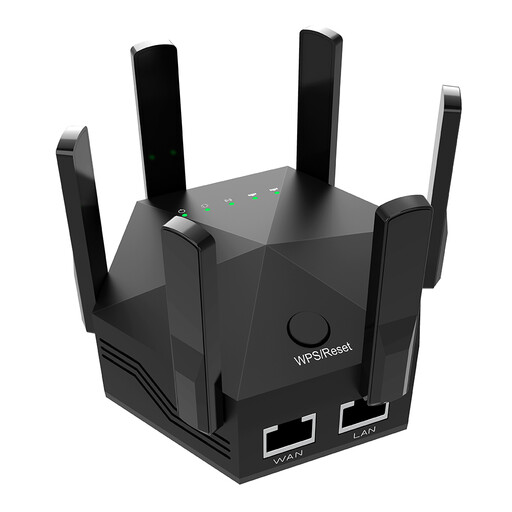
Dual-Band Wi-Fi Extender, 1200Mbps, 6 Adjustable Antennas, Indoor, UK Plug
This extender is described for an indoor weak-signal area when it can be placed between the router and that area.
Dual-band Wi-Fi; six adjustable antennas; two Ethernet ports. The description specifies indoor use only.
View on Joybuy
 No image available
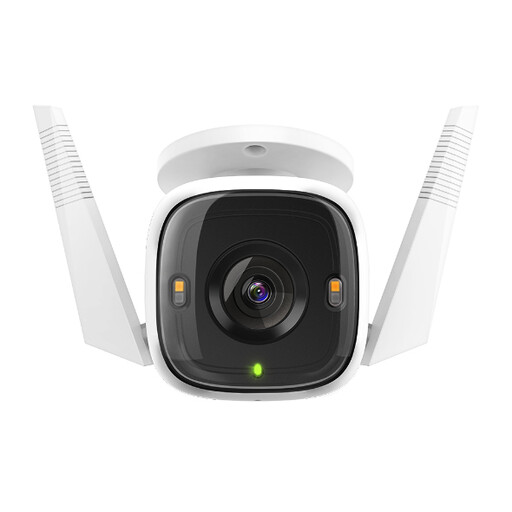
Tapo C320WS Outdoor Security Wi-Fi Camera
For a fixed outdoor camera position reachable by Ethernet, this model is listed with a wired connection as an alternative to Wi-Fi.
2K QHD video; Ethernet connectivity; microSD storage up to 256GB; IP66 rating. The listing specifies a power adapter and says the microSD card is sold separately.
View on Joybuy
Frequently asked questions
What should I check at home before choosing a Wi-Fi extension method?
Check which camera positions have a weak connection, the walls between them and the router, possible powered midpoint locations, and whether Ethernet can reach. Ofcom distinguishes a broadband-service problem from a home Wi-Fi coverage problem; a mesh system cannot exceed the incoming broadband service.
Can I keep my existing router when adding mesh?
That depends on the mesh system and its configuration. TP-Link documents connecting Deco to an existing router and using access-point mode when the existing router should continue managing the network; follow the chosen system’s wiring and setup instructions.
Will a camera’s local-storage option fix unreliable Wi-Fi?
No. Local storage is a separate recording choice: the Tapo C325WB V2 is listed with microSD or optional cloud storage, while Reolink lists microSD and compatible hub or NVR options for the E1 Outdoor. Check the exact camera, required media and intended way to access recordings.
What ongoing costs or support details should I check?
Check whether your recording setup needs a card, hub, NVR or optional cloud service, and look for the manufacturer’s stated minimum security-update period. The UK National Cyber Security Centre says relevant consumer smart-device requirements include disclosing that period; it does not mean every product has the same support duration.
What if my home camera records a neighbour’s property, a public area or communal space?
The Information Commissioner’s Office says data-protection law applies when home CCTV captures someone else’s property, a public area or communal space. It advises positioning cameras to capture only your own property where possible and considering privacy blockers if that is not possible. Its home-CCTV guidance is under review following the Data (Use and Access) Act, so check the ICO’s current guidance before installation.


