
24/7 Customer Support

Free returns

Same-day & Next-day Delivery

Quality Guaranteed

Unlock Your Welcome Offers: FREE Delivery | Up to 80% OFF | Free 30-day JoyPlus trial
Download the APP
A Gawfolk curved monitor can suit a UK gaming desk, home office or student workstation, but the product titles often include several specifications that are easy to misread. A higher refresh rate does not automatically mean a better image, while a large ultrawide display may be impractical if your desk, graphics card or viewing distance is limited.
This guide focuses on the specifications that affect everyday use and the common traps that can lead to an unsuitable purchase.
A listing may advertise a 1ms response time monitor, but this figure can refer to MPRT rather than the panel’s typical grey-to-grey response. MPRT is a motion clarity setting that may work alongside backlight strobing, rather than representing every transition in normal use.
For a smoother gaming experience, assess response time alongside:
A 34-inch UWQHD monitor with a 21:9 aspect ratio provides a wide working area, but it takes up considerably more desk width than a standard 24.5-inch or 27-inch screen. A 3440 x 1440 monitor also requires more graphics processing power than Full HD.
Before ordering, measure the available width and depth. Check whether the supplied stand leaves enough room for your keyboard, speakers and other equipment. If you use a laptop, confirm that its USB-C, HDMI or DisplayPort output can support the intended resolution and refresh rate.
Port descriptions require careful reading. The 34-inch Gawfolk listing describes two HDMI ports and two DisplayPort ports, with HDMI 2.0 supporting up to 120Hz and DisplayPort 1.4 supporting up to 165Hz. Its product title refers to HDMI 2.1, so buyers should confirm the supplied model’s port specification and manual before purchase.
On smaller models, HDMI and VGA monitor connectivity is useful for older PCs and laptops, but VGA is an analogue video connection and may not carry audio. Built-in speakers normally require an audio-capable digital connection such as HDMI.
A 27-inch curved FHD monitor uses 1920 x 1080 resolution. This is usually easier for an affordable laptop or gaming PC to drive, although text and desktop content may appear less spacious than on a higher-resolution screen.
A 24.5-inch curved monitor is more compact and can suit smaller desks or competitive gaming setups. Its 1920 x 1080 resolution is relatively straightforward for many systems to run at a high refresh rate.
The 34-inch model uses 3440 x 1440 UWQHD resolution and a 1500R curve. The tighter curvature can make the edges feel closer within your field of view, especially when sitting centrally. For spreadsheets, video timelines and side-by-side windows, the extra width may be more useful than simply increasing screen size.
A 100Hz monitor offers more frequent image updates than a standard 60Hz display, which can make scrolling, window movement and compatible games appear smoother. A 165Hz monitor can provide more headroom for fast-paced PC gaming, but you need a system capable of producing suitable frame rates.
Adaptive Sync, including AMD FreeSync compatibility, helps coordinate the monitor’s refresh behaviour with the graphics card. It is not a replacement for a suitable GPU, and support can depend on the input, graphics hardware and software settings.
Look for practical features rather than assuming they guarantee comfort. Flicker-free operation, low-blue-light modes and an anti-glare surface may help you configure a more comfortable display, but brightness, room lighting, viewing distance and regular breaks remain important.
For flexible positioning, check the VESA mount monitor measurement. The 27-inch model uses 100 x 100mm mounting, while the 24.5-inch model is listed with 75 x 75mm support. A compatible arm or wall bracket is purchased separately unless stated otherwise.
Built-in speakers can save desk space for office work, video calls and casual media. They may not replace dedicated speakers or headphones for gaming, music or detailed audio.
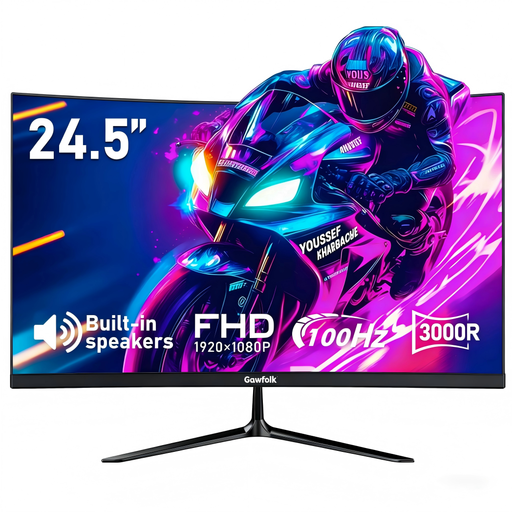
Why This Fits Their Persona: The compact Full HD format suits a smaller UK bedroom desk, student room or first gaming setup, while 100Hz provides a step up from a basic 60Hz screen.
The listing states the HDMI input supports up to 100Hz, while VGA supports up to 60Hz. This makes the connection limits clearer before setup.
1920 x 1080 resolution, built-in speakers, AMD FreeSync compatibility and HDMI/VGA inputs.
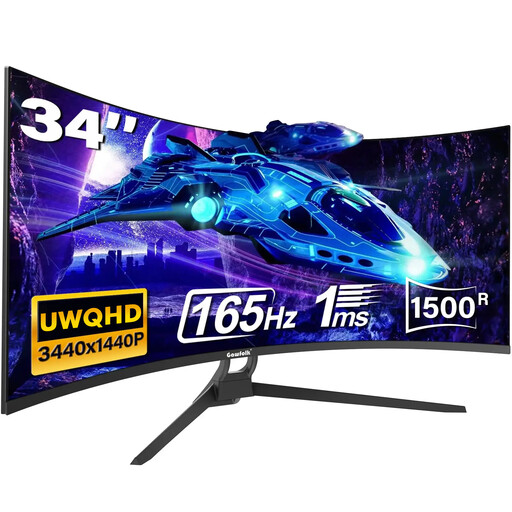
Why This Fits Their Persona: The wide 21:9 layout suits home-office users, content creators and gamers who want several windows or a broader field of view without using two monitors.
The listing specifies different refresh limits for HDMI 2.0 and DisplayPort 1.4. Check your graphics output and the exact supplied port specification before ordering.
3440 x 1440 resolution, 165Hz refresh rate, 1500R curvature, Adaptive Sync and 75 x 75mm VESA support.
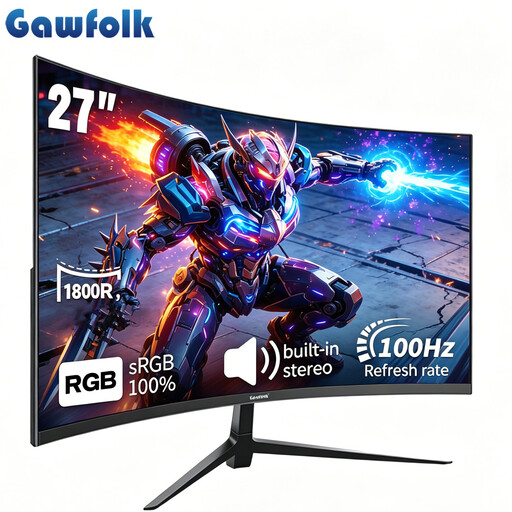
Why This Fits Their Persona: This is a practical middle option for mixed gaming, study and office use where a 34-inch ultrawide would be excessive but a compact monitor would feel restrictive.
Its stated 100Hz refresh rate, Adaptive Sync, eye-care modes and VESA compatibility are listed alongside the connection options rather than relying on a gaming label alone.
27-inch VA display, 1920 x 1080 resolution, built-in stereo speakers and 100 x 100mm VESA mounting.
We have compiled a complete, real-time list of products that fully satisfy these strict selection criteria and UK safety regulations.
Yes, particularly when the screen is large enough for side-by-side windows. A 34-inch ultrawide can suit spreadsheets and content timelines, while a 24.5-inch or 27-inch display is easier to place on a compact desk. For long sessions, adjust brightness, keep the screen at a comfortable distance and take regular breaks.
A higher refresh rate can involve additional display processing, but actual running cost depends on brightness, power-saving settings, usage hours and electricity tariffs. Check the product’s rated power information where available, and use standby or sleep settings when the monitor is not needed.