Students required to use ArcGIS Pro
If assessed work depends on ArcGIS Pro, establish the course’s software and operating-system requirements before choosing a laptop. Esri documents a Windows setup for running ArcGIS Pro on a Mac.


Start with the GIS software your course requires: a compatible Windows laptop is the straightforward choice for ArcGIS Pro, while a Mac is an option if your course permits a QGIS-led workflow. For substantial 3D scenes or imagery work, check the exact RAM and graphics configuration; for mainly 2D editing and general study, weigh those requirements against how often you will carry the laptop.
If assessed work depends on ArcGIS Pro, establish the course’s software and operating-system requirements before choosing a laptop. Esri documents a Windows setup for running ArcGIS Pro on a Mac.
Regular 3D navigation, substantial imagery projects or GPU-dependent tools make the exact memory and graphics configuration particularly important. Esri also notes that ArcGIS Pro can select integrated graphics on a laptop with more than one GPU.
If the course accepts QGIS and its required extensions, a Mac can remain in consideration alongside Windows laptops. QGIS provides standard installers for both operating systems; confirm the department’s assessment workflow before deciding.
Confirm the required application and licence access with your department, then match the laptop’s installed memory, graphics and portability to the projects you will actually complete.
| Concern | What to check | Who this matters to |
|---|---|---|
| Software compatibility | Ask whether ArcGIS Pro is compulsory and which operating system, extensions and licence access the course requires. | If assessed projects require ArcGIS Pro, I need a setup that can run the specified software without an unexpected workaround. Around 30% of consumers put software compatibility first. |
| Demanding GIS projects | Identify any 3D scenes, substantial imagery or accelerated tools, then compare installed RAM and the exact GPU configuration. | When my modules involve large imagery projects or frequent 3D work, I need capacity suited to those tasks rather than relying on a processor name. For roughly 30% of consumers, project capacity is the primary concern. |
| Portability for study | Compare the laptop’s size and weight with its installed RAM and SSD capacity. | If I mainly edit 2D maps and also carry my laptop for everyday study, I want a manageable machine without overlooking the specifications my course needs. Portability comes first for around 20% of consumers. |
| QGIS and macOS flexibility | Confirm that required applications, extensions and assessment files work with the proposed QGIS or macOS setup. | Where my course permits QGIS, I want to keep a Mac in consideration without discovering later that a required tool needs Windows. Roughly 20% of consumers prioritise that workflow flexibility. |
Esri documents ArcGIS Pro on a Mac through a Windows setup rather than a native macOS installation. Its documented virtual-machine route for an Apple-silicon Mac requires Parallels Desktop and Windows 11 ARM.
Ask your module leader which application and extensions are required. If ArcGIS Pro is compulsory, decide whether you want that Mac setup before choosing your laptop.
A Windows virtual-machine setup adds software and configuration work to the Mac route.
Configurations within a family can differ. For example, Lenovo lists a ThinkPad P14s Gen 6 AMD configuration with 64 GB RAM and a 2 TB SSD but integrated graphics.
Check the exact model and variant’s installed RAM, SSD and GPU. If a task needs dedicated graphics, confirm the GPU model rather than relying on a workstation label or a family-level specification.
Esri says ArcGIS Pro may default to integrated graphics on laptops with multiple GPUs, which can affect 2D or 3D rendering.
On a dual-GPU laptop, check the applicable Windows and GPU settings after installation to see whether ArcGIS Pro is assigned to the intended GPU.
The laptop you order needs to match the configuration you assessed. UK online-selling guidance also calls for sellers to provide delivery arrangements and cancellation information before ordering.
Keep a copy of the exact specification and check the retailer’s delivery and cancellation terms before placing the order.
The ThinkPad P14s is a compact mobile-workstation family to examine if you want a portable Windows configuration.
HP positions its ZBook Firefly, Power and Fury lines around different mobility and workstation needs.
The Nitro 14 AMD is a consumer-laptop family worth examining if a compact format with dedicated graphics is relevant to your coursework.
These Windows and graphics-laptop choices illustrate different screen sizes, memory configurations and GPU options for GIS study. Match each exact configuration to your course software and projects before choosing.
 No image available
Consider this Windows configuration if your course involves substantial imagery or 3D projects and calls for a higher-memory laptop.
 No image available
This 15.6-inch configuration offers dedicated graphics for students comparing general study and graphics-related GIS needs; check its operating system against your course requirements.
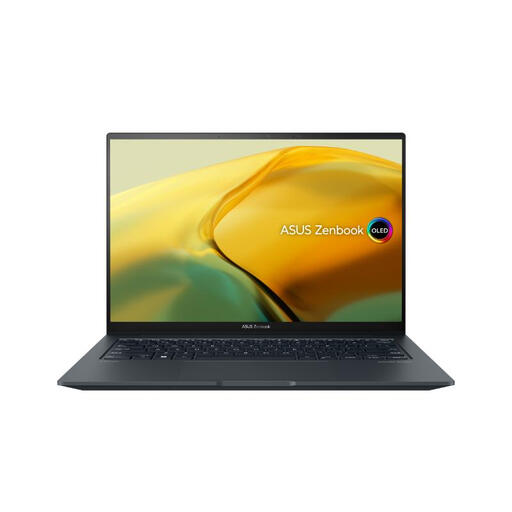 No image available
Consider this smaller-screen Windows option if you want dedicated graphics alongside a laptop for routine study; assess its memory against any demanding GIS modules.
 No image available
The larger screen may appeal if most GIS work happens at a desk in your student room; consider the format carefully if you carry the laptop regularly.
 No image available
This 14-inch Windows configuration is worth comparing if your GIS projects call for substantial installed RAM and dedicated graphics in a smaller-screen format.
A compatible Windows laptop is the straightforward route for ArcGIS Pro coursework. Esri documents running it on an Intel Mac through a Windows setup and, for its Apple-silicon virtual-machine route, using Parallels Desktop with Windows 11 ARM; confirm your department’s requirements before choosing either approach.
Yes, a Mac remains an option for a QGIS-led course because QGIS provides a macOS installer. Check that required extensions, teaching materials and assessment tasks work with the setup your department accepts.
Not for every map-editing task; the choice depends on the projects and tools your course requires. Check the exact graphics configuration for regular 3D or graphics-intensive work, and note Esri’s warning that ArcGIS Pro can default to integrated graphics on a dual-GPU laptop.
Check the exact configuration, delivery arrangements and cancellation information before ordering. Under the UK Consumer Contracts Regulations 2013, the normal cancellation period for goods ends 14 days after the day you or a nominated person takes physical possession, subject to the applicable rules and exceptions; a retailer’s voluntary returns policy is separate from that statutory cancellation right.