What matters when choosing
Confirm the organisation’s GIS software first, then size the laptop for its heaviest recurring local task and check how it will connect at the shared desk.
| Concern |
What to check |
Who this matters to |
| Software and operating system |
Confirm the required GIS applications, extensions and operating system with IT. Esri specifies supported Windows versions for ArcGIS Pro; the QGIS Project provides Windows and macOS installers. |
If my team requires ArcGIS Pro, I need a way to run our actual projects before choosing a platform. Around 29% of consumers put software compatibility first. |
| Local GIS performance |
Compare the exact CPU, installed memory and GPU with Esri’s current ArcGIS Pro requirements; test representative analysis and 3D projects where possible. |
When I regularly work with complex maps or scenes, I need the laptop to handle those projects locally rather than merely launch the software. Local performance comes first for around 36% of consumers. |
| Shared-desk setup |
Check the dock, monitor connections, charging and IT-supported drivers. For regular display-screen-equipment work, follow the employer’s workstation assessment process. |
If I move between shared desks, I need a dependable screen and peripheral setup for prolonged editing. Around 21% of consumers prioritise shared-desk usability. |
| Portability and local capacity |
Consider how often the laptop leaves the desk and whether demanding GIS work runs locally or on an employer-managed virtual desktop. |
If I carry the laptop regularly but do lighter work on it, I do not want to choose extra local capacity without a task that calls for it. Around 14% of consumers place that balance first. |
Joybuy product choices
These laptops offer Windows options with dedicated graphics for local GIS work, plus a Mac option for a confirmed QGIS-centred workflow. Match any shortlisted configuration to your software, projects and shared-office connections; the listed graphics hardware alone does not establish ArcGIS Pro performance.
 No image available
ASUS ProArt P16 H7606WW-SE006W
Consider this Windows laptop if your local GIS work calls for the memory and dedicated graphics stated in its configuration; check its behaviour with your ArcGIS Pro projects before choosing it.
16-inch 4K OLED touchscreen; AMD Ryzen AI 9 HX 370; NVIDIA GeForce RTX 5080 with 16 GB graphics memory; 64 GB RAM; 2 TB SSD; Windows 11 Home.
Confirm the office dock and monitor arrangement with IT.
View on Joybuy
 No image available
Stormforce Exobook 16 QHD+ Ultra 9, 32 GB/4 TB, 5080
Consider this model for Windows-based local GIS work if its configuration meets your application requirements and performs acceptably with representative projects.
16-inch QHD+ model; Ultra 9 processor; 32 GB memory; 4 TB storage; 5080 variant.
Check its connections against the shared-office dock and monitor, particularly if you also carry the laptop between locations.
View on Joybuy
 No image available
Lenovo Legion Pro 7 16IAX10H, 83F5000UUK
This Windows configuration is an option to assess for local projects that call for substantial memory and dedicated graphics; test the GIS workload rather than treating its gaming configuration as a performance result.
16-inch model; Intel Core Ultra 9; 64 GB RAM; 2 TB SSD; NVIDIA GeForce RTX 5090; Windows 11 Home.
Check the shared-office dock, monitors and physical desk arrangement with IT.
View on Joybuy
 No image available
ASUS ROG Zephyrus G14 GA403WR-QS088W
The 14-inch format is worth considering if you carry a Windows laptop as well as edit GIS maps at a desk; confirm that your projects and office connections work with this configuration.
AMD Ryzen AI 9 HX 370; 14-inch WQXGA+ display; 32 GB LPDDR5x memory; 2 TB SSD; NVIDIA GeForce RTX 5070 Ti; Windows 11 Home; German Grey.
Check the exact port and dock requirements with IT before relying on the shared-office monitor setup.
View on Joybuy
 No image available
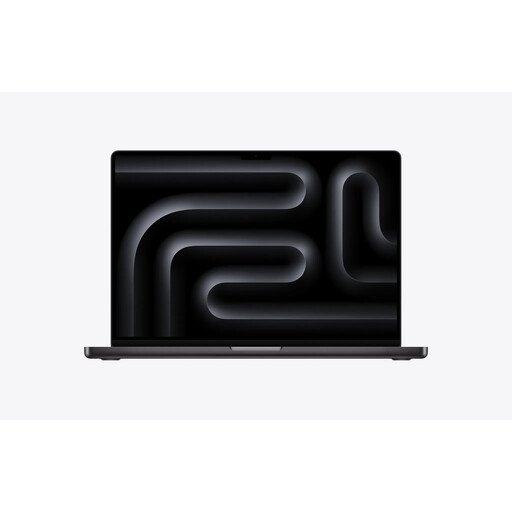
Apple MacBook Pro 16.2-inch M5 Max, 48 GB/2 TB, Space Black
Consider this Mac when the team’s GIS work is confirmed to run on macOS, such as a QGIS-centred workflow. If ArcGIS Pro is required, have IT test the intended Windows virtual-machine arrangement with your projects and extensions.
M5 Max with 18-core CPU and 40-core GPU; 48 GB unified memory; 2 TB storage; 16.2-inch display.
Confirm compatibility with the shared-office dock and monitors.
View on Joybuy
Frequently asked questions
Do I need a Windows laptop to edit GIS maps?
Not for every workflow: the QGIS Project provides installers for Windows and macOS. If your employer requires ArcGIS Pro, which Esri specifies for supported Windows versions, choose a Windows setup unless the employer has tested an appropriate virtual-machine arrangement for the intended Mac.
Is integrated graphics enough for ArcGIS Pro?
It may be enough for a modest workload if the exact laptop meets Esri’s current requirements, but that does not establish how it will handle your projects. Esri says ArcGIS Pro uses compatible hardware acceleration and that software rendering generally performs less well, particularly for scenes; test regular 3D work before choosing a GPU configuration.
What should I check for a shared-office dock and monitor?
Confirm the laptop’s connections, suitable dock power, the office monitor arrangement and IT support for the setup. Esri also advises keeping graphics and docking-station drivers current when using ArcGIS Pro with external peripherals.
Does a shared-office laptop user need a DSE assessment?
The UK Health and Safety Executive says employers must assess the workstation and reduce risks for workers who use display screen equipment daily as part of normal work for continuous periods of an hour or more. For a shared desk, ask your employer how its assessment covers the equipment, furniture, work conditions and your individual needs.


