For graduation photos destined for frames or albums, start with a compact printer that supports 100 x 148 mm postcard prints, such as the Canon SELPHY CP1500. Canon UK gives its dimensions with trays retracted, so check the space needed while printing; choose a smaller battery-powered or instant-film format instead if putting the printer away or sharing small keepsakes matters more than postcard-size output.
Who these printers suit
Graduation photo printers short on space
If the photos are going into postcard-size frames or albums, look for that print format first, then check where the printer can be stored between occasions. Canon UK distinguishes the SELPHY CP1500’s stored dimensions from the space needed with its trays in use.
Portable keepsake makers
If you plan to print a few photos at a celebration or away from a fixed desk, a battery-powered printer may suit you better than a postcard printer. The trade-off is smaller media, as shown by Canon UK’s SELPHY QX20 specifications.
Instant-film sharers
If the physical keepsake and app-based presentation matter more than conventional photo dimensions, consider an instant-film smartphone printer. Fujifilm’s instax Link WIDE uses a picture area smaller than its overall film sheet.
What matters when choosing
Postcard photo printer
Choose it when: Graduation portraits are mainly for 100 x 148 mm frames, albums or cards, and you have a place to print near a power socket.
Allow for: The operating space can exceed the stored body size; the Canon SELPHY CP1500 also uses compatible ink-and-paper sets, according to Canon UK.
Battery-powered mini printer
Choose it when: You need to put the printer away after use or print away from a power socket.
Allow for: The Canon SELPHY QX20 uses 54 x 85 mm card-size or 72 x 85 mm square media rather than postcard-size paper, according to Canon UK.
Instant-film smartphone printer
Choose it when: A film-style keepsake to hand out is the purpose, rather than a conventional framed portrait.
Allow for: Fujifilm gives the instax Link WIDE a 62 x 99 mm picture area on an 86 x 108 mm film sheet; film is separate and development takes approximately 90 seconds.
| Concern |
What to check |
Who this matters to |
| Framed print format |
Check the supported media size against your frames or album, and whether the required paper or cassette is included. |
If my graduation portrait is going into a frame or being given to family, I want the finished print to fit the display I have in mind. Around 31% of consumers put framed-print format first. |
| Storage and portability |
Measure the storage spot and the clear space needed for loading and output; check battery operation if printing away from a socket. |
With a shared desk, I need to put the printer away after each session, even if that means accepting smaller photos. Roughly 31% of consumers give storage and portability priority. |
| Instant-film keepsakes |
Compare the visible image area with the film-sheet size, and check the required phone app and film format. |
For photos handed out at a celebration, I care more about a film-style keepsake than a standard album print. Around 23% of consumers make that presentation their main concern. |
| Repeated printing |
Check compatible media-pack quantities and whether the printer’s supported formats suit later projects. |
If I am making copies for several relatives and expect to print again, I need a media system that suits more than one short session. Roughly 15% of consumers put repeat use first. |
Mistakes to avoid
-
Buying by stored dimensions alone
Canon UK quotes the SELPHY CP1500’s 182.2 x 133 x 57.6 mm dimensions with its trays retracted. A storage spot that fits the body may not provide enough room to load and print.
Measure both the place you will keep the printer and the clear workspace you can provide during a print session.
-
Assuming every compact printer makes postcard prints
Canon UK specifies 100 x 148 mm media for the SELPHY CP1500, but smaller formats for the SELPHY QX20. Fujifilm’s instax Link WIDE has a different film sheet and picture area.
Decide on the finished photo size before comparing printer body sizes, especially if you already have frames or album sleeves.
A different print format may mean changing the frames or album you intended to use.
-
Overlooking model-specific media
Photo printers can require their own compatible paper, ink-and-paper sets or film. A media pack for one model should not be assumed to fit another.
Identify the exact media your chosen model takes and check the pack’s print count before planning copies for relatives.
-
Treating instant film as a postcard-print substitute
Fujifilm gives the instax Link WIDE an 86 x 108 mm film sheet but a 62 x 99 mm picture area. Its output will not fill the same display space as a 100 x 148 mm postcard photo.
Choose it for the film-style result; choose a postcard-capable printer if conventional photo dimensions are essential.
instax WIDE film must be obtained separately.
Brands and product lines to consider
Canon
Canon’s SELPHY CP1500 and QX20 illustrate two distinct compact photo-printing formats.
- Canon UK specifies 100 x 148 mm postcard media and Wi-Fi, USB-C and memory-card inputs for the CP1500.
- The smaller, battery-powered QX20 uses 54 x 85 mm card-size or 72 x 85 mm square media, rather than postcard-size prints.
Fujifilm instax
The instax Link WIDE is a smartphone-printer option for film-style graduation keepsakes.
- Fujifilm specifies a built-in battery and WIDE film with a 62 x 99 mm picture area.
- Film is separate, and Fujifilm gives an approximate development time of 90 seconds.
HP
The Sprocket Studio family is another smartphone-printing line to examine if postcard-style output is the goal.
- HP Support UK identifies dye-sublimation printing, Bluetooth 5.0 and a 20-sheet input tray for Sprocket Studio.
- Check the dimensions and compatible media for the exact model before deciding whether it fits your workspace.
Epson
The EcoTank ET-8500 belongs to a broader home photo-and-document printing route, rather than the small snapshot-printer route.
- Epson United Kingdom specifies A4 and photo-size paper trays and rear feeds for the ET-8500.
- If desk space is the deciding constraint, measure this home printer’s working area rather than treating it as interchangeable with a compact snapshot printer.
Joybuy photo printers for these needs
These options cover a 4 x 6 photo-printer format and smaller portable keepsakes. Choose by the finished print you want, then check the working space and compatible media for the particular model.
 No image available
Polaroid Hi-Print Bluetooth 4x6 Photo Printer, White
Consider this Bluetooth model if 4 x 6 graduation photos are the priority. Check its clearance while printing and the compatible cartridge before assigning it a permanent place on a small desk.
View on Joybuy
 No image available
Xiaomi Portable Photo Printer 1S, Zero-Ink
This portable model is a choice for small keepsakes when the printer cannot stay on the desk. Confirm the finished print size, compatible paper and phone-app requirements if you intend to frame the photos.
View on Joybuy
 No image available
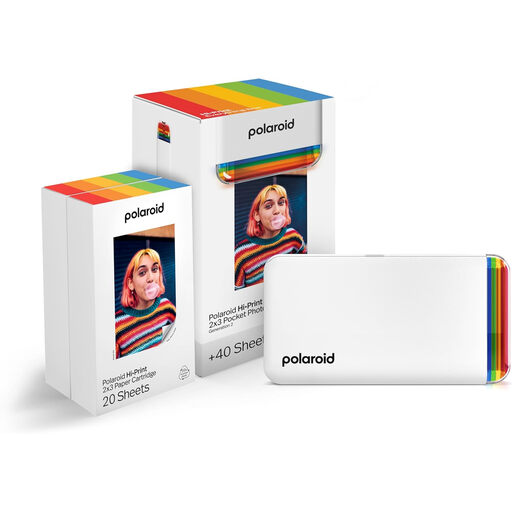
Polaroid Hi Print 2x3 Gen 2 Bundle, White, 40-Sheet Paper Cartridge
The 2 x 3 format suits small graduation keepsakes rather than postcard-size framed portraits. The bundle names a 40-sheet paper cartridge; check storage dimensions, charging needs and replacement-cartridge compatibility for your intended print sessions.
View on Joybuy
Common questions
What print size should I choose for graduation photos?
Start with 100 x 148 mm postcard media if the photos are going into conventional frames or being given to relatives as larger prints. Canon UK specifies that size for the SELPHY CP1500; its QX20 uses smaller card-size media, while Fujifilm gives the instax Link WIDE a 62 x 99 mm picture area.
Will a compact photo printer fit on a small desk?
It may fit when stored but still need more room to operate. Canon UK lists the SELPHY CP1500 at 182.2 x 133 x 57.6 mm with trays retracted, so measure the space for loading and output as well as the storage spot.
Can I print graduation photos from my phone?
Yes, with a printer and phone that support the same connection and required app. Canon UK specifies Wi-Fi printing for the SELPHY CP1500 and QX20; Fujifilm’s instax Link WIDE uses smartphone-app printing, while HP Support UK lists Bluetooth 5.0 for Sprocket Studio. Check compatibility for the exact printer and your phone before buying.


