Hosts with seats spread across the room
If guests watch from sofas, armchairs and other positions away from the centre, viewing angle matters as much as the view from the main seat. RTINGS highlights its importance for wide seating arrangements.


For detective-series nights with a large group, start with how the picture looks from side seats, then weigh dark-scene contrast against reflections in your room. Consider OLED for a room you can dim; for a bright room, consider a Mini LED or Neo QLED TV only after checking the exact model's viewing-angle and anti-reflection features. Match screen size to the seating positions, and check the programmes' subtitle and audio-description options.
If guests watch from sofas, armchairs and other positions away from the centre, viewing angle matters as much as the view from the main seat. RTINGS highlights its importance for wide seating arrangements.
If shadowy interiors and night sequences are central to your viewing, assess contrast in lighting similar to your room. RTINGS notes that high contrast is most noticeable in a dark room.
If someone uses subtitles or audio description to follow the plot, check the programmes and services the group watches. Ofcom identifies both as TV access services.
Consider it when: You can dim the room and want to assess both side-seat consistency and contrast in dark scenes. LG describes wide viewing angles and independently controlled pixels across its OLED range.
Check: Reflections under your usual lighting; an OLED label alone does not establish how a particular screen will handle windows or lamps.
Consider it when: Daylight or lamps are difficult to control and the exact model specifies both wide-angle and anti-reflection features, as Samsung does for its QN90D.
Check: Those features on the screen size you intend to buy; the display category alone does not establish its side-seat performance.
Start with the furthest side seat, then judge the screen in your usual lighting before settling on a size.
| Concern | What to check | Who this matters to |
|---|---|---|
| Side-seat picture | Look for viewing-angle results or an exact-model wide-angle specification; assess the furthest side seat where possible. | If I host people across the room, I want those at the edges to see a consistent picture. Around 29% of consumers put side-seat picture consistency first. |
| Dark-scene contrast | Assess black levels and contrast in lighting like your own, especially if you usually dim the room. | Shadowy scenes matter more to me than a bright showroom picture when I watch at night. For around 23% of consumers, dark-scene contrast is the primary concern. |
| Dialogue and access | Check subtitle and audio-description options in your programmes and services; verify TV connections if you plan to add audio equipment. | Everyone needs to follow the dialogue, including anyone who relies on subtitles or audio description. This comes first for around 18% of consumers. |
| Screen size and seating | Measure the nearest, usual and furthest viewing positions before choosing a diagonal size. | I want distant guests to see the action without placing those nearest the TV uncomfortably close. Around 18% of consumers prioritise screen size and room fit. |
| Reflections | Identify windows and lamps facing the screen; check the exact model's anti-reflection features. | Daylight or a lamp could distract from the picture during our usual viewing hours. Reflection handling is the leading concern for around 12% of consumers. |
A larger screen does not prevent colour, brightness or black levels changing for viewers away from the centre. RTINGS identifies viewing angle as important for wide seating.
Map the seats the group will actually use and assess the picture from the furthest side position.
RTINGS notes that high contrast is most noticeable in a dark room; light reflected from windows or lamps also affects what the group sees.
Check contrast under your usual lighting and, for a bright room, assess the exact screen's reflection handling.
A soundbar cannot supply subtitles or audio description for a programme that does not offer them.
Check the programmes and services your household uses, then verify compatible TV connections if you want separate audio equipment.
Energy information helps you compare televisions, while TV Licensing states that BBC iPlayer viewing requires a TV Licence.
Compare the exact TVs' energy labels and product information sheets, and check TV Licensing guidance against the services you plan to use.
LG's OLED range is relevant when the group watches in controllable lighting and includes side seats.
Samsung's QN90D illustrates the specific features to look for when considering a Neo QLED TV for a bright group-viewing room.
Sony is relevant to viewers considering an OLED option, including the BRAVIA 8 II QD-OLED range.
These TVs offer different screen sizes for a group-viewing room. Measure the seats before choosing: screen size and a display label cannot, by themselves, establish how clearly everyone will see dark scenes from the sides.
 No image available
Consider the 65-inch screen if it fits the nearest and furthest seats in your room.
The title specifies Direct LED, Google TV and Dolby Atmos. For side seats and dark scenes, assess the picture itself; Dolby Atmos does not establish dialogue clarity or programme accessibility.
 No image available
Consider this size if the group sits close enough to see the action without crowding the screen.
The title specifies Direct LED, Google TV and Dolby Atmos. Check the picture from side seats and the subtitle options in your chosen programmes rather than treating the audio label as a dialogue or accessibility measure.
 No image available
Check that viewers in the furthest seats can comfortably follow the picture on this 43-inch screen.
The title specifies Direct LED, Google TV and Dolby Atmos. Assess side-seat picture quality directly, and check the services' access options if anyone relies on subtitles or audio description.
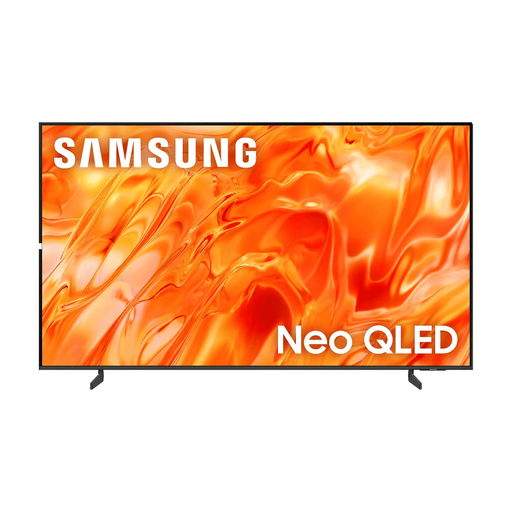 No image available
Use the nearest and furthest seats to decide whether its 65-inch screen fits your group.
The product title specifies 4K Ultra HD and Wi-Fi. If guests sit well off-centre or lamps face the screen, check this model's viewing-angle and reflection performance rather than assuming it shares another Samsung model's features.
 No image available
Measure the closest seat before choosing this 70-inch screen, as well as checking what viewers at the sides can see.
The title specifies Dolby Audio and Freeview Play. Confirm the shipped operating system and support for the apps you use, and assess reflections and side-seat picture quality for your room.
Check horizontal viewing-angle performance first. RTINGS identifies wide viewing angles as important for a broad seating arrangement; assess the exact TV from the furthest side seat as well as the centre.
Measure the nearest, usual and furthest seats rather than choosing by diagonal size alone. Which? notes that a screen can be difficult to take in when it is too large for a close viewing position.
A soundbar does not replace subtitles or audio description. Check whether the programmes and services your group uses offer the access options viewers need, then confirm compatible TV connections if you plan to add audio equipment.
Compare the energy label and product information sheet for the exact models under consideration. GOV.UK's energy-information guidance covers electronic displays, including televisions.
Yes, TV Licensing states that watching programmes on BBC iPlayer requires a TV Licence, including for on-demand viewing. Check TV Licensing guidance against any other services you plan to use.