What matters when choosing
Decide whether you need a separate vocal microphone before comparing recording formats and storage. That choice determines which connections and booth accessories you need.
Built-in microphones
Choose this when: You record alone and want to start without setting up a separate microphone.
Allow for: Recorder position still matters, particularly when the booth adds unwanted reflections or the recorder could be moved during a take.
XLR input and a separate microphone
Choose this when: You want to position a vocal microphone independently of the recorder or already have a compatible XLR microphone.
Allow for: A microphone, cable, stand and suitable pop-filter space, as well as checking the microphone's power requirements.
| Concern |
What to check |
Who this matters to |
| Simple, level-safe recording |
Compare the recording format or available limiter, peak-reduction and auto-level modes. Check whether you can listen on headphones during a take. |
If my voice shifts from quiet passages to emphatic prompts, I want to avoid complicated level setting and unnecessary retakes. Around 33% of consumers would put straightforward level management first. |
| External microphone control |
Confirm the required XLR input and microphone power, then allow space for a stand and pop filter. |
When I want to set a vocal microphone's position independently, its connection and fit inside the booth take priority. For around 25% of consumers, that microphone control would be the primary need. |
| Monitoring and connected workflow |
Check for a headphone output and the specific USB recording and storage functions your workflow requires. |
I need to catch recording problems before a long session and move takes into my editing workflow. Around 25% of consumers would place monitoring and connectivity above other recorder features. |
| Space and session management |
Check the recorder's fit on your intended support, storage options and stated operating time at the format you plan to use. |
With little room for equipment and several takes to organise, I care most about a manageable physical setup and file storage. That would be the leading concern for around 17% of consumers. |
Joybuy voice recorders
These voice recorders offer options for solo, standalone narration. Before choosing one for booth use, confirm whether it supports the live headphone monitoring and microphone connection your setup requires.
 No image available
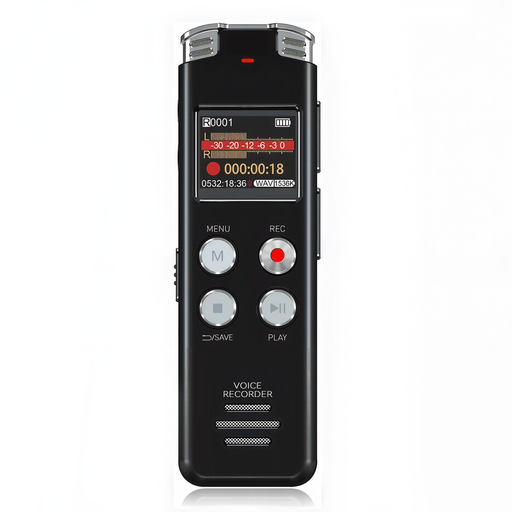
Rexsun L357 128GB Digital Voice Recorder
Consider this portable recorder if you want a standalone device for solo spoken takes.
The listed variant has 128GB storage and an LCD screen. Confirm live headphone monitoring and microphone connections if either is essential to your booth setup.
View on Joybuy
 No image available
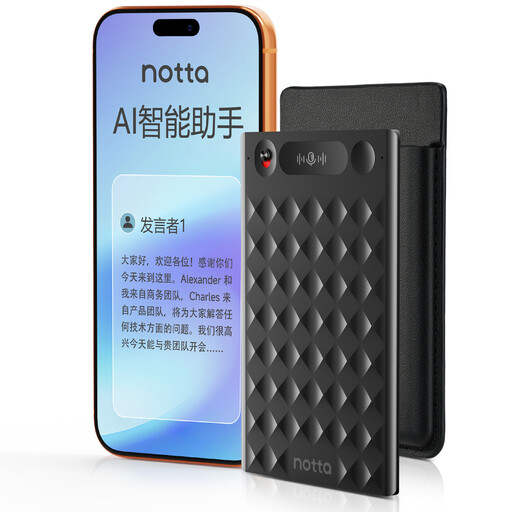
32GB Voice Recorder with Case, Black
Consider this option if you want one-press capture and app-based organisation of repeated sessions.
The title lists 32GB storage and a case. Check the recording format, level controls, live headphone monitoring and app workflow before relying on it for long narration takes.
View on Joybuy
 No image available
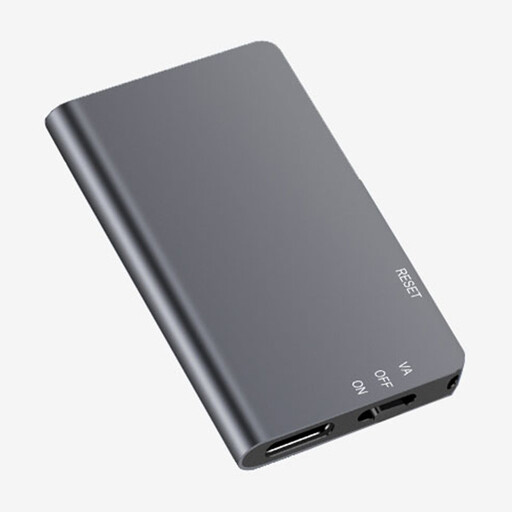
Rexsun L810 64GB Digital Voice Recorder
Its one-touch operation may suit solo takes when you want to start recording without a computer.
The listed variant has 64GB storage. Check whether headphones work during recording, rather than only for playback, and confirm any separate microphone's connection requirements.
View on Joybuy
Common questions
Should I record a spoken meditation in mono or stereo?
Mono can simplify editing a single spoken voice; choose stereo when you deliberately need a stereo element and can manage both channels. Built-in microphone arrangements vary, so check the recorder's available modes and your publishing platform's file requirements before a long session.
How should I position a recorder in a very small booth?
Keep the recorder steady rather than holding it while narrating, and make a short test recording to hear plosives, reflections or movement. If you use a close vocal microphone with a screen-type pop filter, Shure advises allowing 3–6 inches between the filter and microphone for that type of filter to work effectively.
Can I put commercially released music under a meditation published online in the UK?
Do not assume that buying or streaming the track gives you permission to publish it with your recording. GOV.UK advises that businesses using copyright music online may need licences; check the permissions for your particular music, distribution method and territory before release.
What changes if I record a client or workshop participant?
A recording that identifies another person can bring personal-data obligations into your recording and file-handling workflow. GOV.UK states that businesses storing or using personal information must follow data-protection rules; check the requirements that apply to your intended use and retention of those recordings.


