Travellers with a Steam library
You want a self-contained handheld for journeys and short trips, with controller-led play and a way to check your priority Steam games against Valve’s Steam Deck compatibility information.


Choose around the games you play and where you will use the handheld most: Steam Deck OLED is worth considering for a controller-first Steam library, while a Windows 11 handheld suits someone who needs Windows PC platforms and a desk-style setup. Before buying for home use, check the exact device’s video output and power requirements against the dock, display and accessories you intend to use; a dock adds connections, not gaming performance.
You want a self-contained handheld for journeys and short trips, with controller-led play and a way to check your priority Steam games against Valve’s Steam Deck compatibility information.
You plan to connect a display, keyboard, mouse and mains power at home. The device’s video output, dock connections and charging requirements matter as much as its handheld controls.
You want Windows 11 for the PC platforms you use and a more conventional desktop-style setup. Check the exact handheld, dock and cables together rather than choosing by the USB-C connector alone.
Start with your priority games and operating system, then decide whether unplugged play or the home setup will shape the purchase. Valve states that Steam Deck OLED has 30–50% more battery life than the LCD Steam Deck; that comparison does not establish its runtime against Windows handhelds.
| Concern | What to check | Who this matters to |
|---|---|---|
| Travel play | Compare battery claims for the exact models you are considering, and check priority Steam games in Valve’s Deck compatibility information if choosing Steam Deck. | On a long journey, I want straightforward handheld controls and enough unplugged time for my plans; around 36% of consumers would put portable play first. |
| Home connections | Match the handheld’s video output and charging requirements to the dock, display cable and ports needed for your keyboard and mouse. | If I regularly move play to a desk or television, I need the display and peripherals to work together; roughly 29% of consumers would make the home setup their primary concern. |
| Windows access | Confirm the exact model’s operating system and check the game platforms and input methods you intend to use. | My existing PC games and services may make Windows essential to my choice; about 21% of consumers would prioritise that access. |
| Built-in screen and controls | Check the exact display size, controller arrangement and supplied accessories, particularly if considering a Legion Go configuration. | When I play without an external screen, I may value a larger built-in display and alternative controls over a smaller device; around 14% of consumers would put those features first. |
Microsoft notes that USB-C combinations can have limited display or charging functionality. Valve also says its Steam Deck dock has reduced USB throughput when used without a power supply.
Check the exact handheld’s port specification against the dock’s video and power requirements, and choose a cable that supports the intended connection.
A different dock, cable or charger may be needed if the chosen combination cannot provide the required connections.
Valve says its Steam Deck Docking Station adds charging and connectivity but no performance benefit.
Choose a dock for its ports and power arrangement. Assess the handheld’s gaming capability separately.
Valve provides game-specific Steam Deck compatibility information, while the cited ASUS ROG and Lenovo Legion handheld routes use Windows 11. An operating-system choice affects which game-platform setup you should check.
List the games and services you use, check priority Steam titles against Valve’s Deck information when considering Steam Deck, and confirm Windows 11 on any Windows handheld configuration.
The UK Civil Aviation Authority says power banks belong in the cabin, not checked luggage.
Pack permitted power banks in cabin baggage and check your airline’s current rules before flying.
Steam Deck centres on SteamOS, controller-led use and Valve’s compatibility information for games in a Steam library.
The ROG Xbox Ally range provides a Windows 11 handheld route for players considering PC platforms and a docked display setup.
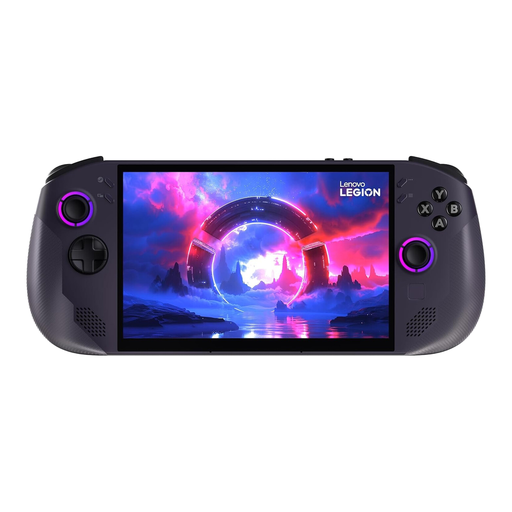
Lenovo’s cited Legion Go Gen 2 configuration is a Windows 11 handheld with a larger integrated display and detachable controllers.
This handheld choice is relevant if you want a device to carry on trips and also plan to check how it fits your games and home setup. Confirm its external-display, dock and power requirements for the equipment you intend to use.
 No image available
Consider this handheld if you want to play while travelling and are prepared to check your priority games and intended home connections before purchase.
The named configuration has an AMD Ryzen Z2 Go processor and 1TB of storage. Check battery runtime and the exact model’s video-output, dock and charging requirements for your setup.
You need connections that match the exact handheld, plus a suitable display cable, display, keyboard, mouse and power supply. Valve’s official Steam Deck dock includes HDMI, DisplayPort, USB-A, Ethernet and power passthrough, but Microsoft cautions that a USB-C connector alone does not establish which display or charging functions will work.
No: Valve says its Docking Station provides charging and connectivity, not additional performance. Choose game and display settings with the handheld’s own capabilities in mind.
Use Valve’s Steam Deck compatibility information for the priority games in your own Steam library. Check titles individually rather than treating compatibility information for one game as an answer for the rest.
Keep a power bank in cabin baggage, not checked luggage, as the UK Civil Aviation Authority advises. Check your airline’s current rules for the batteries you plan to carry.
Check the written terms for the exact model and seller, and keep your proof of purchase. ASUS says warranty periods vary by country or region; Lenovo provides a serial-number warranty lookup, while Valve says its standard limited-warranty agreement does not apply to consumers in the UK.