Drivers who need visible navigation
If you need to see turn-by-turn directions, consider a phone mount or a compatible car display. The screen must be positioned without obstructing your view of the road.


Choose a mounted phone screen only if its position leaves your view of the road clear; if a compatible car display or audio-only setup meets your needs, a separate mount may be unnecessary. Set navigation and calls before moving. GOV.UK requires drivers not to hold and use a phone while driving and to remain in full control, while THINK! warns that hands-free use can still cause dangerous distraction.
If you need to see turn-by-turn directions, consider a phone mount or a compatible car display. The screen must be positioned without obstructing your view of the road.
If spoken directions and calls are enough, Bluetooth or voice control may let you keep the phone out of sight. You still need to avoid distracting conversations and remain in control.
If your vents, dashboard, phone dimensions or case complicate mounting, check the exact combination before choosing a holder. A general claim of compatibility does not establish where it will fit in your car.
Consider it when: You need to see navigation on your phone and can confirm a suitable position from the driving seat.
Trade-off: Dashboard, vent and windscreen positions each need a view and fit check; a windscreen mount must not obstruct the road ahead.
Consider it when: Your car and phone support the navigation and calling functions you need through Apple CarPlay, Android Auto or another built-in system.
Trade-off: Vehicle, phone and connection compatibility must be checked; a car display does not remove the risk of distraction.
Consider it when: Spoken directions and calls meet your needs without a visible phone screen.
Trade-off: Audio-only access will not suit a journey where you need to consult a map, and calls can still draw attention from driving.
| Concern | What to check | Who this matters to |
|---|---|---|
| View and control | With the phone attached, check the proposed position from your normal driving seat for an unobstructed road view and access to controls. | If I need visible directions, I want a screen position that does not get in the way of seeing the road or operating the car; around 42% of consumers put placement and control first. |
| Vehicle and phone fit | Check the vehicle mounting point and the holder’s requirements for your exact phone, case and attachment system. | My vent or dashboard may not take a generic holder, and my everyday phone case must fit the attachment; roughly 33% of consumers make compatibility their primary concern. |
| Interaction while driving | Check whether compatible car-display, Bluetooth or voice functions meet your needs without relying on a mounted phone screen. | I mainly need spoken directions or calls and would rather not look at the phone while moving; about 25% of consumers prioritise reducing interaction. |
A cradle, headset or voice system does not remove the need to stay in control. THINK! warns that distracting hands-free use can still lead to prosecution.
Set your route and audio before moving. If you need to handle the phone, stop safely and legally first.
GOV.UK lists windscreen mounts as a hands-free option, but the device must not block the view of the road and traffic ahead. The same mount can occupy a different part of the view in another car.
Check the position from your normal driving seat with the phone attached, and reject it if it obstructs your view.
Holder dimensions, cases, magnetic attachment systems and vehicle mounting points vary. A mount that suits the phone may still be unsuitable for the intended position.
Confirm your phone and case dimensions, the attachment system and the intended vent or dashboard fit before buying.
Some setups also require a compatible case, adapter or separate vehicle-specific mounting component.
A compatible car display or Bluetooth system may already provide the calls or navigation functions you want without a separate phone mount.
Check your exact vehicle system and phone compatibility, including its connection requirements, before choosing another accessory.
Brodit UK offers vehicle-specific ProClip mounts alongside phone holders.
Quad Lock offers a modular car-mounting system with windscreen, vent and dashboard options.
Belkin offers vent-mounted phone holders with model-specific phone and attachment requirements.
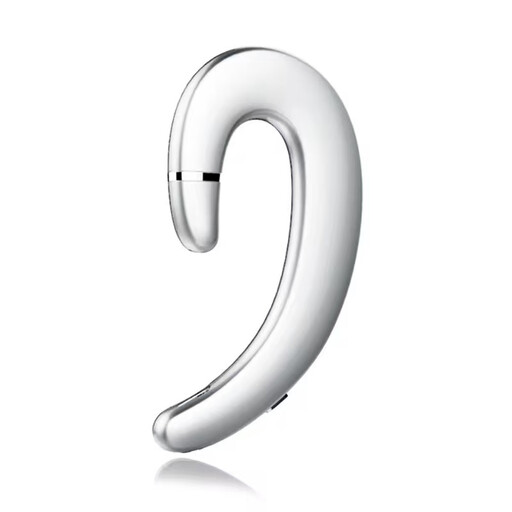
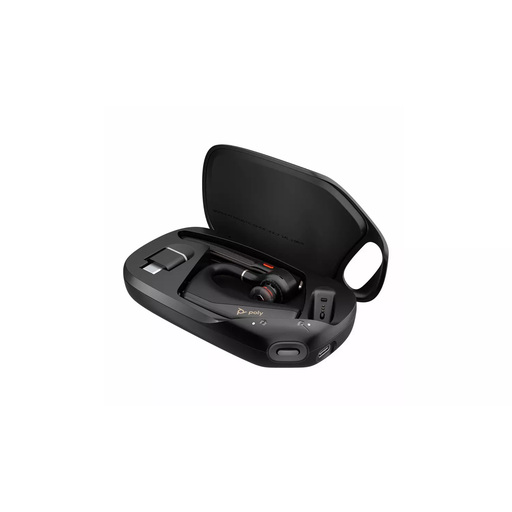
These Bluetooth headsets are options for drivers considering calls without a mounted phone screen. Check phone pairing and any voice-navigation needs before choosing one; neither headset removes the need to stay attentive and in control.
 No image available
For drivers considering an earpiece for calls rather than a mounted screen. Check pairing with your phone and support for voice-guided navigation if you need it; configure the controls before setting off.
 No image available
For drivers assessing a Bluetooth headset for calls without a mounted phone screen. Confirm pairing with your phone, comfort for your intended use and voice-navigation support if required.
Yes, GOV.UK allows hands-free access to navigation, but you must not hold and use the phone while driving. Its position must not block your view of the road and traffic ahead, and you must remain in full control.
No. Although GOV.UK lists a windscreen mount as a hands-free option, the installed device must not obstruct your view of the road and traffic ahead. Check its exact position from your driving seat with the phone attached.
Yes. THINK! warns that hands-free use can still lead to prosecution if distraction affects your ability to drive safely. Keep calls from interfering with your attention and control.
Check support for your exact car, infotainment system and phone before relying on either service. Apple Support and Google Android Auto Help advise checking vehicle compatibility; also confirm the connection method and any cable or phone requirements for your setup.
It can if it obstructs the driver’s view. The Driver and Vehicle Standards Agency’s MOT guidance says removable items such as sat navs that obstruct the view can be removed during inspection; assess the holder’s road-use position separately before driving.