Buying priorities
Start with the route that fits your vehicle, then check installation, connection and power requirements before choosing an accessory.
| Priority |
What to check |
Your needs |
| Hands-free access |
Choose a route that lets the phone remain unheld; set calls, navigation and audio before moving; use supported vehicle controls or voice features where appropriate. |
I need directions, calls or media without picking up the phone while driving. GOV.UK identifies holders, hands-free devices and built-in systems as possible hands-free routes, provided the driver remains in control. |
| Road view and controls |
Check the final position with the phone and case fitted; make sure it does not obstruct the road ahead or interfere with vehicle controls; adjust only while parked. |
I need a setup that stays out of my forward view and does not create a reason to reach for the device. The Road Vehicles Regulations require the driver to have a full view of the road and traffic ahead. |
| Vehicle and phone fit |
Match the mount to the attachment surface, vent design or vehicle-specific fitting point; confirm holder dimensions, locking method and case compatibility. |
My car interior or phone case may make a generic mount unsuitable. A vehicle-specific option can be worth considering where dashboard and vent layouts are unusual. |
| Power and connection |
Check the car socket, connector type, cable rating, charging standard and whether output is shared between ports. For CarPlay or Android Auto, confirm the exact vehicle, stereo, phone and wired or wireless requirements. |
I need enough power and a dependable audio or navigation connection on longer journeys, without assuming every USB-C charger or wireless adapter will work with my car and phone. |
Joybuy product options
These Joybuy options cover Bluetooth hands-free audio, wireless infotainment compatibility and in-car charging for phone navigation, calls and media.
 No image available
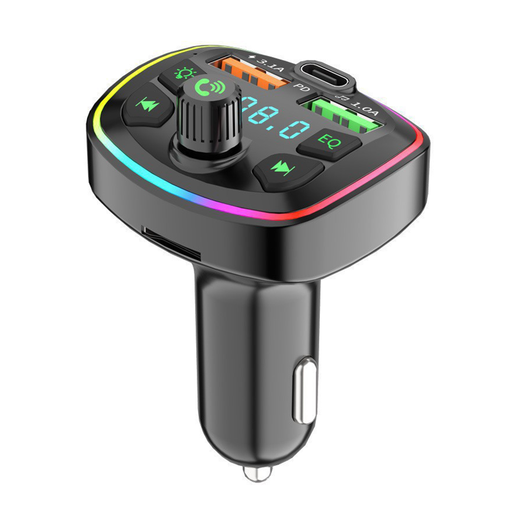
Oxerbog Bluetooth 5.0 Car FM Transmitter
For older cars needing Bluetooth calls, spoken directions, audio transmission and phone charging.
Listed with Bluetooth 5.0, FM 87.5–108.0 MHz, dual USB ports, a USB-C port and 12V–24V operation.
Check phone pairing, microphone performance and FM reception with your particular car radio. Set pairing and the FM frequency while parked, and unplug it after use if your vehicle socket remains powered with the engine off.
Joybuy
 No image available
OTTOCAST Mini 2026 Wireless CarPlay and Android Auto Adapter
For drivers whose vehicles already have factory-wired CarPlay or Android Auto and who want to change that connection to wireless use.
The listing states USB-A and USB-C connection, Bluetooth 5.2, dual-band Wi-Fi, automatic reconnection, firmware updates and Siri or Google Assistant support.
It is listed as unsuitable for BMW, Tesla and aftermarket head units. Confirm the vehicle USB port, infotainment version and phone compatibility before purchase, then configure the connection before driving.
Joybuy
 No image available
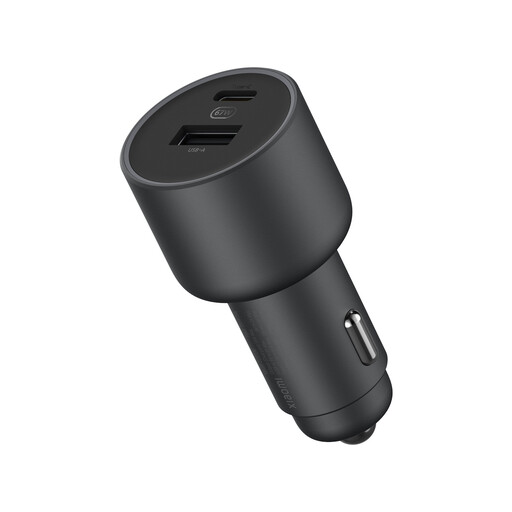
Xiaomi 67W USB-A and USB-C Car Charger
For 12V vehicles where navigation or media use means a compatible phone needs in-car power.
The listing specifies USB-C output up to 67W, USB-A output up to 18W, a 55W maximum with two devices, and an included USB-C cable.
The 67W figure applies to the USB-C port, while two-device output is listed at 55W maximum. Check your phone's charging profile and cable requirements, and connect devices before travelling.
Joybuy
 No image available
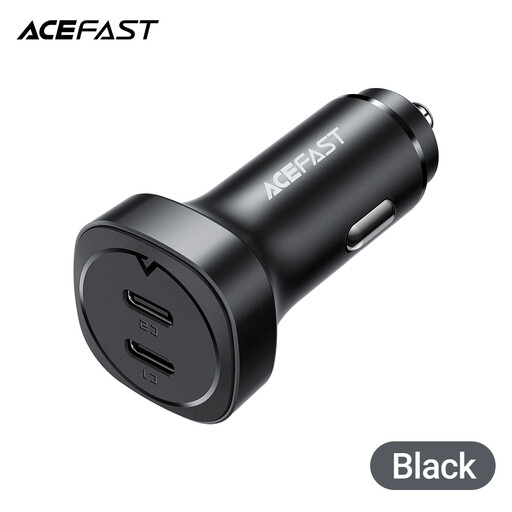
ACEFAST B2 72W Dual USB-C Car Charger
For drivers who specifically need USB-C charging for one or two compatible devices on a journey.
The listing specifies two USB-C ports, up to 36W per port, 72W combined output and support for PPS, PD, QC, AFC and FCP charging protocols.
Check that you have suitably rated USB-C cables and that your devices support the listed charging protocols. Connect devices before travel rather than while the vehicle is moving.
Joybuy
Frequently asked questions
Can I touch my phone if it is in a dashboard or windscreen holder?
Do not hold the phone while driving. GOV.UK allows hands-free access, including dashboard holders and windscreen mounts, only when the device is not held during use; a mounted phone does not prevent action if distraction means you are not in control.
Is there one universally legal place to mount a phone in a UK car?
No universal mounting position is established. The relevant conditions are that the device must not block your view of the road and traffic ahead and that you remain in full control, so check the position in your own car while parked with the phone and case fitted.
What should I do if the map, mount or audio setup needs changing during a journey?
Pull over and park safely before changing the map or adjusting a hands-free device. THINK! specifically advises drivers to pull over if they need to adjust a hands-free device or check a map.
Should I buy a Bluetooth adapter if my vehicle has Apple CarPlay or Android Auto?
Check the built-in route first. CarPlay and Android Auto can provide navigation, calls and music through a compatible vehicle display, so confirm vehicle or stereo and phone compatibility before deciding whether a separate adapter solves a missing feature.
How do I check whether a USB-C car charger will charge my phone quickly?
Check the vehicle socket, charger port, phone charging standard and cable together. Belkin's 20W USB-C PD example describes faster charging only for compatible devices and requires a suitable cable for the cited iPhone charging example.


