Callers using a fixed spot
If the tablet will stay on a bedside table or desk, prioritise a screen that is comfortable to view and a stand position that keeps the camera facing the caller.


Start with the calling app your family already uses, then choose a screen and stand that work from the intended bedside or table position. A Wi-Fi tablet suits a fixed spot with dependable Wi-Fi; consider cellular only if calls are also needed away from Wi-Fi. Try the app, accessibility settings and case-and-stand arrangement with the intended caller before settling on a setup.
If the tablet will stay on a bedside table or desk, prioritise a screen that is comfortable to view and a stand position that keeps the camera facing the caller.
The app relatives already use can shape the choice of tablet. Check that it is available on the exact device and test a call with the family’s accounts.
If finding contacts or answering calls is a concern, try the actual call steps with the intended user and the accessibility settings on the device.
For recurring hands-free family calls, choose around the intended caller’s main priority and check the complete setup at the place where calls will happen.
| Concern | What to check when buying | Who this matters to |
|---|---|---|
| Comfortable viewing position | Check viewing distance, camera framing, the stand angle and the surface with the case fitted. | If I want to leave the tablet in one place, I need the screen and camera to work from the caller’s usual position. Around 31% of consumers put fixed-position visibility first. |
| Calling-app compatibility | Check the family’s app on the exact tablet, then make a test call using the intended accounts. | If relatives already call through a particular app, I need the caller to be able to answer and join in without changing the family routine. Around 25% of consumers prioritise their existing calling app. |
| Easy call controls | Try finding a contact, starting or answering a call, and ending it with the actual app and settings. | If navigating menus is difficult for the intended caller, I need to know whether they can manage the real call steps. Around 19% of consumers put a manageable interface first. |
| Connection where calls happen | Test Wi-Fi at the usual calling spot; for calls away from Wi-Fi, check the exact model’s cellular capability and the intended service. | If calls also need to work away from dependable Wi-Fi, I need to check the connection available at those locations. Around 13% of consumers prioritise calling away from Wi-Fi. |
| Case and charging arrangement | Check exact-model case fit, access to the charging port, what is supplied and where the cable can sit. | If the tablet will stay set up in one spot, I need the case, stand and charging arrangement to work together. Around 12% of consumers put protection and practical charging first. |
An app’s availability on one device does not establish that it will work on another or fit the family’s usual call routine.
Confirm the app and account setup first, then make a test call on the exact tablet with a relative.
Changing the family’s calling routine or replacing a device that does not meet the app requirement can add extra setup work.
Screen size alone does not determine whether the camera points towards the caller or whether the stand works on the intended surface. Lenovo describes stand mode for its Tab M11 folio, but that does not establish stability on every bedside table.
Fit the case and stand to the exact tablet, then check the viewing angle and camera framing from the caller’s position.
A separate case or stand may be needed if the first arrangement does not provide a suitable viewing position.
Cellular capability does not establish coverage or call quality at a particular location. Apple warns that slow or restricted internet can affect FaceTime calls.
Test the connection where calls will happen. If travel matters, check the exact tablet variant and the intended mobile service before choosing.
A cellular variant and data service add requirements, and may not resolve calls in a weak-coverage location.
Apple lists a one-metre USB-C charge cable in the iPad (A16) box; that alone does not establish that a mains adaptor is included. Lenovo lists a wall charger separately among Tab M11 add-ons.
Check the exact box contents, charging compatibility and cable placement before setting up the tablet.
A suitable mains adaptor or a different cable length may be needed.
Consider an iPad when the family uses FaceTime or when Apple’s documented Assistive Access Calls setup fits the intended caller.
The Galaxy Tab A11+ is listed in separate 11-inch Wi-Fi and 5G variants, so check which connection type the exact model provides.
The Tab M11 has a separately identified matching folio case with stand mode for a hands-free viewing arrangement.
These Joybuy listings cover tablet cases and Wi-Fi or cellular tablet options for a hands-free family-call setup. Check app compatibility, connection needs and accessory fit for the exact model and calling location.
 No image available
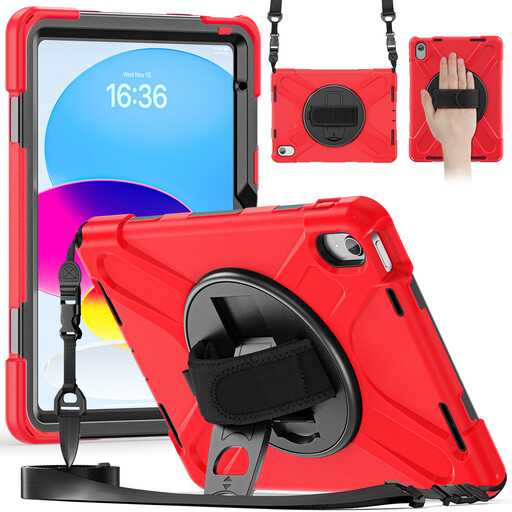
A case option for a hands-free viewing position; confirm that the tablet is a compatible iPad model before ordering.
The product name specifies compatibility with iPad (A16) and 10th-generation iPad models, and a 360° rotating stand.
 No image available
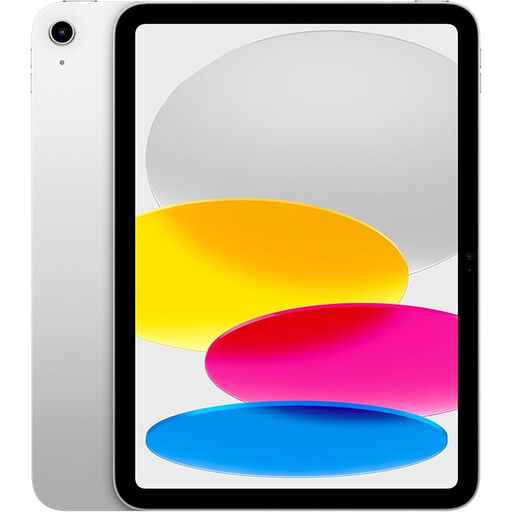
An 11-inch tablet option to assess for the intended call position; confirm the exact model supports the family’s app.
The product name specifies an 11-inch display, 128GB and Silver.
 No image available
A Wi-Fi tablet option for a fixed calling spot with dependable Wi-Fi; check that the family’s app works on the exact model.
The product name specifies an 11-inch screen, 128GB, Wi-Fi and Gray. A compatible charging adapter is sold separately.
 No image available
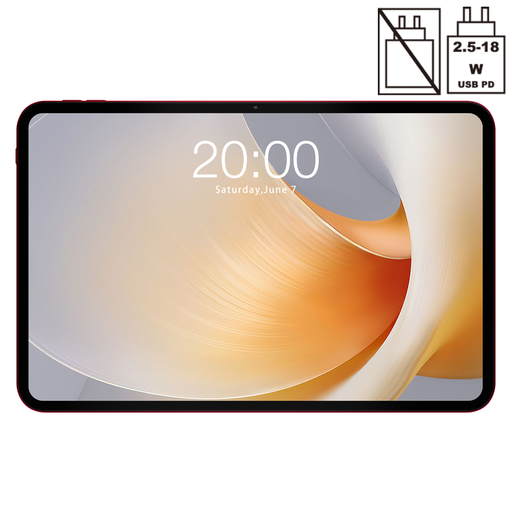
A cellular-capable option to consider if calls are needed away from Wi-Fi; check mobile service availability where the tablet will be used.
The product name specifies a 13.4-inch display, Dual SIM 4G and 128GB.
 No image available
A tablet option to assess for a fixed calling position; check its app and connection options for the exact model before choosing.
The product name specifies 256GB and Grey.
Apple’s UK App Store lists WhatsApp Messenger for iPad. Check that the chosen iPad can install the current app and complete a call with the family’s accounts before relying on it.
No. Apple Support UK documents FaceTime use on iPad over Wi-Fi. A cellular-capable model with a suitable data plan provides another connection option when Wi-Fi is unavailable; call and data rates may apply.
Apple documents FaceTime video calls through the Calls app in Assistive Access, but that does not establish equivalent behaviour for every third-party app. Try the intended app and call steps with the user’s settings and contacts.
Fit the case and stand to the exact tablet, check the camera framing and stability on the actual surface, and make sure the charging port and cable remain accessible. Lenovo describes stand mode for its Tab M11 folio, not a stability guarantee for every setup.
Not necessarily. Apple lists a one-metre USB-C charge cable in the iPad (A16) box, while Lenovo lists a wall charger separately among Tab M11 add-ons. Check the exact model’s box contents and the charging arrangement you need.