What should you check before choosing?
Decide first whether you need another screen at all. If you do, compare the call setup and apps you will use before choosing hardware features; Which?’s UK tablet guidance also considers screen quality, battery life and speed.
Keep your phone
Makes sense when: Viewing is usually individual and your calls are brief.
Trade-off: Its smaller screen may be less comfortable for shared viewing or longer calls.
Add a tablet
Makes sense when: You would regularly use a larger touch screen for viewing, browsing and calls in different rooms.
Trade-off: A tablet still needs suitable apps and a stable position for hands-free calls.
Keep your laptop
Makes sense when: Typing, desktop-style browsing or file management are regular parts of the same sessions.
Trade-off: It may be less convenient than a tablet for touch-first use as you move around the home.
| Priority | What to check | Your needs |
|---|
| Screen and position |
Compare screen size and resolution on the exact model. Check whether a compatible case, stand or built-in kickstand holds it at a useful viewing angle. |
I want a larger image than my phone gives me, without having to hold the tablet through a film or call. |
| Battery and responsiveness |
Look for comparable battery-endurance results rather than treating capacity as runtime. Consider speed with the browser tabs and apps you actually use. |
Moving between rooms matters to me, and I want browsing and calls to remain practical away from a charger. |
| Video calls |
Check the front camera’s position and video specification, microphones and speakers. Work out how the tablet will stay steady when you call. |
For longer conversations, I want to see the other person clearly and sit comfortably without holding a screen. |
| Software and accessories |
Check each essential app in the platform’s store. Match cases, keyboards and pens to the exact model, and check its current software-support information. |
The calling and streaming apps my household uses matter more to me than a feature I might never use. |
| Connectivity |
Check whether home Wi-Fi covers your usual rooms. Consider cellular capability only if you need a connection away from dependable Wi-Fi and phone tethering will not suit you. |
If the tablet will stay at home, I would choose connectivity for where I actually use it, not for occasional possibilities. |
Tablet options on Joybuy
These tablet options offer different screen sizes and configurations for home viewing and browsing. Compare their app compatibility and hands-free call setups with the way you plan to use them.
 No image available
Samsung Galaxy Tab A11+ 11-inch 128GB Wi-Fi, Grey
Its 11-inch screen makes this a tablet to consider if you want more viewing space than a phone while using home Wi-Fi. For calls, check the front-camera position and a compatible way to prop it up; also confirm your essential apps and the exact model’s update information.
View on Joybuy
 No image available
DOOGEE U11 PRO 11-inch 256GB Tablet, Black
The 11-inch format is worth considering for video and browsing in different rooms. Its title lists a 90Hz IPS screen and an 8580mAh battery capacity, which should not be read as a tested runtime. Display-resolution information conflicts within the product description, so confirm the panel resolution, essential apps and call setup before ordering.
View on Joybuy
 No image available
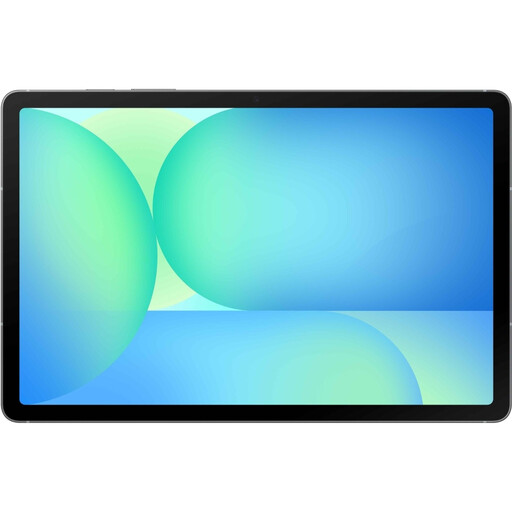
Samsung Galaxy Tab S10 FE 256GB Wi-Fi, Grey
This 256GB Wi-Fi variant is an option for viewing and browsing on a tablet rather than a phone. Samsung UK describes the Galaxy Tab S10 FE model’s 10.9-inch, 90Hz display; for frequent calls, check the camera position and a compatible stand or case, as well as your essential apps and update information.
View on Joybuy
 No image available
TECLAST ArtPad Pro 2025 Edition, 12.7-inch 2K, 256GB
The 12.7-inch screen offers a larger viewing format, so consider whether it would still be comfortable to carry and position between rooms. The title specifies 4G LTE via dual SIM and 5G Wi-Fi; these are different types of connectivity. Its 10,000mAh battery capacity does not establish runtime, and the call-camera position and suitable stand need checking.
View on Joybuy
 No image available
Xiaomi Pad 8, 8GB RAM, 128GB Wi-Fi, Grey
This Wi-Fi tablet is an option to compare if your main uses are home viewing and browsing. Before choosing it for video calls, confirm which camera faces the caller, how you would position the tablet hands-free, and whether your required apps and update support meet your needs.
View on Joybuy
Common questions
Is a tablet worth buying if I already use my phone for video?
It is worth considering when you would regularly use a larger screen for viewing or a stable, hands-free position for calls. If your phone is already comfortable for brief, individual use, keep it rather than assuming a second screen will improve your routine.
When should I keep using my laptop instead?
Keep the laptop for regular typing, desktop-style browser work, file management or long seated sessions. A tablet makes more sense as a complementary device when touch browsing, viewing and casual calls in different rooms are the activities you want to make easier.
Do I need a cellular tablet for use around the home?
A Wi-Fi model will generally fit use in a home with dependable Wi-Fi. Consider cellular if you also need the tablet online away from Wi-Fi and using your phone as a hotspot will not suit you; check the device configuration and mobile-data requirements before choosing.
Can rear-camera megapixels tell me whether video calls will look good?
No. Check the front camera’s position and video specification, along with the microphones and a stable way to prop up the exact tablet. Apple UK specifies a landscape 12MP Centre Stage front camera for the iPad (A16), but that specification does not describe other models’ call setups.
How do I check apps and software support before ordering?
Look up every essential calling, streaming or household app in the tablet platform’s app store, then check update information for the exact model. Apple Support lists iPad (A16) as compatible with iPadOS 27; compatibility with a current release does not establish a future support end date.


