What matters when choosing?
Portable HDD
Consider when: The finished journal is a large archive and capacity matters more than a quick copy.
Trade-off: An HDD has a mechanical design, so take particular care when carrying it and check the exact model's connection and security features.
Portable SSD
Consider when: You expect to carry the drive often or need to copy the handover promptly.
Trade-off: Advertised maximum speeds depend on the computer and connection; capacity still has to fit the completed package.
Encryption is a separate decision from HDD versus SSD: assess the journal's contents and make sure the recipient can unlock any protected files. Before choosing a capacity or connector, measure the final package and check both parties' devices.
| Concern | What to check | Who this matters to |
|---|
| Confidentiality and access |
Identify personal or confidential files; check the exact drive's encryption setup and agree how the recipient will receive access details. |
If the journal contains sensitive client material, I need to protect it during the handover without locking out the recipient. Around 40% of consumers would put confidentiality and access first. |
| Archive capacity |
Measure the completed delivery, including supporting media, and plan a separate retained copy. |
With a sizeable archive, I need the complete package to fit without leaving files behind; around 30% of consumers would make capacity their primary concern. |
| Copying and compatibility |
Check both parties' ports, the supplied connection and whether the recipient can open a sample file. |
When I must carry the journal and meet a deadline, I need a workable connection and time to verify the copy. For around 30% of consumers, copying and compatibility would come first. |
Joybuy product choices
These portable HDDs and SSDs offer different capacities and connection types for a client journal handover. Match the completed archive and both parties' devices first; assess security separately for any sensitive files.
 No image available
Western Digital My Passport Ultra for Mac 5TB, Silver
Consider this portable HDD if the finished journal needs substantial storage.
Capacity: 5TB. Check how the recipient's computer will read the files and, for confidential material, confirm the protection and access workflow before handover.
View on Joybuy
 No image available
Samsung T7 Shield Portable SSD 1TB, Blue
Consider this portable SSD when carrying and copying the handover matters alongside storage capacity.
Capacity: 1TB; interface: USB 3.2 Gen.2. Measure the archive, check both parties' connections and test any encryption access method you intend to use.
View on Joybuy
 No image available
Western Digital My Passport Portable HDD 2TB, Black
Consider this portable HDD if the complete handover fits a 2TB capacity.
Check the recipient's file access, and confirm how any password or encryption feature must be set up before copying client material.
View on Joybuy
 No image available
DigiEra LPS2000M-3 Magnetic Portable SSD 1TB, Pink
Consider this portable SSD for a journal you need to copy and carry between locations.
Interface: USB 3.2 Gen 2x2; advertised transfer rate: up to 2000MB/s. Check the host connection and recipient's file access; establish an appropriate security workflow if the files are sensitive.
View on Joybuy
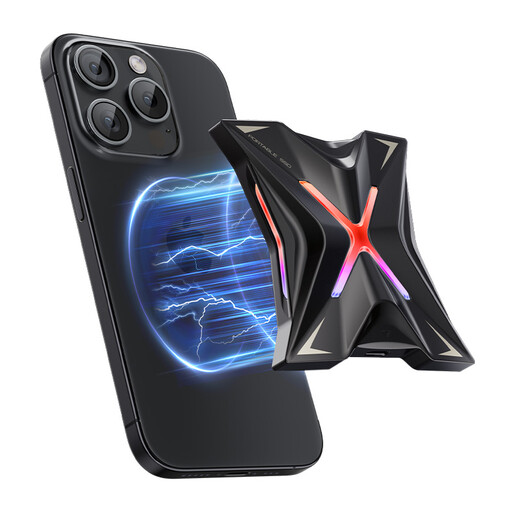 No image available
MOVESPEED YSPSRX20M-1TTG Magnetic Portable SSD 1TB
Consider this portable SSD when the handover involves copying files between compatible devices.
Interface: USB 3.2 Gen2x2; advertised transfer figure: 2060MB/s. Check the connection, completed archive size and any security workflow needed for client data.
View on Joybuy
Common questions
Do I need encryption for a client journal handover?
Assess what the journal contains and the risk of unauthorised access. For personal information on removable media, the Information Commissioner's Office advises encryption as part of appropriate security measures; follow the client's data-handling requirements and make sure the recipient can access the protected files.
Should I choose an HDD or SSD for a large journal?
Choose by the finished archive size and how you will move the drive: a portable HDD suits a capacity-led handover, while an SSD suits frequent carrying or time-sensitive copying. Either way, check that the exact capacity fits and the recipient can open the files.
Is one copied handover drive enough as a backup?
No, not if it is your only recoverable copy. Keep another copy in a separate safe location and test that the files on the handover drive open; the National Cyber Security Centre advises keeping backups safe and testing restoration.
How can I check the drive before handing it over?
Copy the final folder, safely eject and reconnect the drive, then open representative files from the drive itself. Check the expected folders and test the recipient's software and access method where possible.
Should the password travel with an encrypted drive?
Agree a separate secure way to give the recipient the password or key rather than placing it with the drive. The Information Commissioner's Office notes that a recipient needs compatible access software and the key to decrypt protected material.


