For an offline sewing-pattern archive copied occasionally at home, choose a portable HDD if capacity matters more to you than transfer speed. A portable SSD makes more sense if you carry the files regularly or copy larger project folders often; whichever you choose, check the computer port, cable and file format before moving your library. Keep the drive disconnected between backups and retain another separate copy where possible, as advised by the NI Cyber Security Centre.
Who needs an offline pattern copy?
Home archive sewists
If you mainly save downloaded pattern PDFs and instructions at home, a separate offline copy and a routine for updating it may matter more than peak transfer speed. The NI Cyber Security Centre advises keeping an offline copy as part of a wider backup routine.
Portable project organisers
If you move pattern folders between a laptop, sewing room and classes, consider the drive’s size, the connections available on each computer and how often you copy files.
Windows-and-Mac households
If both systems need to access the same pattern folders, decide on a suitable file format before making the drive your working copy. Apple’s Disk Utility guidance identifies ExFAT for a disk over 32GB intended for Windows and Mac.
What matters when choosing a drive?
Decide how often the pattern library will travel or be copied, then check the connection and file format for the computers you will use.
| Concern | What to check | Who this matters to |
|---|
| Home archive capacity |
Check the exact drive capacity and plan when to update the separate copy. |
If I mainly save pattern PDFs at home, I want room for the library and a copying routine I can keep up. Around 50% of consumers put this archive need first. |
| Portable, quicker copying |
Check the drive and computer ports, the supplied cable and whether a quoted speed is an “up to” figure. |
When I carry projects between spaces and regularly move larger folders, I want copying to take less time. For around 30% of consumers, portability and copy speed are the primary concern. |
| Windows-and-Mac access |
Check the file format before copying; Apple identifies ExFAT for a disk over 32GB used with both systems. |
If my pattern folders must open on a Windows PC and a Mac, I need to settle the format before relying on the drive. That cross-device need comes first for around 20% of consumers. |
Mistakes to avoid
-
Treating one external drive as the whole backup plan
A pattern copy kept with the computer may be affected by the same incident, and a drive that is never updated will not contain newer files.
Copy new and changed folders regularly, disconnect the drive between backups and keep another separate copy in a different location where practical. The NI Cyber Security Centre recommends three copies on two devices, with one kept offline elsewhere.
-
Choosing SSD speed your connection cannot use
The maximum speeds quoted for drives such as the Samsung T7 and Crucial X9 depend on the host connection and configuration; they are not promised copying speeds for every computer.
Check the exact drive interface, supplied cable and computer port before making speed a deciding factor.
-
Reformatting the only saved pattern library
Formatting erases files already on the disk, even when the aim is simply to use it with another operating system.
Make and check another copy before changing the format. For a disk over 32GB intended for Windows and Mac, Apple’s Disk Utility guidance identifies ExFAT.
-
Assuming a USB-A HDD connects directly to every laptop
Seagate’s Expansion Portable manual specifies a USB micro-B-to-USB-A cable, which does not connect directly to a USB-C-only port.
Inspect your computer’s ports and the exact drive package; if necessary, confirm a suitable adapter or choose a drive with the connection you need.
Brands to consider for portable storage
Samsung
The portable SSD T7 is relevant if you want compact USB 3.2 Gen 2 storage; the Samsung UK example here is the MU-PC1T0T/WW 1TB variant.
- Samsung quotes up to 1,050 MB/s sequential read and 1,000 MB/s sequential write for the T7.
- Samsung says performance varies with the host configuration, so check the computer connection rather than assuming those maximum speeds.
Crucial
The Crucial X9 portable SSD is an option to examine when USB-C connectivity and an included USB-A adapter matter across devices.
- Crucial lists X9 capacities up to 4TB and quotes read speeds up to 1,050 MB/s.
- Crucial says the X9 ships in ExFAT format, while compatibility can still depend on formatting and host capabilities. Its quoted speed is a manufacturer figure.
Seagate
Expansion Portable illustrates the portable-HDD route for an offline archive connected to a computer with USB-A.
- Seagate’s Expansion Portable manual identifies a USB micro-B-to-USB-A cable and USB 3.0-or-higher computer ports.
- For a USB-C-only computer, confirm a suitable adapter or consider a drive with a native USB-C connection.
Joybuy drives for offline copies
These portable HDDs and SSDs can hold a separate local copy of sewing-pattern files. The HDDs suit an archive copied occasionally; consider the SSDs if you also move the library regularly between spaces or computers.
 No image available
Western Digital My Passport 2TB portable HDD, black
Consider this 2TB HDD for a pattern archive you copy occasionally at home.
The listing describes an included USB-A-to-Micro-B cable. Check whether your computer has the required port; for Mac use, confirm how the described downloadable NTFS compatibility driver fits your workflow before copying files.
View on Joybuy
 No image available
Western Digital Elements Port 4TB portable HDD, black
Consider the 4TB capacity if your home archive includes a growing collection of patterns and associated files.
The listing states USB 3.2 Gen 1 and an included USB-A cable. It says reformatting may be required for Mac or other systems, so check the intended file format before moving your library.
View on Joybuy
 No image available
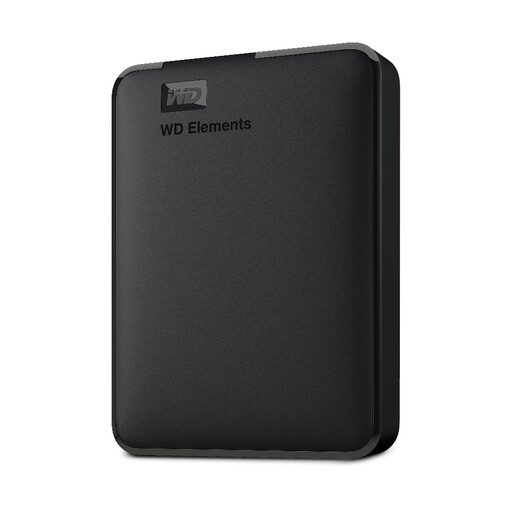
WD Elements 2TB portable HDD, black
This 2TB portable HDD is another option for a separate pattern archive copied at home.
The description states USB 3.2 Gen 1 and describes the drive as formatted for PC and Mac. Check its file format and the cable supplied with this exact variant before relying on it across both computers.
View on Joybuy
 No image available
Lexar ES4 Magnetic Set 2TB portable SSD
Consider this portable SSD if you carry pattern and project folders between devices or copy them frequently.
The listing states USB 3.2 Gen 2 and includes USB-C-to-C and USB-A-to-C cables. Its instructions identify ExFAT as a Windows-and-Mac format option; check the drive’s current format before copying, as formatting erases existing files.
View on Joybuy
 No image available
Samsung Portable SSD T7 2TB, grey
Consider this 2TB portable SSD for a pattern library you regularly carry or copy between computers.
The listing states USB 3.2 Gen 2 and includes USB-C-to-C and USB-C-to-A cables. Check the file format for the computers you intend to use; Samsung notes that T7 transfer performance varies with the host configuration.
View on Joybuy
Frequently asked questions
Can an external drive take the place of cloud storage for sewing patterns?
Yes, it can hold a local, removable copy without cloud storage, but that drive should not be your only safeguard. The NI Cyber Security Centre recommends three copies on two devices, with one offline in a different location, and advises disconnecting an external drive between backups.
Is an HDD or SSD more suitable for pattern PDFs?
A portable HDD suits an archive of pattern PDFs copied occasionally, while an SSD is worth considering if you carry the drive often or regularly move larger associated files. Which? describes HDDs as suited to long-term file backup and SSDs as generally faster; check the exact capacity and connection for the drive you choose.
How can I use the same pattern drive with Windows and Mac?
For a disk over 32GB intended for both systems, Apple’s Disk Utility guidance identifies ExFAT. Check the drive’s current format first, and copy any existing files elsewhere before reformatting because the process erases the disk.


