Frequent shared-space callers
If you regularly join meetings near other people, outgoing speech, accessible mute controls and microphone placement matter alongside what you hear through the headset.


For frequent calls near other people, start with a headset designed for speech capture and check its microphone, mute control and connection to your meeting device. A wired USB headset suits a fixed desk setup; a wireless work headset allows more movement, while over-ear headphones or earbuds may better fit listening and portability needs. Active noise cancellation does not, by itself, establish how clearly callers will hear you or how much sound others nearby will hear.
If you regularly join meetings near other people, outgoing speech, accessible mute controls and microphone placement matter alongside what you hear through the headset.
If calls move between your computer and phone, check the exact model's simultaneous-connection options and any required USB adapter. Bluetooth support alone does not establish how switching will work.
If you carry headphones between locations, weigh their packed size against wearing comfort and the need to charge them or stay connected by cable.
Choose the connection and wearing style around where you take calls, then check the exact model's microphone arrangement and controls. Features described by manufacturers are useful screening points, not comparable measurements of speech clarity in a busy room.
Consider it when: You take frequent calls near others but need to move away from your desk. Poly and Jabra describe work headsets with boom microphones and voice-focused features.
Bear in mind: Check the precise USB receiver, meeting-service variant and talk-time conditions; a headset can also be bulkier to carry than earbuds.
Consider it when: Most meetings happen at one computer and you prefer not to manage a headset battery.
Bear in mind: A cable restricts movement, and USB-A and USB-C models require the appropriate port or a suitable adapter.
Consider them when: Listening focus and moving between a phone and computer matter as well as calls. Sony says its WH-1000XM6 supports two simultaneous Bluetooth connections after Multipoint Connection is enabled in its app.
Bear in mind: Noise cancellation for the wearer does not establish outgoing microphone quality or sound leakage; fit and an unobstructed microphone also matter on the cited Sony model.
Consider them when: A pocketable option for shorter calls is more important to you than a projecting boom microphone.
Bear in mind: Check fit and uninterrupted talk time. A figure that includes recharging from the case is not the time you can spend on one continuous call.
| Concern | What to check | Who this matters to |
|---|---|---|
| Outgoing speech | Check microphone position, mute access and the exact model's stated handling of nearby noise. For important calls, seek a relevant microphone recording. | If I speak near classmates or colleagues, I need callers to understand me without repeated explanations. Around 33% of consumers put outgoing speech first. |
| Device compatibility | Match the connector to your computer; check any included receiver, simultaneous-device support and meeting-service variant. | Moving between a laptop meeting and a phone call makes connection changes my main frustration. For around 27% of consumers, compatibility is the primary concern. |
| Long-session comfort | Consider the wearing style and fit, plus wireless talk time under the settings you intend to use. | During consecutive meetings, I need something I can keep wearing without fit becoming a distraction. Comfort comes first for around 20% of consumers. |
| Portability and discretion | Look at packed size, earbud time before case recharging and evidence about sound leakage if nearby people may hear your audio. | When I move between study and work spaces, carrying and using headphones around others matters most. Around 20% of consumers prioritise portability and discretion. |
Active noise cancellation, microphone noise reduction and sound leakage concern different parts of a call. Sony discusses listening noise cancellation separately from microphone fit on the WH-1000XM6, while Poly specifies a separate microphone-noise-cancellation feature for Voyager Focus 2.
Check the microphone system and how the headset should be worn. If nearby speech is a persistent problem, look for a call-microphone test in comparable conditions rather than relying on an ANC label.
Logitech H390 uses USB-A, whereas Microsoft's Modern USB-C Headset uses USB-C with a Windows 10 or 11 PC. A connector or adapter fitting physically does not establish that every meeting control will work.
Check your available ports, the headset variant and the contents of its package. If dedicated Teams controls matter, confirm certification for that exact variant.
A mismatched port may mean using a separate adapter, which adds another item to carry and check for compatibility.
HP specifies up to 25 hours of talk time for Voyager Focus 2 with ANC and the online indicator off, but up to 16 hours with ANC on and the indicator on under the stated default setting.
Compare figures under settings close to your intended use, especially if you have meetings without a charging break. Check whether the precise model supports USB audio or charging during use if you need either option.
Damaged batteries can present a fire risk in waste handling, and electrical products need an appropriate collection route.
GOV.UK advises using suitable battery or electrical-waste recycling facilities. Treat headphones with a non-removable battery as an electrical product when arranging disposal.
Work-oriented Bluetooth headsets and earbuds, including on-ear designs with boom microphones.
Evolve work headsets with wireless and foldable options for meetings.
Computer headsets that include straightforward wired USB options.
Over-ear wireless headphones for people balancing calls with personal listening features.
Teams-focused headset accessories for computer-based calls.
These choices include wireless work headsets and wired USB headsets for computer calls, plus a gaming-oriented USB headset to consider for a desk setup. Choose by connector, microphone arrangement and the controls needed for your own calls.
 No image available
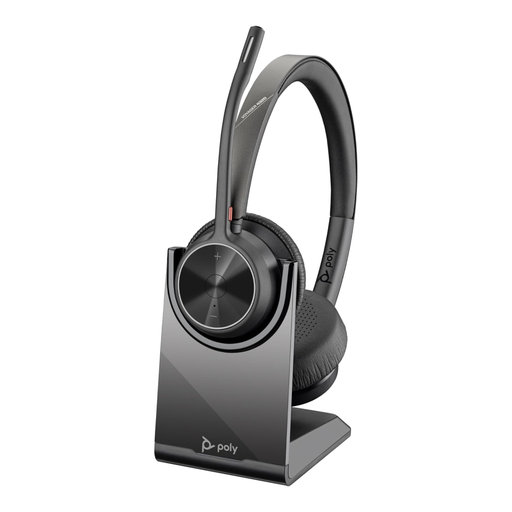
Consider this wireless work headset if you take calls at a shared desk but want some freedom to move. Its title specifies Bluetooth, USB Type-A and a charging stand; check how the exact package connects to your computer and phone, and assess microphone performance for your surroundings.
 No image available
Consider it for desk-based meetings when a wired connection is acceptable. The title specifies USB-C and a USB-C/A adapter; check the included adapter against your computer's ports and allow for the cable when planning where to sit.
 No image available
Consider it if your calls take place at a computer and inline controls are useful. The title identifies a wired USB headset and a noise-cancelling microphone; check its precise USB connector and do not treat the microphone label as a measured result for nearby speech.
 No image available
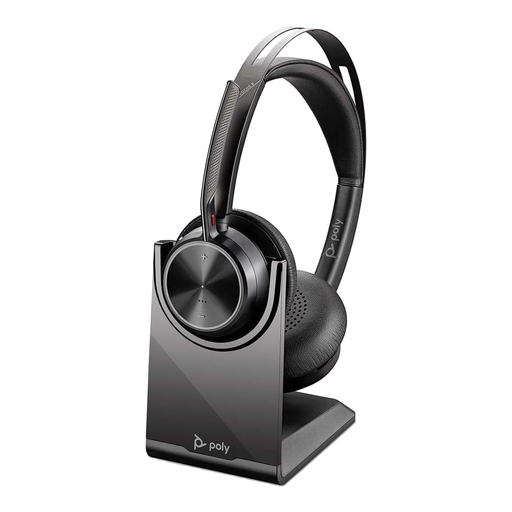
Consider this work-focused option for frequent calls when a boom microphone and a charging stand fit your routine. HP specifies Acoustic Fence microphone noise cancellation for the Voyager Focus 2 series; check the exact USB-C/A package and your devices rather than assuming the feature guarantees clear speech in every room.
 No image available
Consider this gaming-oriented headset for computer calls only if its microphone and meeting-software behaviour meet your needs. The title specifies a wired USB connection, 7.1 surround sound, a noise-cancelling microphone and PC, Mac and PS4 compatibility; none of those labels establishes call clarity around nearby people.
Not necessarily: active noise cancellation primarily concerns what you hear, while outgoing speech depends on the microphone system and how the headphones are worn. Sony advises that fit and an unobstructed microphone matter for WH-1000XM6 calls; check microphone behaviour separately from ANC.
Yes, if the exact model supports the arrangement you need. Sony says WH-1000XM6 can connect to two Bluetooth devices simultaneously after Multipoint Connection is enabled in its app, and Jabra lists two simultaneous Bluetooth connections for the cited Evolve2 65 configuration. Check the variant and setup instructions before buying.
Choose a connector that works with your meeting device and how far you need to move from it. Logitech H390 uses USB-A, while Microsoft specifies USB-C and a Windows 10 or 11 PC for its Modern USB-C Headset. For Bluetooth models, check pairing, any required receiver and meeting-service support.
Teams certification is relevant if you want the integration and controls specified for a particular model. Microsoft lists certified headsets in several wearing styles, but certification does not replace checking the connector, operating system and whether you also need phone use.
Yes, it can affect microphone capture on models with particular fitting requirements. Sony advises wearing WH-1000XM6 on the correct sides, seating the earpads properly and leaving the rear microphone unobstructed. With a boom headset, follow its positioning instructions and check that mute is off before speaking.